OPERATION 5
MHL360 E 5.79
5.20.2 Dozer blade (optional)
The dozer blade can be used to clear small
loose objects lying on an even surface to the
side (scrap or pieces of wood, for example).
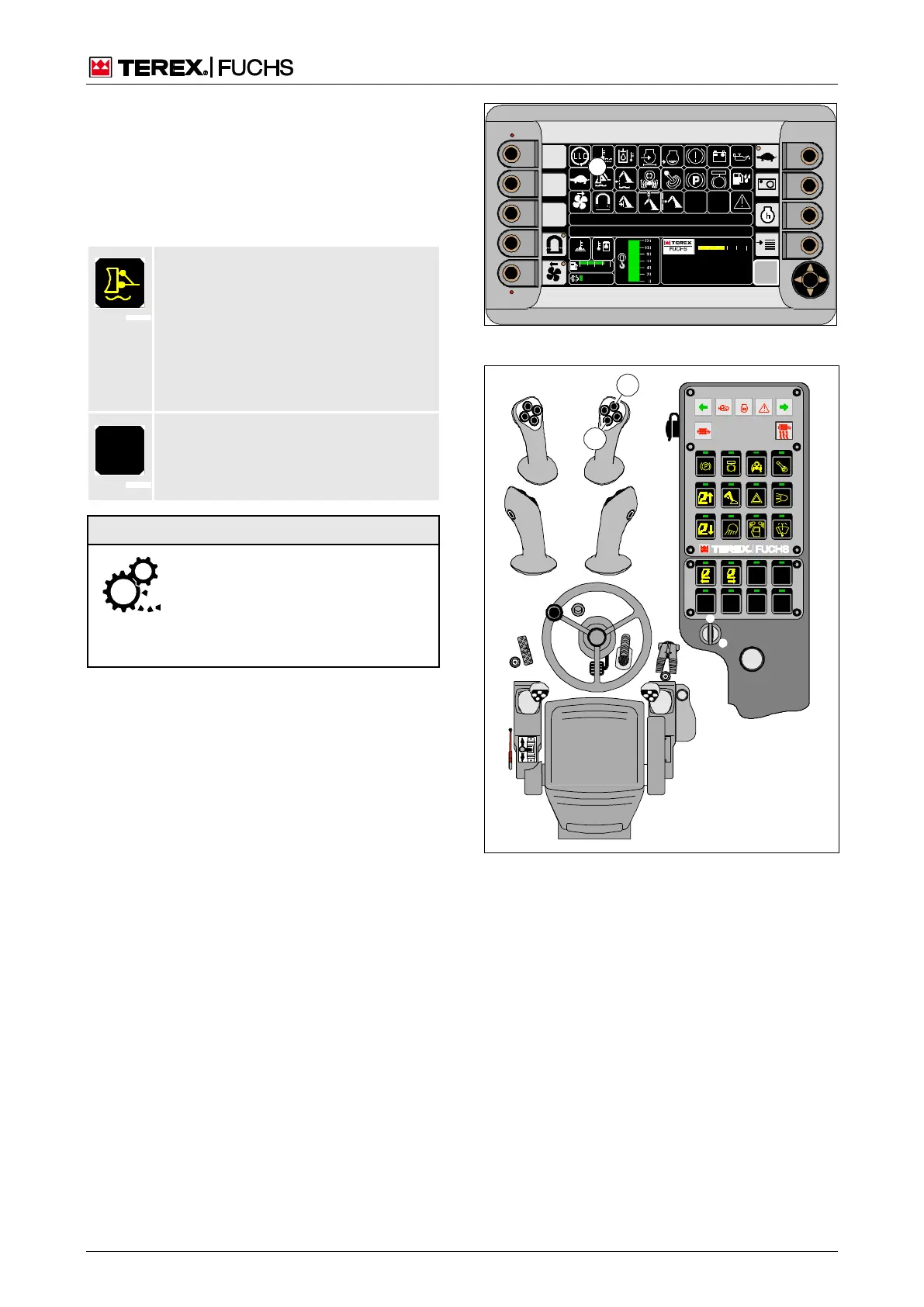
The indicator (213/19) indicates the status of
the positioning.
Float position
Preferred setting. The dozer blade
drops to the ground by its own weight.
During driving, it follows the ground con-
tours up and down in a "floating" man-
ner. When the ground is too soft, the
dozer blade can dig in. Set a fixed
height.
The dozer blade is positioned at the
desired height. During driving, it does
not adapt to the ground contours.
Damage to the dozer blade is pos-
sible from very uneven surfaces
(e.g. kerb stones), unadapted
speed. Raise the dozer blade in
front of obstacles. Do not travel in
high gear. Always adapt speed.
Lowering dozer blade to the ground
►
Press button toggle (214/48) on the right
four-way control lever once.
Indicator (213/19) lights up. Dozer blade
drops.
Stopping lowering
►
Press button toggle (214/48) on the right-
hand four-way control lever again.
Indicator (213/19) is not lit. Dozer blade
stops.
Lifting the dozer blade
►
Press and hold button toggle (214/46) on
the right four-way control lever until the de-
sired position is reached.
Indicator (213/19) is not lit. Dozer blade
rises.
F
09 :43 11 .03. 2 011
MH LX X X / XXX X
18 00 U PM
0 5 1 0 15 20 2 5
95°C 7 5°C
0 ½ 1
9 %
120 0
BSB50848
19
Fig. 213 Float position indicator
Fig. 214 Dozer blade



 To Next Page