DISPLAY AND CONTROL ELEMENTS 4
MHL360 E 4.31
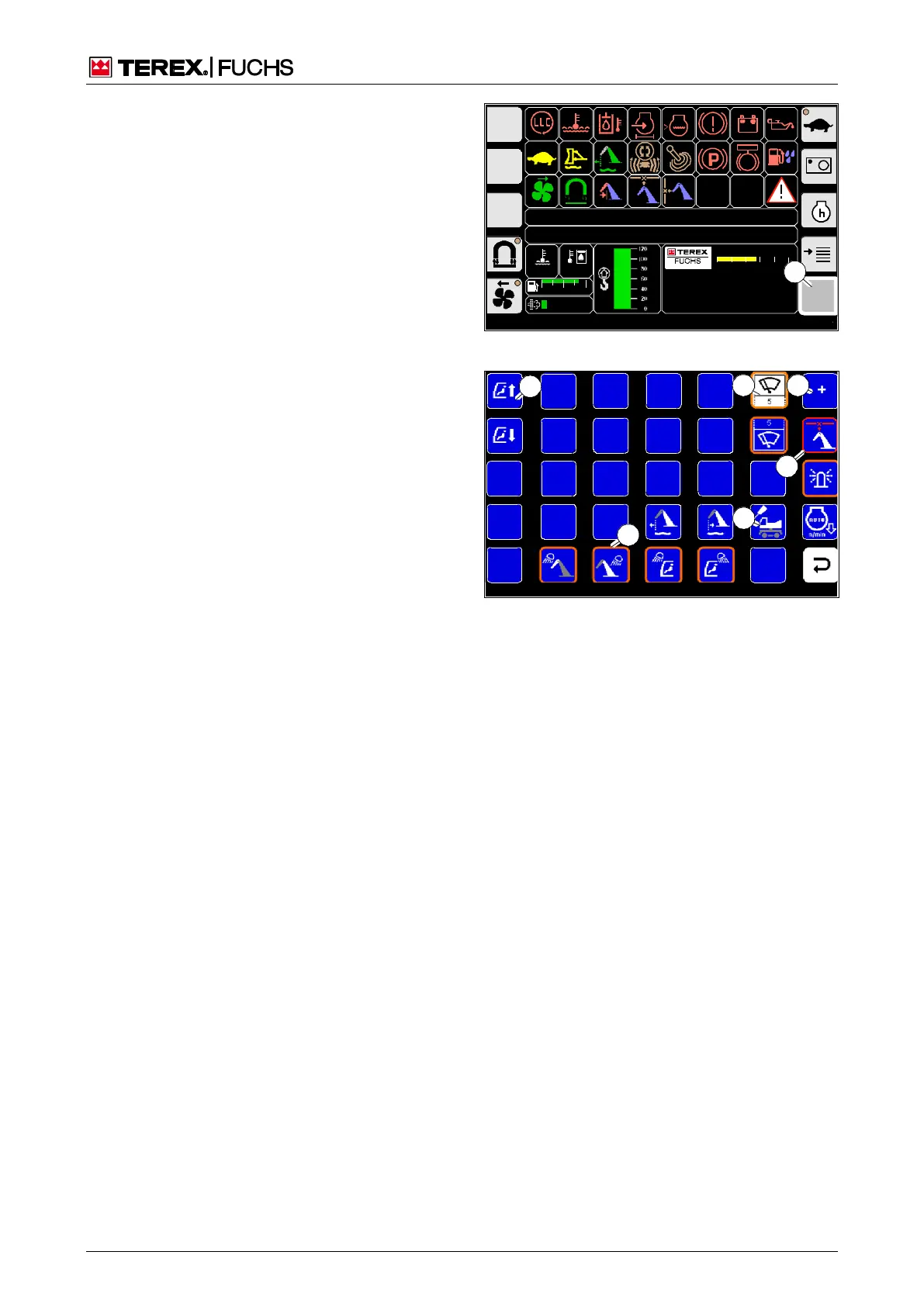
4.5.5 Function menu
In the function menu, additional functions can
be switched or adjusted according to their
properties.
Call-up
►
Main control display > Symbol (52/1)
Structure
The function menu is divided into squares.
Square without symbol: no functionality
Square with symbol (53/1): selectable func-
tion.
Orange border (53/6): Function is switched
on. After turning off the ignition, the function
remains selected.
Red border (53/7): Function switched on.
After turning off the ignition, the function is
deselected.
White square (53/2): Focus is on this
square.
Square with numerical value (53/2): Func-
tion is adjustable.
Square with plus or minus sign (53/3): Tool
for changing setting values with the arrow
keys of the 4-way rocker switch or the func-
tion keys. It appears automatically as soon
as the focus is navigated to a square with a
function that can be set.
Operating note
►
Use the arrow keys to navigate the focus to
the desired button.
►
Press the central button.
►
For those functions that can be adjusted,
change the value with the function key (for
example 53/3). Then briefly press the cen-
tral button again.
or multifunction button
►
Use the mini-joystick to navigate the focus
to the desired button.
►
Briefly press button.
►
With functions that can be set, change the
value by turning the button. Then briefly
press the button again.
h Description of the individual functions
BSB50553
F
09:43 11.03.2011
MHLXXX / XXXX
1800 UPM
0 5 10 15 20 25
120 0
ARBEITSHYDRAU LIK IST GESPERRT
FEHLERMELDUNG
95°C 75°C
0 ½ 1
9 %
1
BSB50545
Fig. 52 Opening the menu
Fig. 53 Function menu



 To Next Page