OPERATION 5
MHL360 E 5.27
5.9 Operating the headlights
5.9.1 Driving headlamps
►
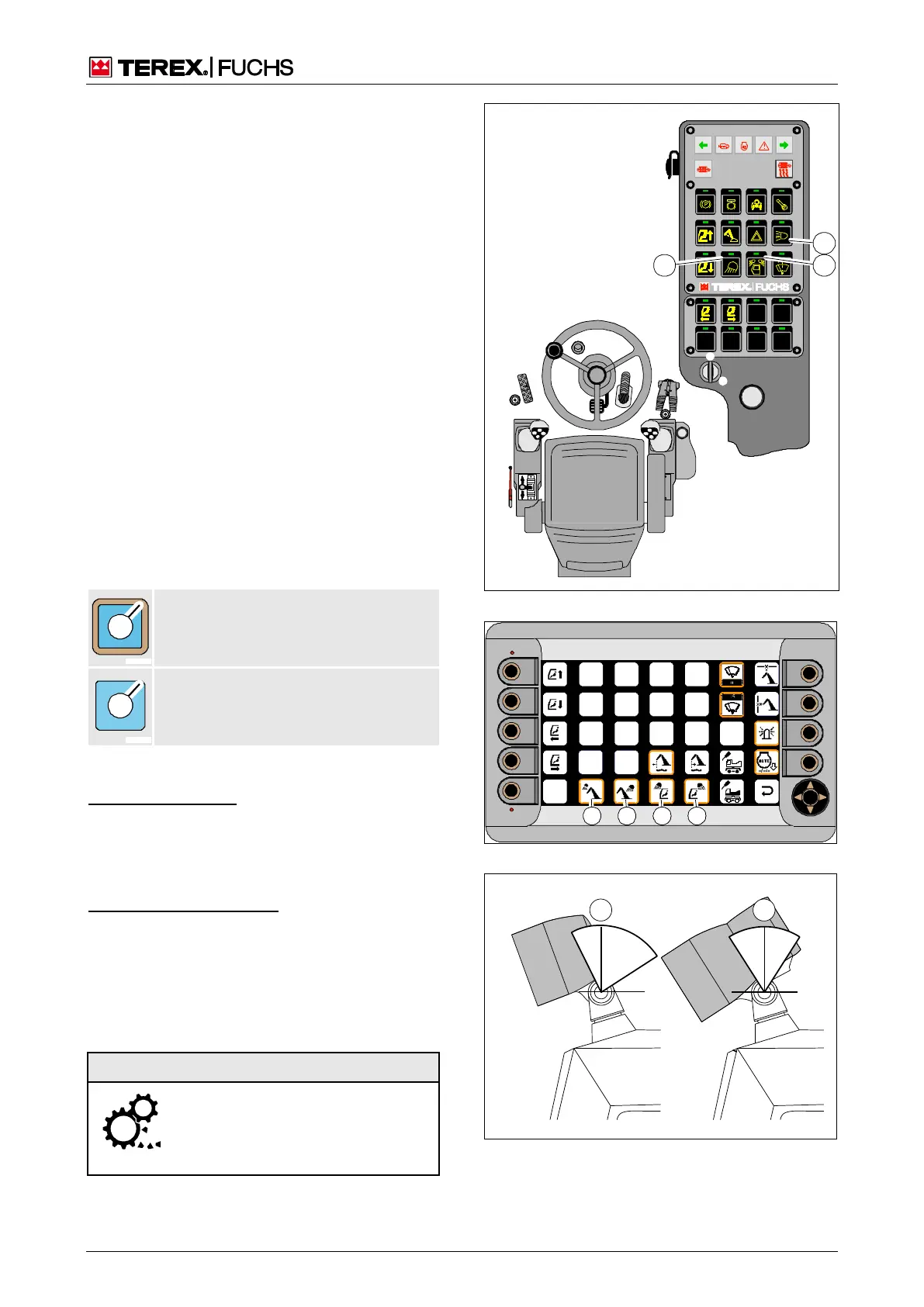
Using the button toggle (134/66), switch
the headlights on or off.
Ignition off: only side light possible
Ignition on: headlight is switched on
5.9.2 loading equipment and cab roof
working floodlights
►
Using the button toggle (134/51 and 67)
switch the headlights on or off.
Diesel engine off: no function
Diesel engine is running: the headlights se-
lected in the function menu are switched on
in succession.
Selecting the desired headlight
In the function menu, the working floodlight
for loading equipment (135/69-70) and cab
roof (135/71-72) can be selected and dese-
lected.
Headlights selected
Border color (1): orange
Headlight deselected
No border (1)
►
Main control display > Function menu
Multifunction button
►
Use the mini-joystick to navigate the focus
to the desired headlight.
►
Briefly press button.
or four-way rocker switch
►
Use the arrow keys to navigate the focus to
the desired headlight.
►
Press the central button.
The selected settings remain saved after the
ignition is switched off.
The roof headlamps must not be
slewed too far such that they can-
not be damaged by rainwater
Fig. 134 Lighting
Fig. 135 Lighting function menu
2
BSB51202
35° 35°
1
30° 110°
Fig. 136 Roof headlamps - slewing range
1 H3 headlamp
2 Xenon headlamp



 To Next Page