5 OPERATION
5.30 MHL360 E
5.11 Operating signals
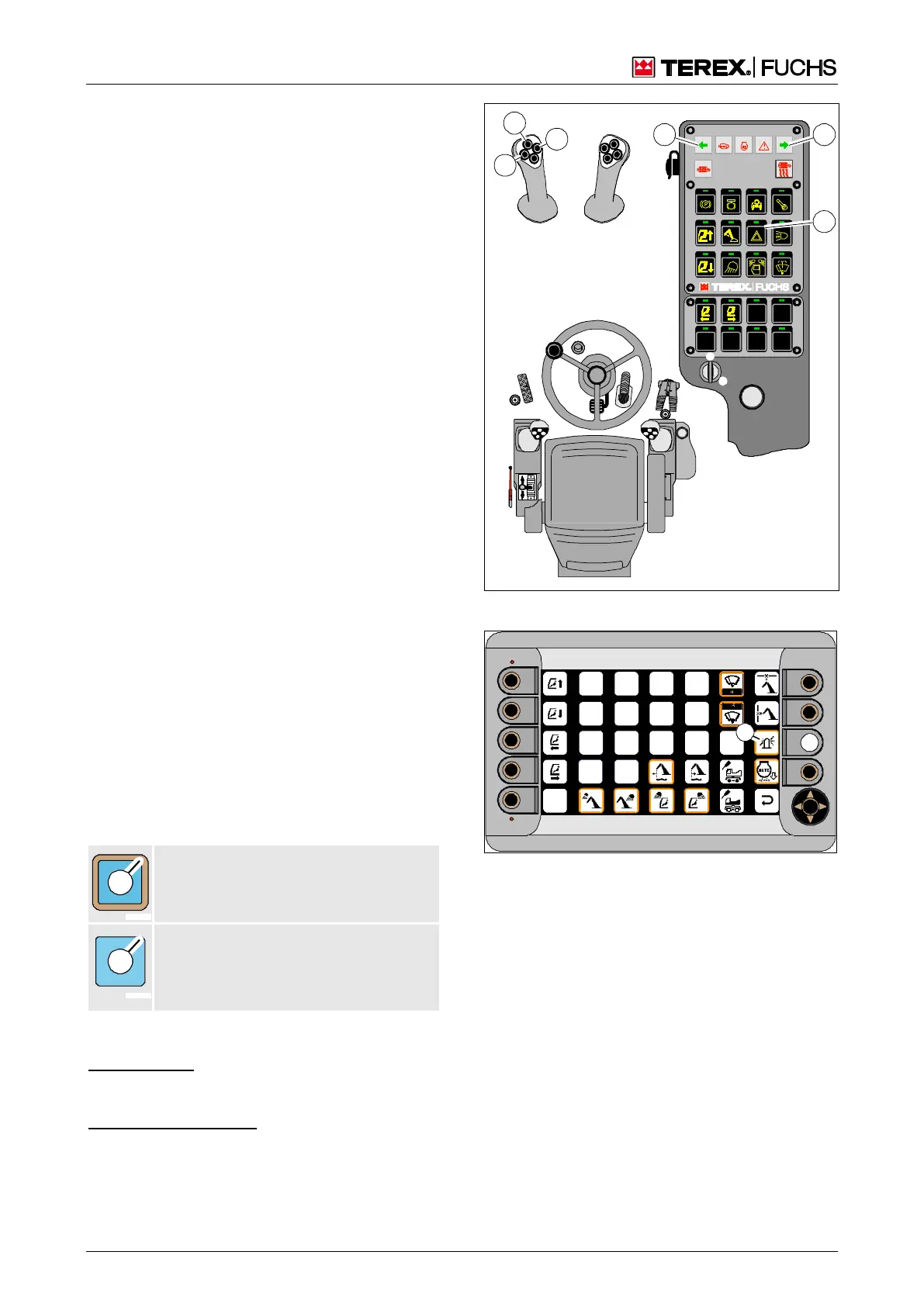
5.11.1 Direction indicators
Operating indicators
►
Depending on the direction of travel, press
button toggle (139/40) or (139/42) on the
left-hand four-way control lever.
Indicator (139/57) or (139/61) and the cor-
responding direction indicators flash.
Switching off
►
Press the toggle button again.
Indicators and direction indicators go off.
5.11.2 Hazard warning lights
Switching on
►
Press button toggle (139/65) on the control
panel.
►
Indicators (139/61) and (139/57) and both
hazard warning lights flash.
Switching off
►
Press the toggle button again.
Indicators and direction indicators go off.
5.11.3 Horn
►
Press button toggle (139/41) on the left-
hand four-way control lever.
5.11.4 Operating the rotating beacon (op-
tional)
The rotating beacon is operated via the func-
tion menu. The color of the border around the
square (140/60) indicates the status.
Switched on
Border color (1): orange.
Switched off
No border (1). Special feature with vehi-
cle reversing alarm (optional): switched
on automatically during travel.
►
Main control display > Function menu
Function keys
►
Press function key (140/2) briefly.
or multifunction button
►
Using the mini-joystick, navigate the focus
to the rotating beacon (140/60).
►
Briefly press button.
Fig. 139 Signals
Fig. 140 Operating the rotating beacon



 To Next Page