4 DISPLAY AND CONTROL ELEMENTS
4.18 MHL360 E
4.2.12 Navigation and input
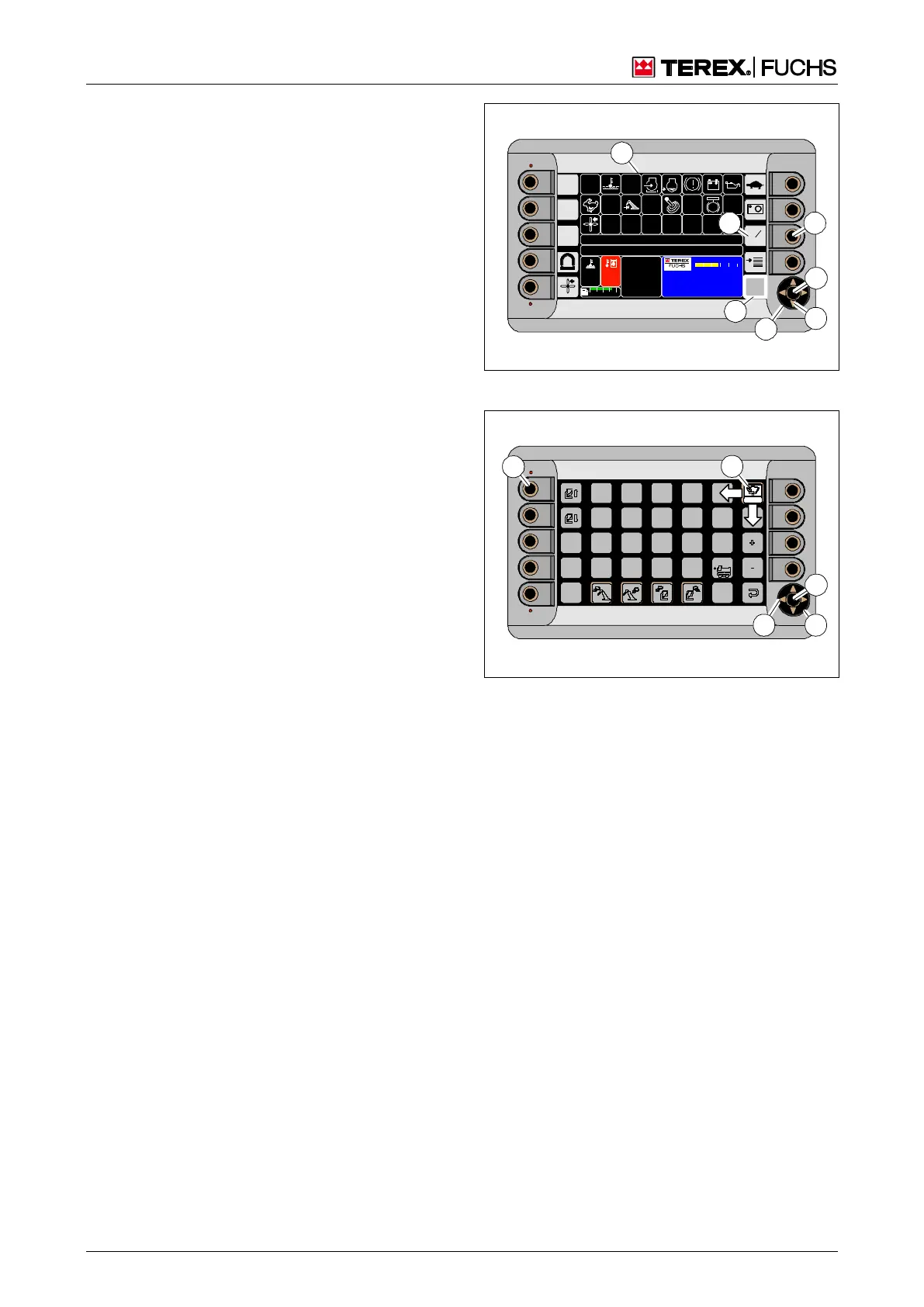
4.2.12.1 Sensitive areas
The display screens contain sensitive areas
with stored functionality. For example, they
are displayed in the main control display
(36/1) as a rectangle with corresponding sym-
bols (36/6). If they are next to function keys
(36/7), the function can be activated by press-
ing the key.
4.2.12.2 The focus
Sensitive areas that cannot be assigned to a
function key are to be selected first then acti-
vated. The focus (36/2) serves as an aid. De-
pending on the display screen, it can be rec-
ognized either by its thick border or by its
white background (37/1).
Multifunction display and/or multifunction
button
The focus can be controlled either on the mul-
tifunction display or with the multifunction but-
ton or with a combination of the two. As a re-
sult all display screens and connected func-
tions can be operated in two ways.
4.2.12.3 Focus and multifunction display
On the multifunction display, the focus is con-
trolled with the 4-way rocker switch (36/3).
Depending on the display screen, and sen-
sitive area, the arrow buttons (36/4) are giv-
en different assignments. They either move
the focus further in the direction of the arrow
or change a selected preset value.
With the example of the main control dis-
play (36/1), the focus is not moved with the
arrow keys because there are sensitive are-
as next to the function keys. Instead the
speed of the diesel engine can be changed.
Pressing the central button (36/5) activates
the functionality of the sensitive area.
In the example of the main control display
(36/1) the focus is directly on the sensitive
area for opening the function menu (36/2).
Pressing the central button (36/5) would
open it.
BSB50540
11
95
C
100
C
00 :00
h
F
0 ½ 1
09 :43 11 .03 .2 011
M HL XXX / X XXX
18 00 UPM
0 5 10 15 20 25
1
4
7
2
5
3
6
Fig. 36 Focus and multifunction display
Fig. 37 Moving the focus in the function menu



 To Next Page