4 DISPLAY AND CONTROL ELEMENTS
4.16 MHL360 E
4.2.11 Multifunction button with ECO and
Power Mode
4.2.11.1 Function and application
By using the ECO mode function, fuel con-
sumption of the loading machine can be sig-
nificantly reduced (by up to 30%).
In ECO mode and ECO + mode, the maxi-
mum speed of the diesel motor is restricted
and the engine characteristics are adjusted to
optimize use.
Verwendung der Modes
Mode Engine
speed, en-
SWL /
handling
Reducing
fuel con-
POWE
Max. High -
ECO
Reduced
High Med
ECO +
Reduced
Low High
The machine operator should check which
mode is best suited to the application, taking
handling rate and fuel consumption into ac-
count.
4.2.11.2 Mode setting following engine
start
Default setting:
When the motor is started, ECO mode is
switched on.
Optional settings via the Service Menu:
The mode set after switching off the machine
is retained when it is restarted.
h Chapter 4.5.12 Service menu
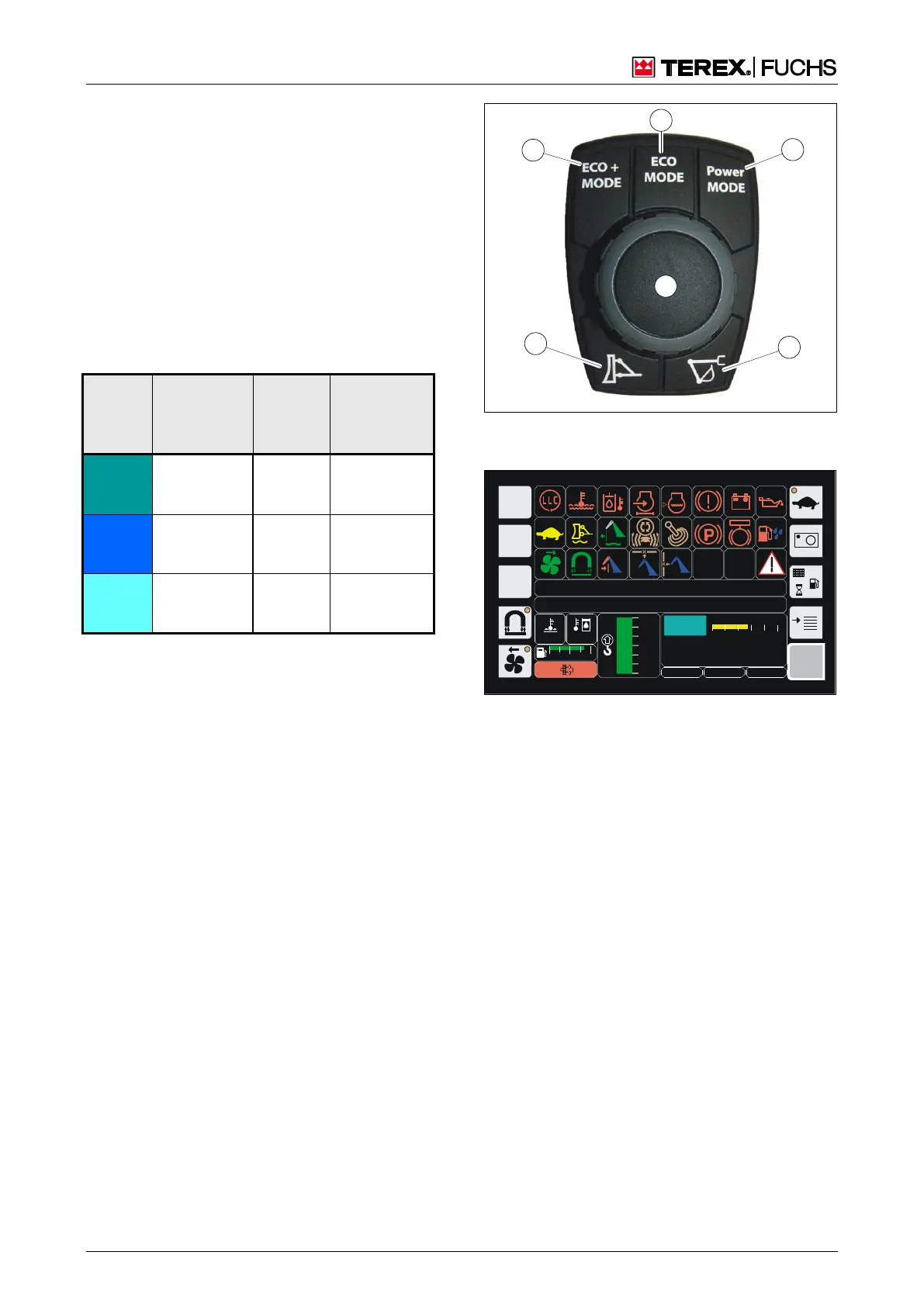
4.2.11.3 Switch the mode functions
►
Press buttons (33/1), (33/2), (33/3).
The mode selected, e.g. ECO + is shown
in the display. (Fig. 34).
Buttons (33/4) and (33/5) do not have a func-
tion on this loading machine.
Fig. 33 Multifunction button with ECO and power
mode
BSB51283
120 0
ARBEITSHYDRAULIK IST GESPERRT
FEHLERMELDUNG
9 5 ‹C 75°C
0 ½ 1
F
MHLXXX / XXXX / LE XXX
1800 UPM
0 5 1 0 1 5 2 0 2 5
20.12.2012 09:43:12
0018
h
ECO +
Fig. 34 Multifunction display



 To Next Page