5 OPERATION
5.20 MHL360 E
5.7.2 Setting FINE MODE
The maximum capacity of the hydraulic pump
can be adapted to the current situation via
FINE MODE. With the same deflection of the
four-way control lever, the speeds of the hy-
draulic load functions can thereby be
changed.
Maximum hydraulic power. For
normal work operation and driv-
ing.
High Reduced hydraulic power. To be
selected if the lifting movements
of the loading equipment require
sensitive control.
►
Main control display > Open Speed and
FINE MODE menus.
h Chapter 5.7.1 Specifying the diesel en-
gine speed
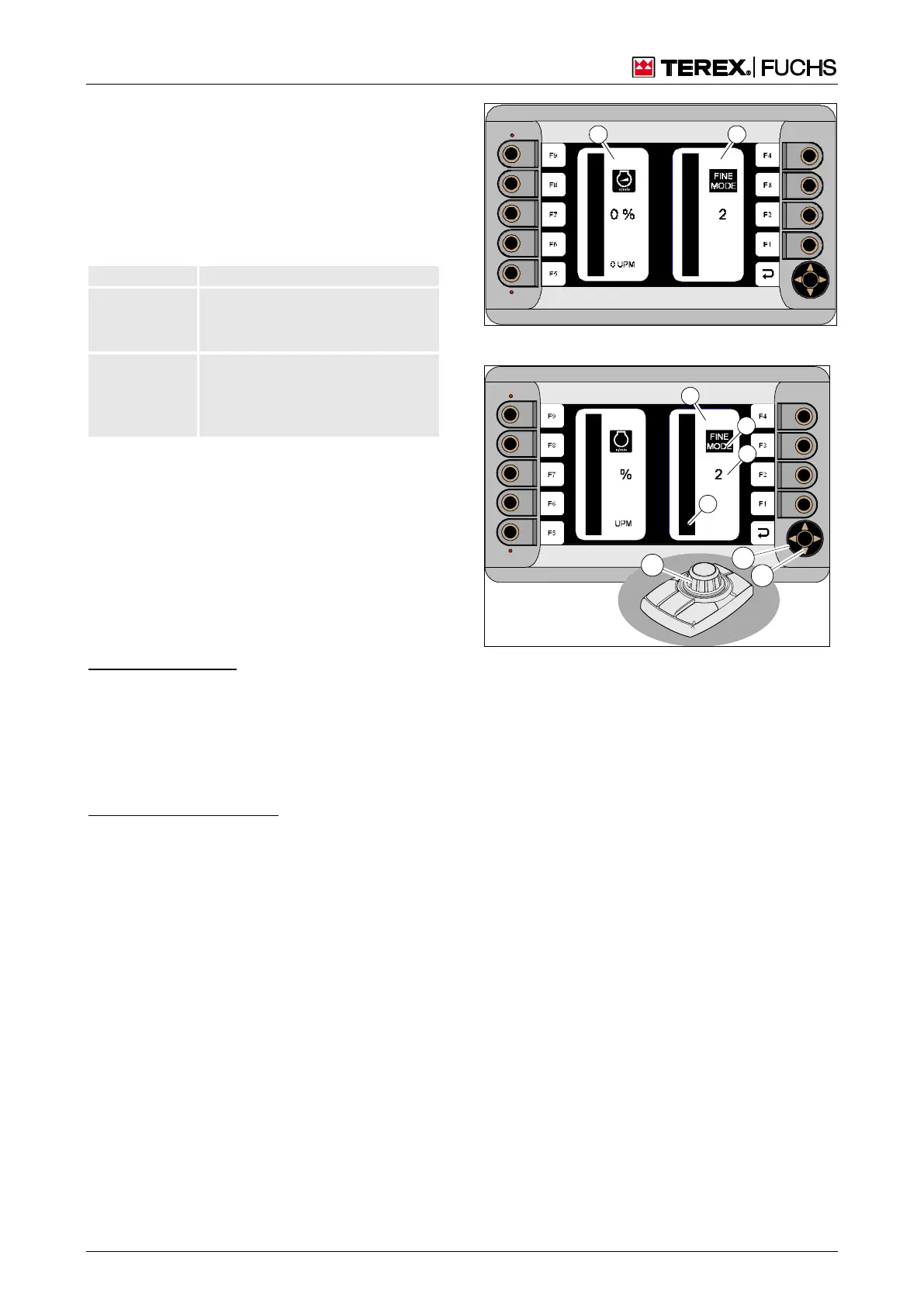
The focus is on the speed indicator (125/1).
The FINE MODE (126/1) indicator is located
next to it with the FINE MODE symbol (126/2).
The specified value is displayed via the bar
(126/4) and numerically (126/3).
Multifunction button
►
Using the mini-joystick (126/6), navigate
the focus to the FINE Mode (125/2) indica-
tor.
►
Immediately set the desired value. To do
this, turn the knob (126/5).
or four-way rocker switch
►
Use the right/left arrow button (126/7) to
navigate the focus to the FINE Mode indi-
cator.
►
Immediately set the desired value. To do
this, press arrow key (126/8) up/down.
Fig. 125 Speed and FINE MODE menu
Fig. 126 FINE MODE menu



 To Next Page