4 DISPLAY AND CONTROL ELEMENTS
4.4 MHL360 E
4.1.2 Four-way control lever
for the current con-
trol unit!
h Chapter 4.2.1 Con-
trol units overview
ISO
B S B 5 1 0 4 7
9 4
9 5
9 7
9 6
9 0
9 2
9 19 3
9 2
9 0
4 9
4 6
4 5
4 8
4 7
4 4
4 0
4 1
4 2
4 3
9 1
4 5
4 7
9 4
9 7
9 5
9 3
9 6
BSB51046
B S B 5 1 0 4 8
9 5
9 1
9 3
9 7
9 4
9 6
9 09 2
B S B 5 1 0 4 9
9 0
9 3
9 1
9 2
9 6
9 4
9 59 7
B S B 5 1 0 5 0
9 0
9 3
9 1
9 2
9 4
9 6
9 59 7
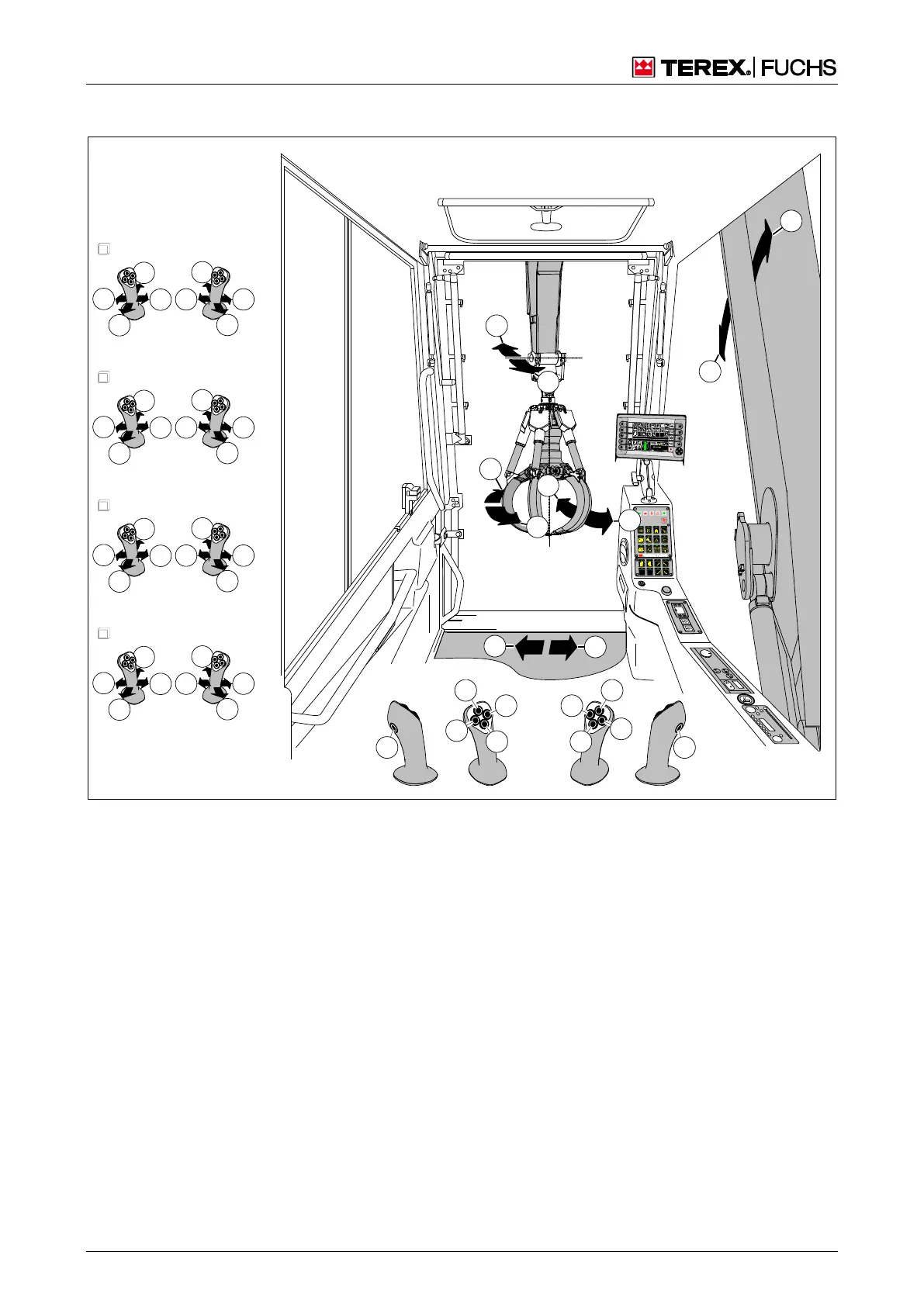
Fig. 19 Four-way control lever
Four-way control lever, left
4
0 Pushbutton for indicator (left)
1 Pushbutton for horn
2 Pushbutton for indicator (right)
3 Pushbutton for magnet system (optional)
4 Pushbutton for swing brake or
dead man's button (optional)
Dead man's button: the work movements raise/lower
the boom, extend/retract dipperstick, rotate upper-
carriage, extend/retract outrigger are only enabled if
the dead man's button toggle is pressed.
Four-way control lever, right
4
5 Pushbutton for grab rotation (left)
6 Pushbutton to raise dozer blade (optional)
7 Pushbutton for grab rotation (right)
8 Push-button for dozer blade down (optional) or
boom float function – switchover between
close/remote range (optional)
9 Pushbutton for increasing the operating pressure
Four-way control lever and direction of motion according to current control unit
1 Open grab
2 Beam up
3 Close grab
5 Swing uppercarriage clockwise
6 Retract dipperstick
7 Swing uppercarriage counterclockwise



 To Next Page