DISPLAY AND CONTROL ELEMENTS 4
MHL360 E 4.21
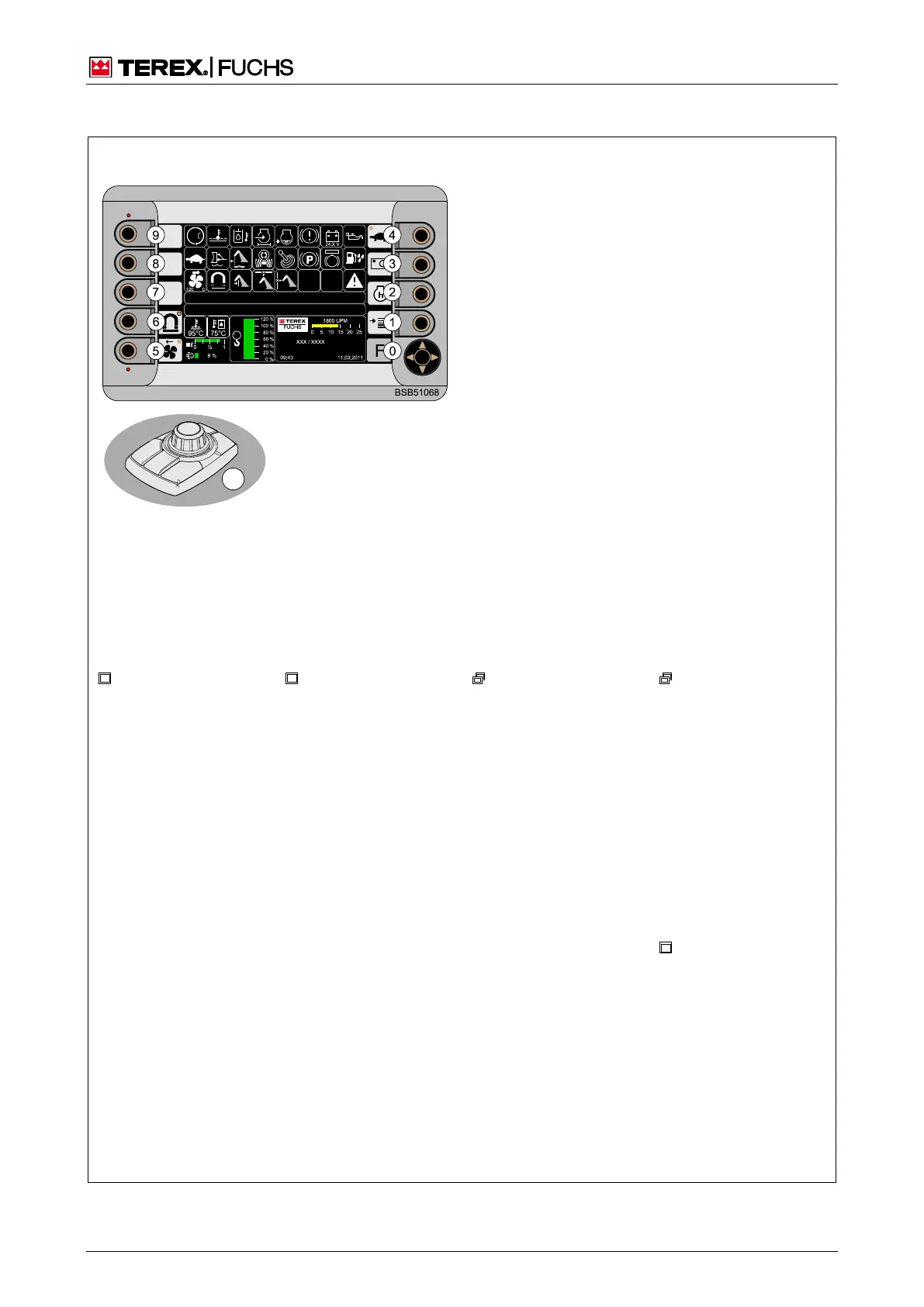
4.3 Overview multifunction display - menu structure
Key
: Other display screen
: Other display screen contains branch
0-9: Keys/Sensitive areas
(): Turn multifunction button / Up/down arrow key on
4-way rocker switch
Assignment
0
Function menu
1
Main menu
2 Time/Operating hours
3
Camera image
4 Gear changing
5 Reversing fan switching (optional)
6 Magnet system switching (optional)
Normal magnet system display with operating
mode selection menu or
comfort magnet sys-
tem display appears depending on the specifica-
tion in the display settings menu
() Speed menu - FINE MODE
Branches from the main control display
MODE
• Change diesel engine
speed
• Change hydraulic
pump FINE MODE
• Move the cab
• Windscreen wiper
• Loading equipment
shutdowns
• Flashing beacon
• Float function
• Lubrication pulse
• Auto-idling system
• Working headlamps
h See next page
tem display
• Show operating mode
for magnetiza-
tion/demagnetization
• Show relative operat-
ing time
• Pressing and holding
(6) opens the operat-
ing mode selection
menu
or
Comfort magnet
system display
• Show and change op-
erating mode for mag-
netiza-
tion/demagnetization
• Show several operat-
ing messages for the
magnet system
ISO guard function
test
Fig. 40 Menu structure



 To Next Page