EasyManua.ls Logo

Terex MHL360 E - Page 86

Terex MHL360 E
320 pages
Print Icon
To Next Page IconTo Next Page
To Previous Page IconTo Previous Page
Loading...
4 DISPLAY AND CONTROL ELEMENTS
4.22 MHL360 E
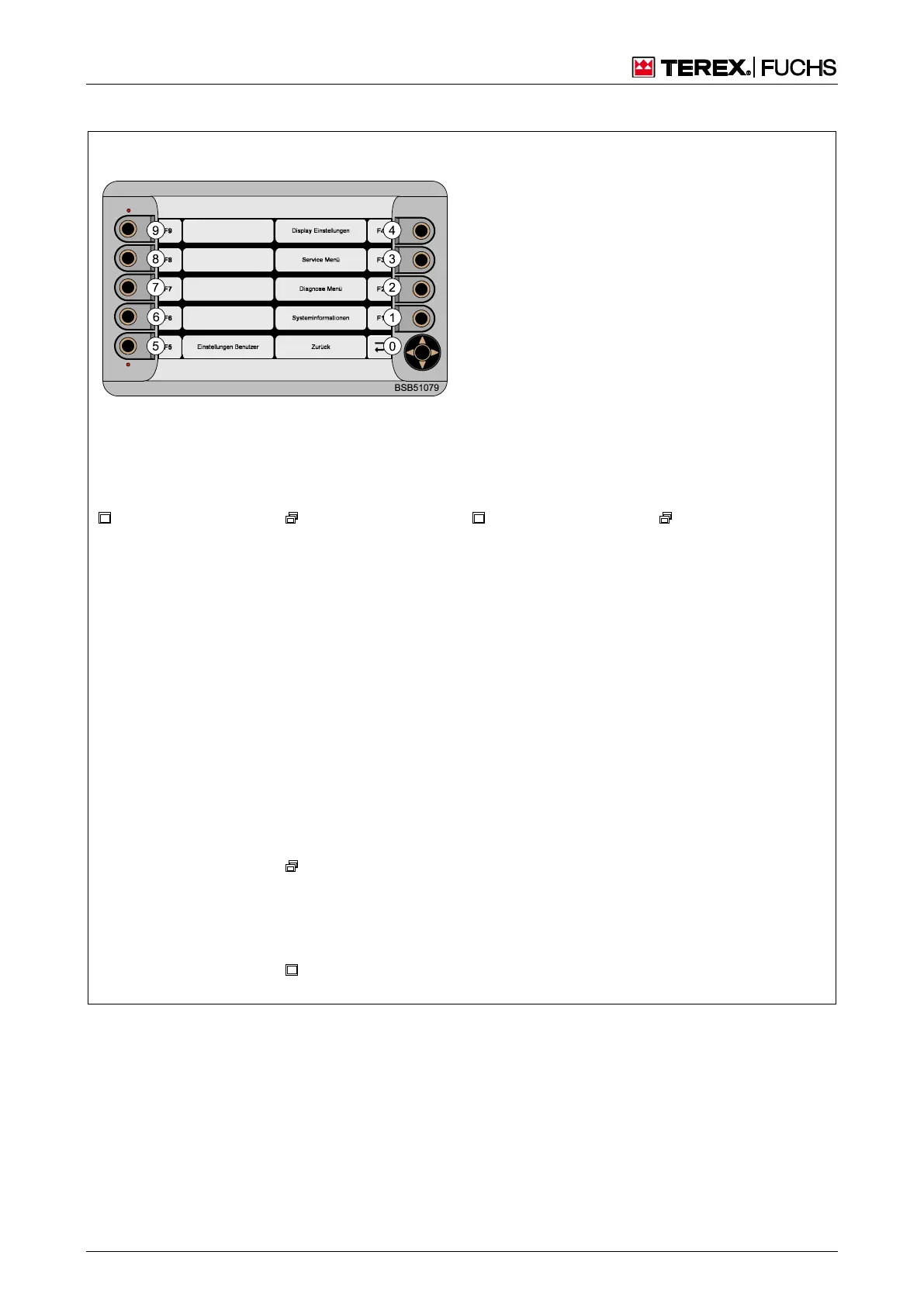
Main menu
Key
: Other display screen
: Other display screen contains branch
0-9: Keys/Sensitive areas
Assignment
0 Back
1
System information
2
Diagnostics menu
3
Service menu (h see service documentation)
4
Display settings
5
User settings
Branches from the main menu
System information
Display software ver-
sion
Diagnostics menu
0 Back
1
ECU diagnostics
2
LCC diagnostics
(Linde only)
3
Operating hours
4
CANopen diagnos-
tics
5
LMB/HRB diagnos-
tics
6
Grease lubrication
system diagnostics
7
Magnet system
diagnostics
9 Carry out lamp test
Display settings
Date and time specifi-
cations
Daytime and nighttime
brightness specifica-
tions
Design/Color of com-
fort magnet system
display (optional)
Language specifica-
tion
Standby brightness
specification
User settings
0 Back
1
Set height and
range limits (optional)
2
Reversing fan
pause time (optional)
ECU diagnostics
0 Back
1
DM1
DM1
0 Back
Fig. 41 Menu structure

Table of Contents

Related product manuals