4 DISPLAY AND CONTROL ELEMENTS
4.28 MHL360 E
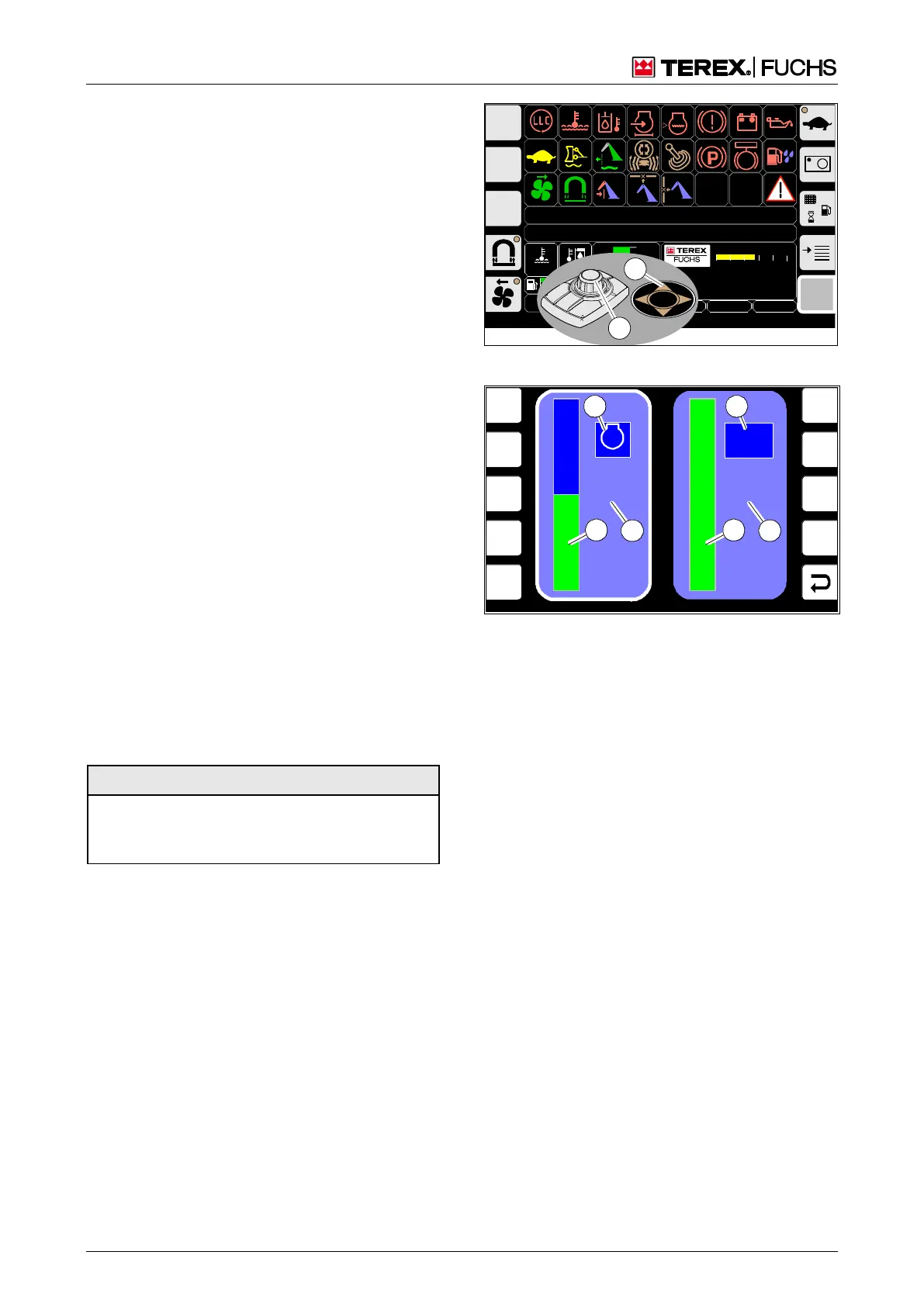
4.5.2 Speed and FINE MODE menu
In the speed and FINE MODE menu, the fol-
lowing can be set:
the speed preset for the diesel engine from
low idle speed to maximum speed
the FINE MODE setting, if the optional func-
tion "Load limit sensing control" is installed.
Higher setting values reduce the capacity of
the hydraulic pump and, thus, the speed of
the loading equipment.
Call-up
►
Main control display > turn button (48/1)
slowly or press up/down arrow key on the
4-way rocker switch (48/2).
Structure
The speed function is displayed via the sym-
bol (49/1), the FINE MODE function via the
symbol (49/2).
Operating note
When the menu is opened, the focus is al-
ways on the Speed adjustment (49/1).
►
Increase speed with the button by turning it
clockwise or decrease it by turning it coun-
terclockwise.
or
►
Increase speed with the up arrow key or
decrease it with the down arrow key.
Regardless of the set and displayed gas position
(0%...100%), it is not possible to start the diesel
engine other than in idle mode!
To set FINE MODE:
►
Using the arrow key or the mini-joystick,
move the focus in the FINE MODE (49/2)
direction.
►
Change the setting as described above.
F
MHLXXX / XXXX / LE XXX
1800 UPM
0 5 1 0 1 5 2 0 2 5
120 0
ARBEITSHYDRAULIK IST GESPERRT
FEHLERMELDUNG
95°C 75°C
0 ½ 1
120
100
8 0
6 0
4 0
2 0
0
20.12.2012 09:43:12
0018
h
9 %
BSB50560
2
1
Fig. 48 Opening the menu
F1
F2
F3
F4
F6
F7
F8
F9
F5
50 %
n/min
2
FINE
MODE
4
3
1
4
3
2
BSB50543
Fig. 49 Speed and FINE MODE menu
1 Speed symbol
2 FINE MODE symbol
3 Value of the current setting
4 Bar display of the current speed



 To Next Page