OPERATION 5
MHL360 E 5.19
5.7 Setting the diesel engine speed and
FINE MODE
5.7.1 Specifying the diesel engine speed
After starting the diesel engine, it goes into
low idle speed. A correspondingly higher
speed must be specified for the anticipated
work operation.
Normal loading operation. Work-
ing with magnet system.
Fuel conservation and reduced
noise.
Low To keep the loading machine
temporarily ready to operate
when idling.
►
Main control display is opened.
Multifunction button
►
Turn knob (124/7).
or four-way rocker switch
►
Press arrow key (124/8) up/down.
The new value is accepted immediately
(124/3). Depending on the status of the auto-
idling system, the current speed either chang-
es immediately or only after an hydraulic func-
tion is activated.
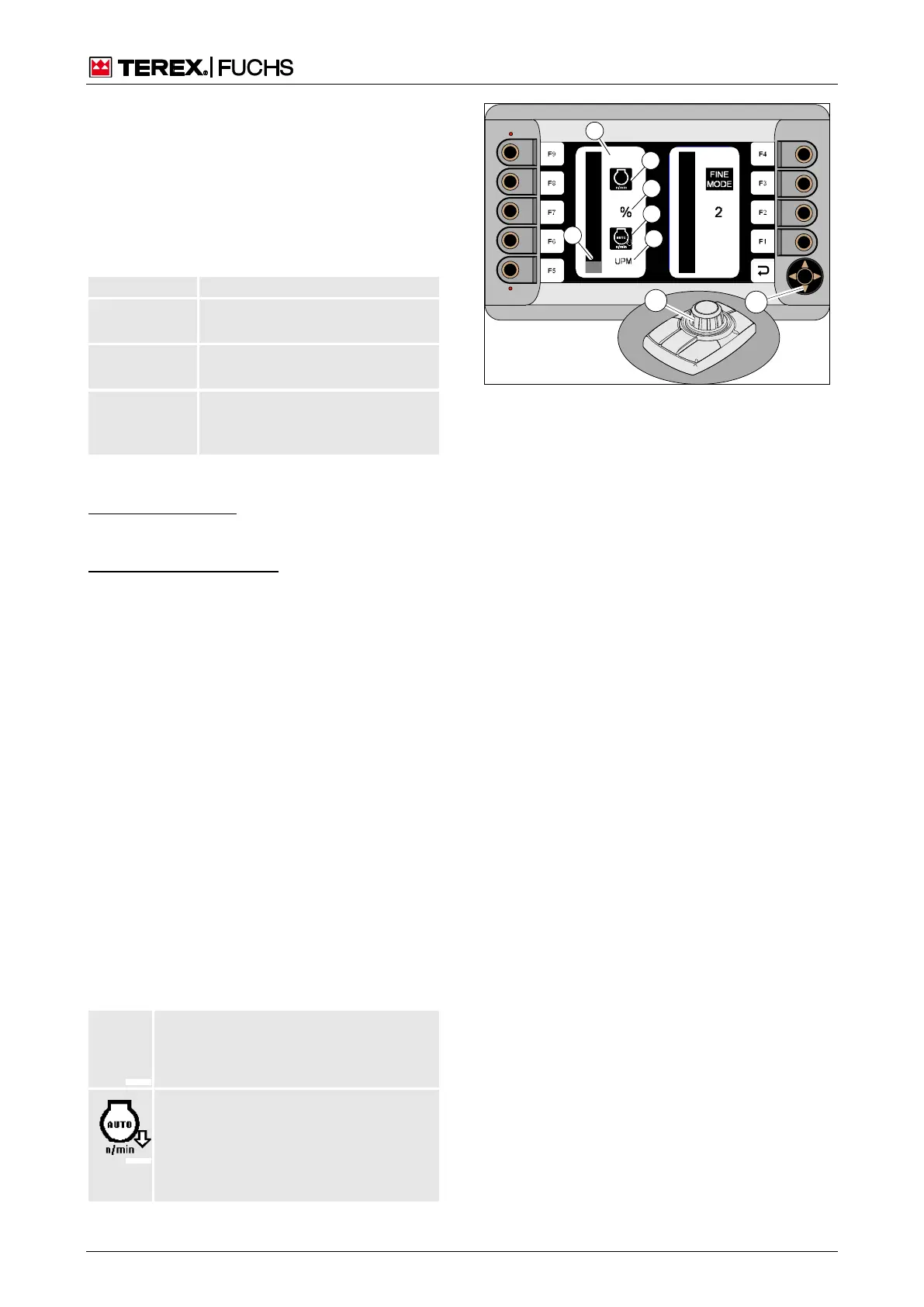
Speed and FINE MODE menu with auto-
idling system
The selected speed is displayed in the Speed
and FINE MODE menu (124/1). It only ap-
pears when the button is turned slowly
(124/7). The focus is on the speed indicator
with the symbol (124/2). The specified value is
displayed via the bar (124/4) and as a per-
centage (124/3). If the button or 4-way rocker
switch are no longer in use, the main control
display soon reappears.
The symbol (124/4) shows the status of the
auto-idling system.
Auto-idling system not active
Specified speed is approached immedi-
ately
Auto-idling system active
Specified speed is only approached
after an hydraulic function has been
activated
h Chapter 5.19.7 Auto-idling system
Fig. 124 Speed menu



 To Next Page