Chapter 5: OPERATION
4. AUDIO MONITORING
5-33
4. AUDIO MONITORING
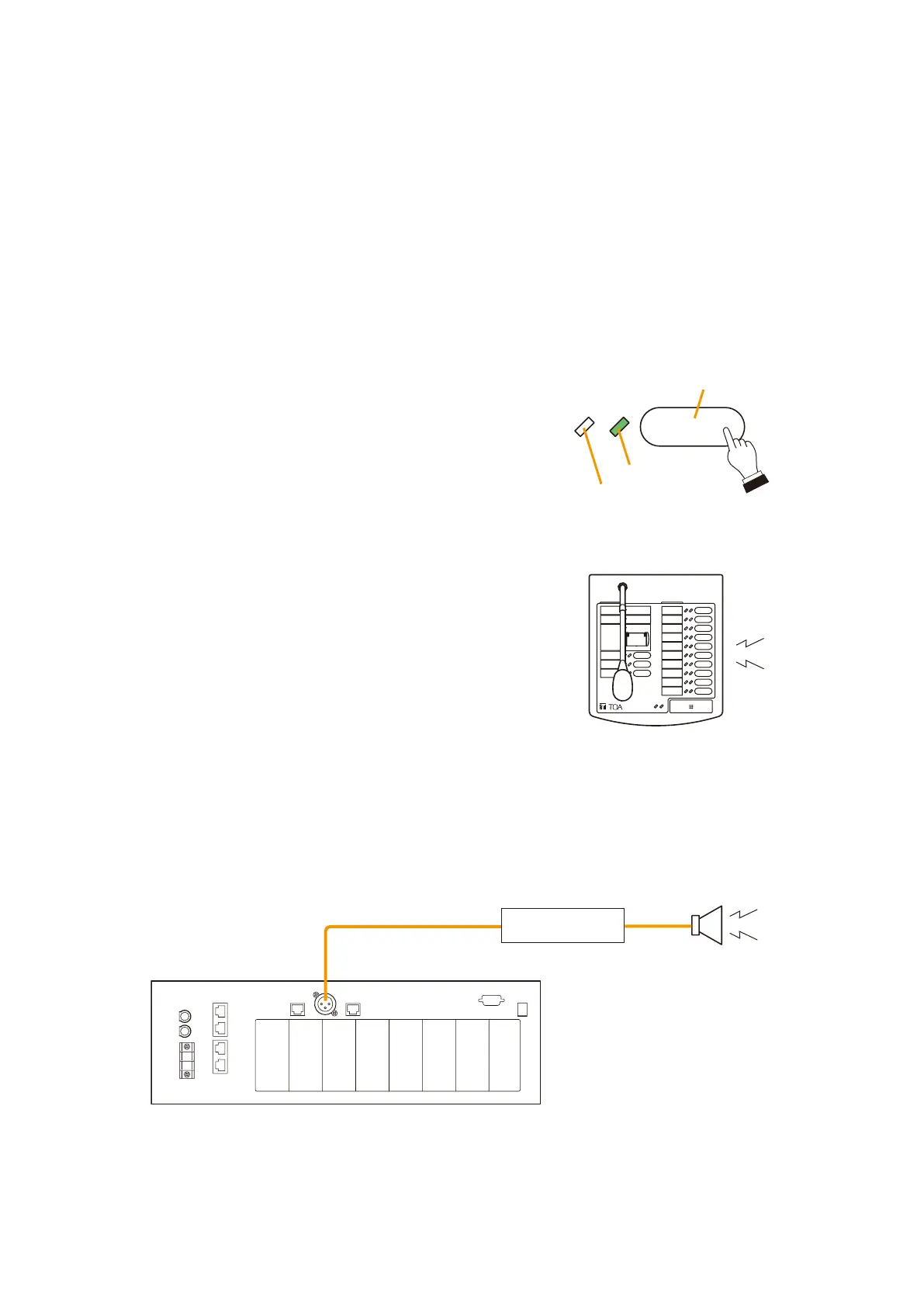
Selecting a zone to monitor permits the currently broadcast zone to be monitored.
Broadcast can be monitored through the Remote Microphone's internal speaker when activated from a Remote
Microphone or through the VX-2000's rear-mounted MONITOR OUT terminal when activated by a VX-2000's
or VX-200SI's control input signal.
The Audio Monitoring function to zones can be set by the PC setting software.
Note
The Audio monitoring automatically terminates in 10 seconds.
4.1. Monitoring by means of a Remote Microphone
4.2. Monitoring by means of the VX-2000's MONITOR OUT Terminal
Activating the audio monitoring function using a control signal permits the VX-2000's rear-mounted MONITOR
OUT terminal to output the selected zone broadcast signals for 10 seconds.
Zone 1 Monitor key
Monitor LED
Unused
Lights
Press the Zone 1 Monitor key.
The corresponding Monitor LED will light green.
The current broadcast to the Zone 1 can be monitored for 10
seconds through the Remote Microphone's internal speaker.
REMOTE MICROPHONE
RM-200X
Remote Microphone
RM-200X
[VX-2000 Rear]
Monitor speaker
MONITOR OUT
Power Amplifier



 To Next Page