Chapter 8: INSTALLATION AND SETTING PROCEDURES (HARDWARE)
5. VP-3154, VP-3304 AND VP-3504 POWER AMPLIFIERS
8-40
5. VP-3154, VP-3304 AND VP-3504 POWER AMPLIFIERS
This section describes the following work procedures inside the unit: Speaker line voltage change, ground
lifting, BGM input sensitivity setting, and fuse replacement.
Switch off the system power before starting the work in this section as there is high voltage inside the
unit which may cause electric shock.
For procedures to switch off the system power, refer to the instruction manual attached to the VX-
3000DS.
WARNING
5.1. Changing the Speaker Line Voltage
The speaker line voltage of the VP-3154, VP-3304, and VP-3504 is factory-preset to 100 V, however, this can
be changed to 50 V or 70 V following the procedures below.
Note
The speaker line failure detection functions are designed to perform on a 100-volt line of speaker. For the
methods using a 70- or 50-volt line, please consult your TOA dealer.
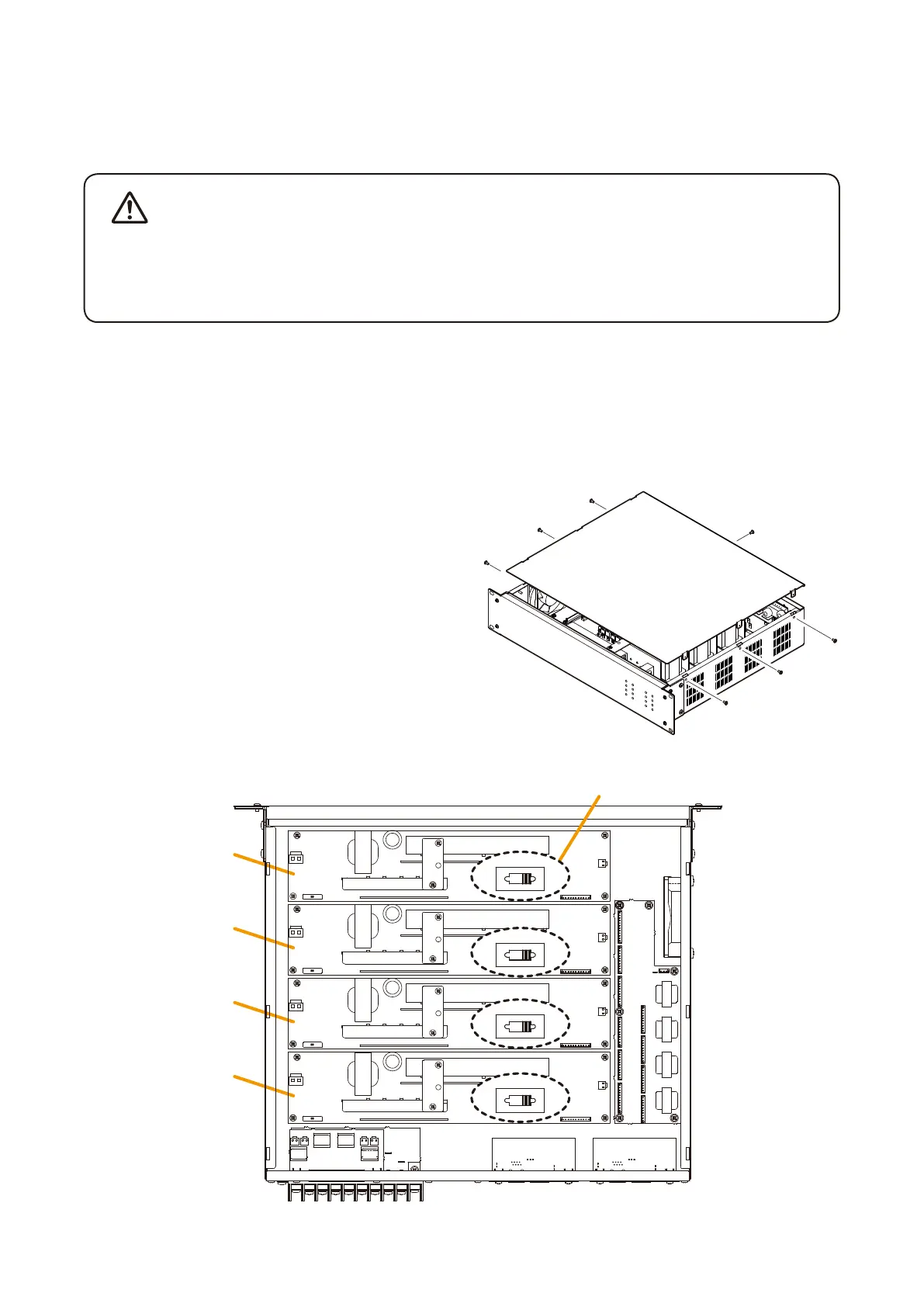
Step 1. Remove the top panel.
Step 2. Shift the speaker line voltage selector to the desired
voltagepositiononthecorrespondingchannel’sPCboard.
Step 3. Replace the top panel.
[Top view (with the top panel removed)]
Channel 4
PC board
Channel 3
PC board
Channel 2
PC board
Channel 1
PC board
Speaker line voltage selector
50 V 100 V
70 V
50 V 100 V
70 V
50 V 100 V
70 V
50 V 100 V
70 V



 To Next Page