Chapter 2: PRODUCT DESCRIPTIONS
2. NOMENCLATURE AND FUNCTIONS
2-6
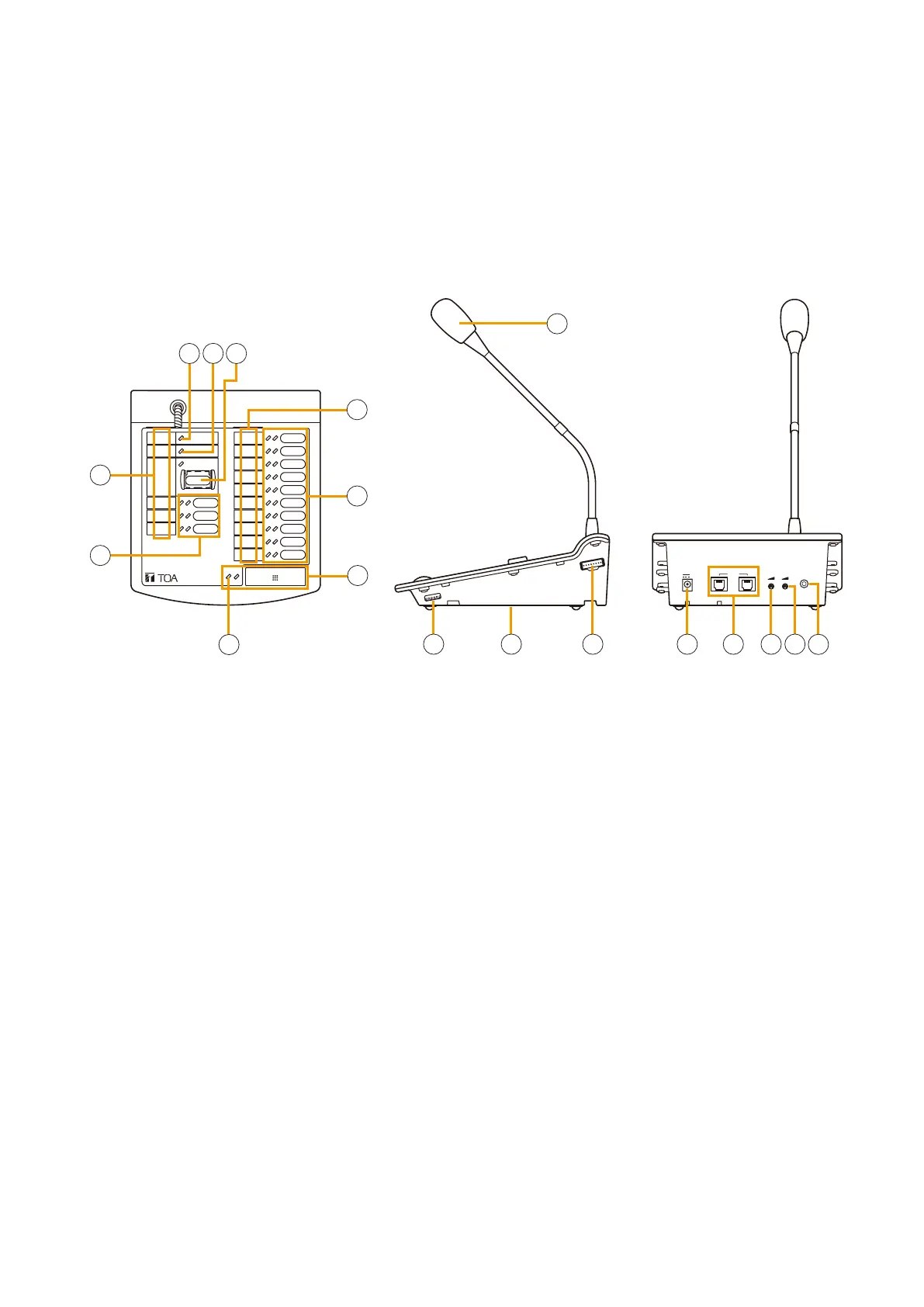
2.2. Remote Microphone RM-200X
EXTEN
SIO
N
LINK
DC POWER IN
24V
MICSP
EXTERNAL
MIC IN
REMOTE MICROPHONE
RM-200X
[Top] [Side] [Rear]
2
3
5
5
7
8
9
10
11 12 13
14
15
1
4
4
6
16
• Designed for both emergency and general purpose broadcast applications, the Remote Microphone can
be used for zone selection and microphone broadcasts. It can also be set for use only in general purpose
applications.
• PC-programmable system software permits desired functions to be assigned to individual Function keys
(equipped with 2 LED indicators).
• Upto9RM-210RemoteMicrophoneExtensionunitscanbeusedwitheachRM-200XRemoteMicrophone.
• Upto8intotalofRM-200XandRM-200XFunitscanbeconnectedwithinasystem.
1. Power indicator
Lights green to indicate that the unit is powered
and operational.
Extinguishes in the following conditions:
•Whennopowerissupplied.
•Whenpowervoltagedropsbelowtheoperational
level.
•With the Remote Microphone designated as
general type, when Emergency mode is activated.
2. Failure indicator
Indicates system operating status.
•Off: Normal
•Lightsyellow: Systemfailuredetected
•Flashesyellow: Communications error detected
between VX-2000 and RM-200X
•Lightsorflashesgreen:
RM-200X CPU failure detected
•Lightsred: RM-200XFCPUswitchOFF
3. Emergency button
Such functions as Emergency activation,
Emergency reset, and Emergency message recall
can be assigned to this button using the PC system
setting software.
Refer to p. 7-54 for the assignable functions.
4. Name labels
Enter the zone names and functions assigned to
Function keys (equipped with 2 LEDs) on these
labels. The PC system software's Print function
permits formatted name and function labels to be
printed out from a connected printer.
5. Function keys (with red, green or orange LED
indicators)
Various functions can be assigned to these keys
using the PC system setting software.
Refer to p. 7-54 for the assignable functions.
6. Talk key
(with red, green, or orange LED indicators)
The microphone's talk key function as well as other
functions can be assigned to this key using the PC
system setting software. Refer to p. 7-54 for the
assignable functions.



 To Next Page