Chapter 4: FUNCTIONS
3. ACTIVATION ITEMS
4-16
3.3.3. Summer time settings
Summer time can be set by using either the Daylight saving switch on the VX-2000 front panel or the PC
software. When using the PC software setting, Summer time can be set to automatically switch on for a
designated period of time. When the system switches to summer time mode, the internal timer advances by
1 hour.
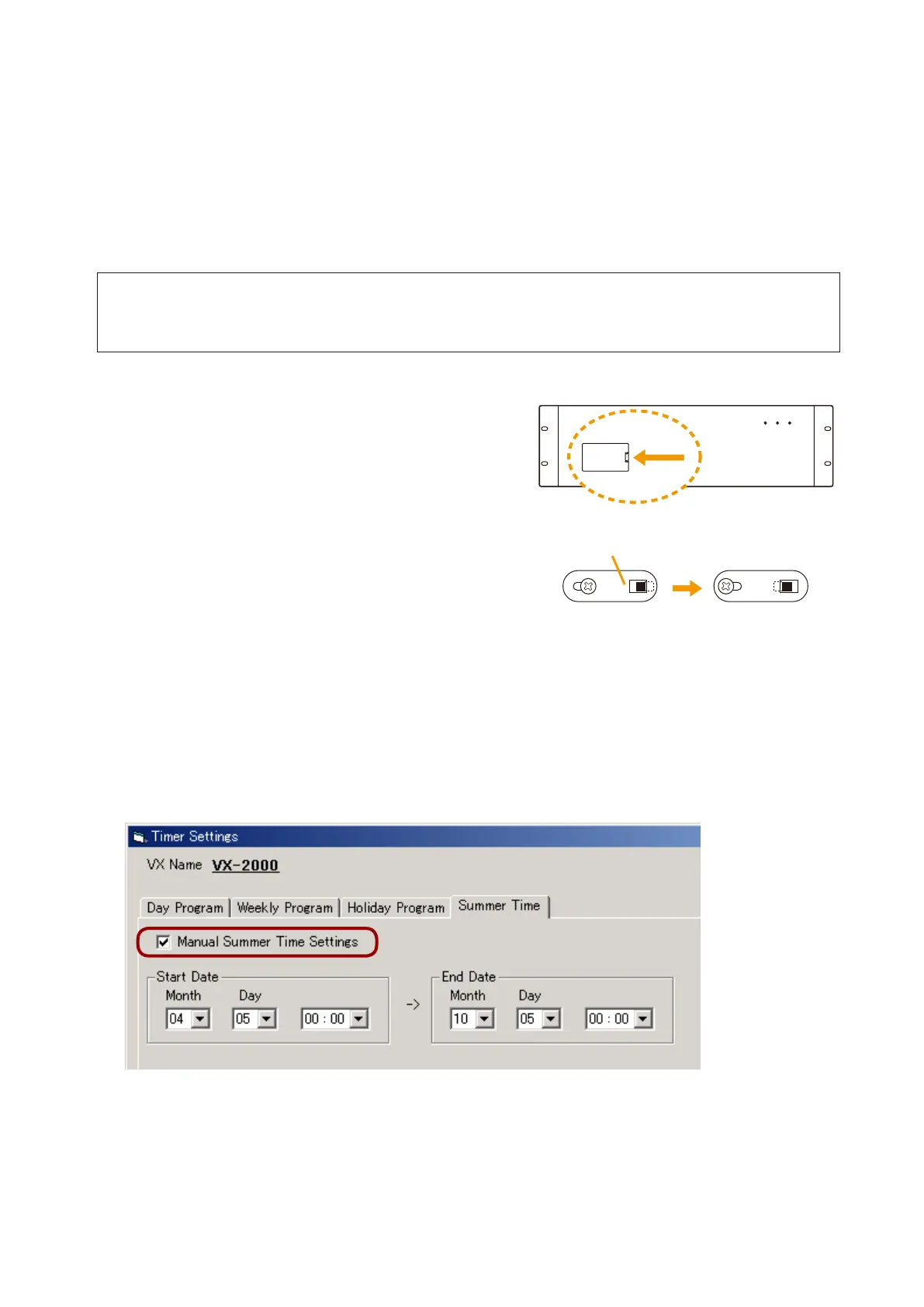
• SettingsummertimebywayoftheVX-2000Daylightsavingswitch
The Daylight saving switch is located inside the VX-2000 front panel pocket.
Step 1. Remove the VX-2000 front pocket panel.
Step 2. Loosen the internal screw with a Phillips screwdriver
and move the switch cover to set the switch to the
SUMMER TIME position.
Step 3. Tightenthescrewtoxthesetting,thenreplacethe
front pocket panel.
SUMMER TIME position: The internal timer advances by 1 hour regardless of the PC software setting.
PC SETTING position: The internal timer is set by the PC software, and advances by 1 hour during the
summer time period if so programmed.
• SettingsummertimebywayofthePCsoftwaresetting
Call up the PC software screen and click on the Manual Summer Time Settings checkbox , then set the
summer time period. (For the setting procedures, refer to
p. 7-62.)
During the set summer time period, the internal timer advances by 1 hour regardless of the VX-2000 Daylight
saving switch settings.
Notes
• AfterthePCsoftware-setsummertimeperiod ends,thesystemautomatically returnstostandard time.
However, if the VX-2000 Daylight saving switch is set to the SUMMER TIME position, the internal timer
advances by 1 hour.
• IfthePCsoftware'ssummertimesettingsremainunchanged,thesameperiodisrepeatedeveryyear.
To change the start/end dates and times, modify the set software data and upload accordingly.
[VX-2000 setting software Timer Settings screen]
[VX-2000 Front]
Push
1
PC SETTING SUMMER TIME
Daylight saving switch
2
PC SETTING SUMMER TIME



 To Next Page