Chapter 7: PC SOFTWARE OFFLINE SETTINGS
10. ACTIVATION SETTING MODE
7-62
10.3.4. Summer time
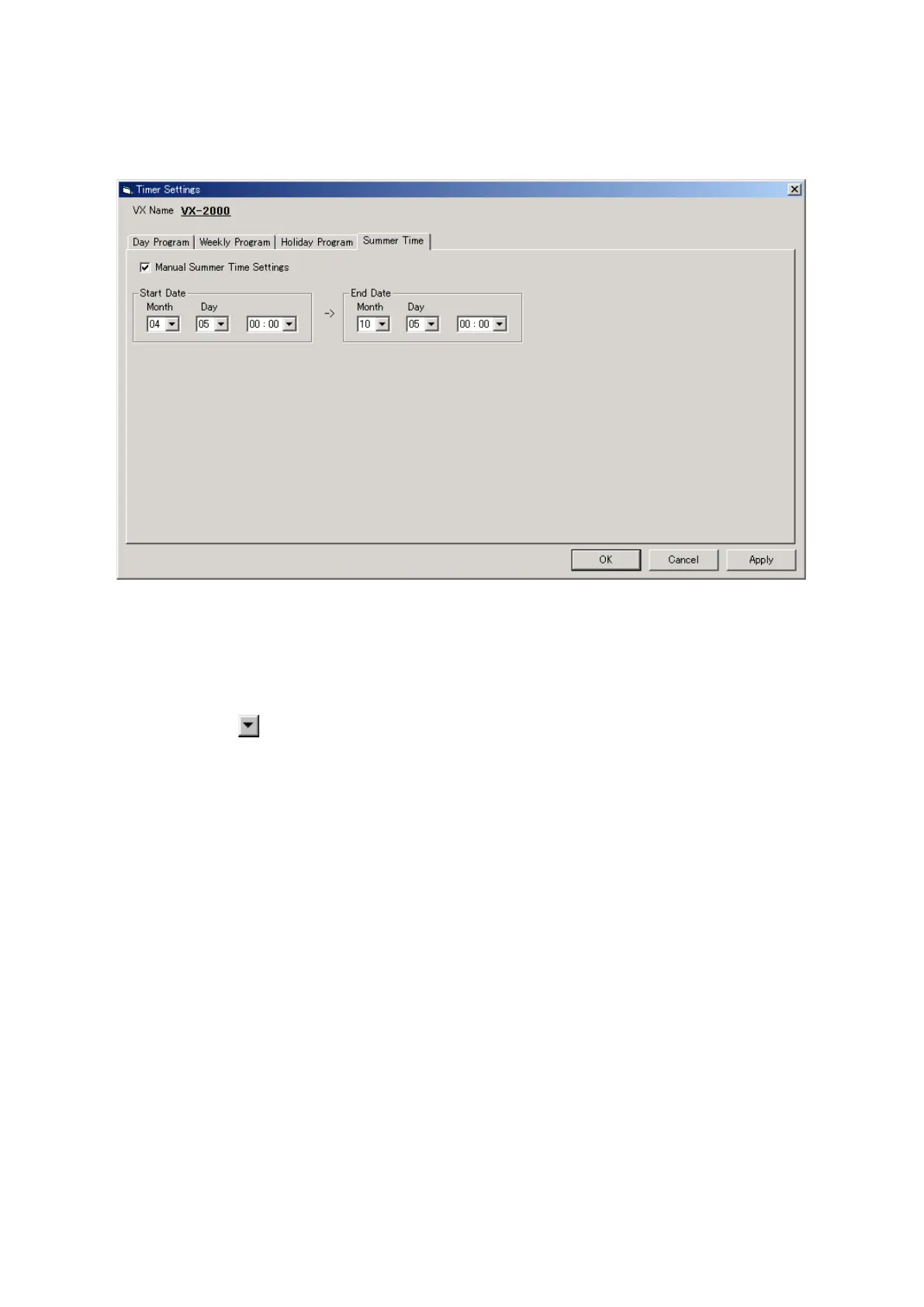
The clock advances by an hour during the summer time period. The summer time period can be set using PC
software or the VX-2000's DAYLIGHT SAVING switch settings.
Step 1. Click on the [Summer Time] tab.
Step 2. Tick the checkbox for [Manual Summer Time Settings].
Step 3. Set the start date and time.
•Clickonthe
arrow button to the right of the month reading to set the summer time start month.
•Setthestartdate.
•Setthestarttime.
Step 4. Set the end date and time using the same procedure.
Step 5. After all settings are complete, click on the [Apply] button to save the settings and click on the [OK]
button to close the [Timer Settings] window.



 To Next Page