Chapter 2: PRODUCT DESCRIPTIONS
2. NOMENCLATURE AND FUNCTIONS
2-11
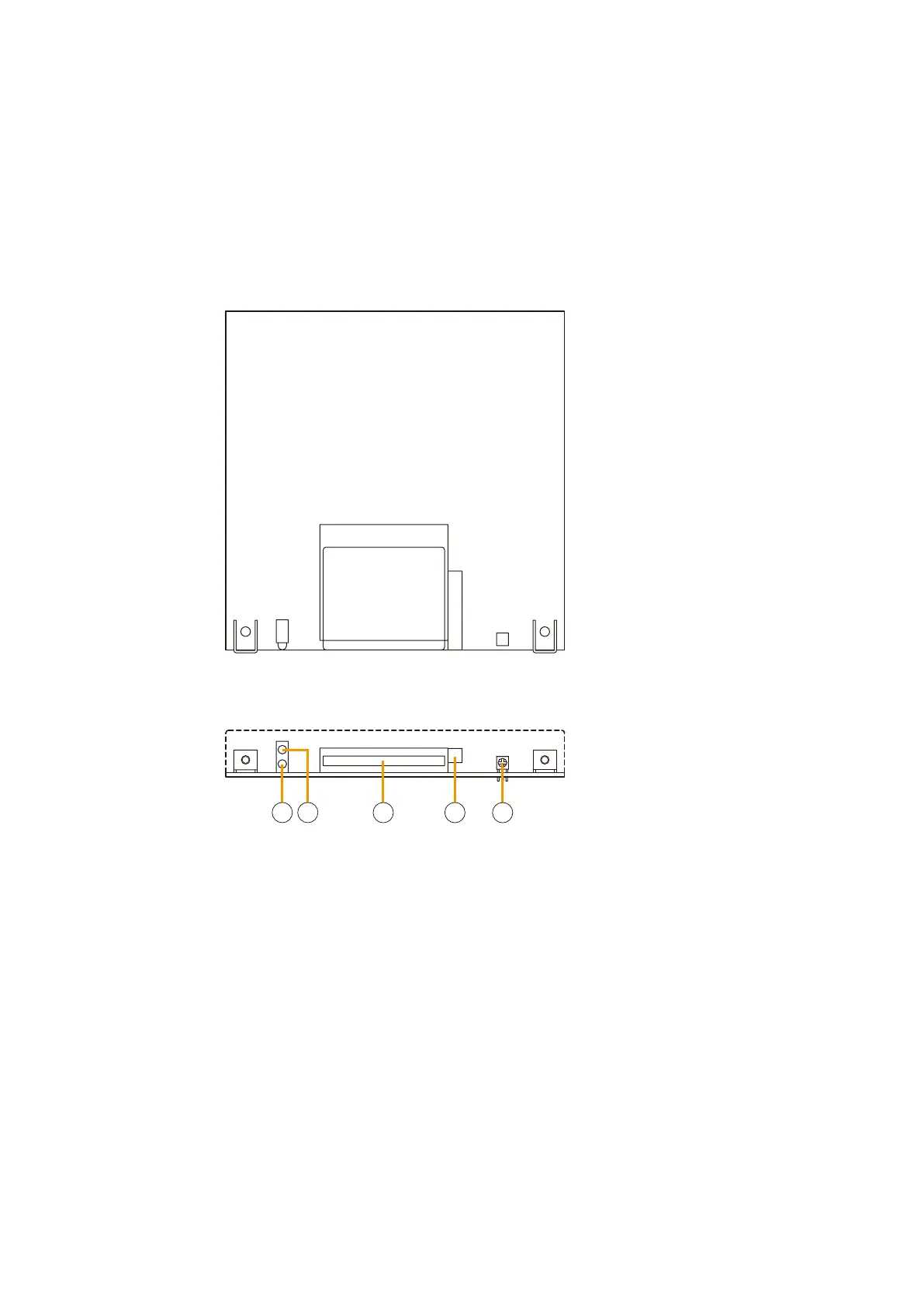
2.5. Voice Announcement Board EV-200
4
[Front]
[Top]
1
2
3
5
1. Card access indicator [ACCESS]
Lights or flashes green when the CF card is being
accessed and data is read out.
Note
Avoid ejecting the CF card while the Card access
indicator remains lit or is flashing, as data stored in
the card may be lost.
2. CPU status indicator [CPU RUN]
Flashes green when the unit is operating correctly.
Continuously lights or extinguishes if any
irregularities are detected.
3. CF card slot
Insert the recorded CF card into this slot.
4. Eject button
Press this button to eject the CF card.
5. Volume control
Adjusts the EV-200's output volume.
• Permits broadcast of general-purpose or emergency messages recorded on a corresponding CF card
inserted into the slot.
• Amaximumof2EV-200boardscanbeinstalledintheVX-2000SystemManager.Fortheinstallationdetails,
refer to
p. 8-19.
Note
When using 2 EV-200 boards, the type of emergency broadcast message is determined by the slot used. Slot
1 is used exclusively for Warning messages, while Slot 2 is designated for Evacuation messages.



 To Next Page