Chapter 2: PRODUCT DESCRIPTIONS
2. NOMENCLATURE AND FUNCTIONS
2-13
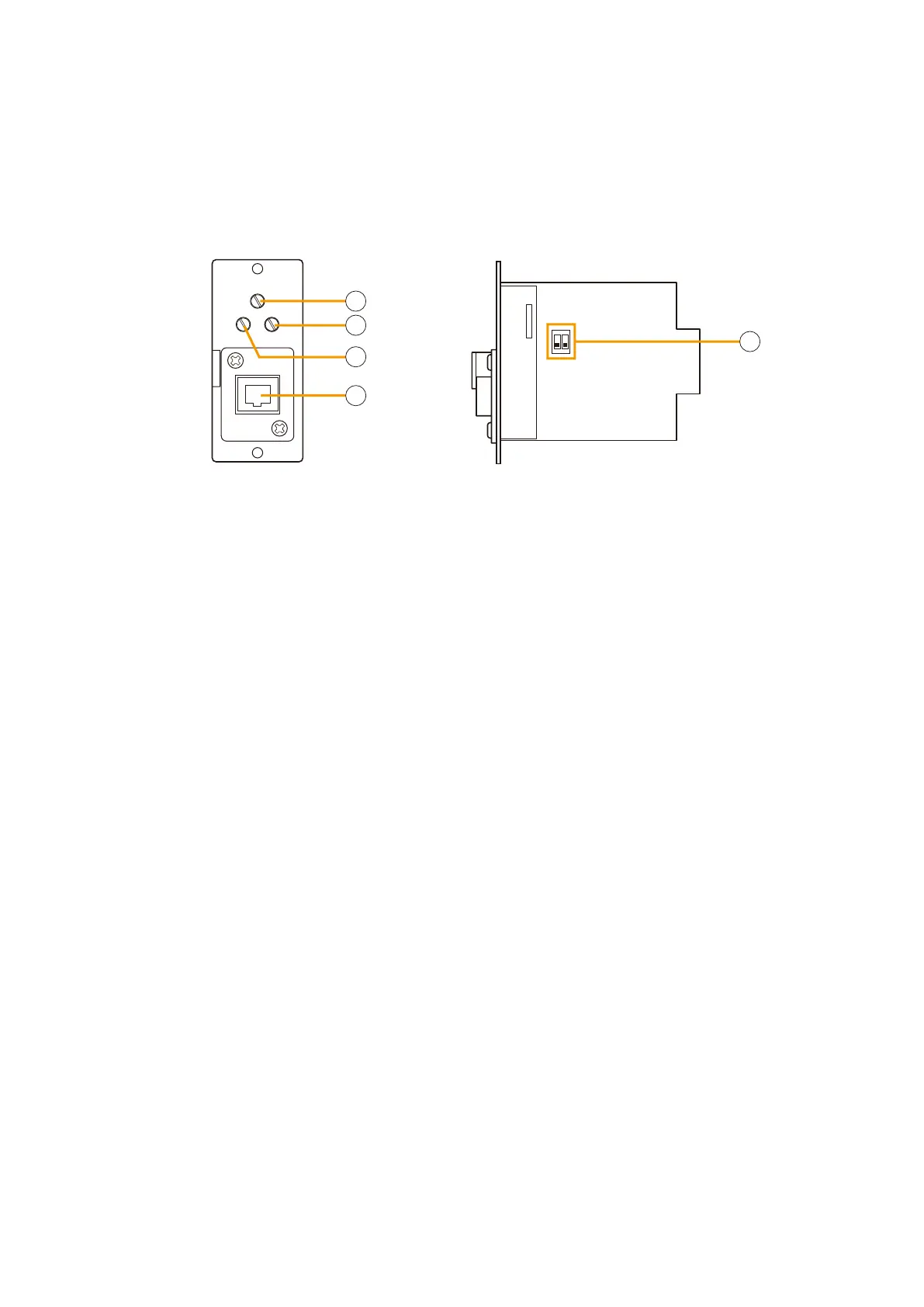
2.7. Audio Input Module with Control input VX-200XI
GAIN
HIGHLOW
CFCF
[Front] [Side]
2
5
3
4
1
1. Gain control [GAIN]
Adjusts the input sensitivity level.
2. Treble control [HIGH]
Adjusts the input signal level in high frequencies.
The control is factory-preset to "F" (Flat) position.
Turning it toward "C" (Cut) position reduces high
frequency elements of a signal.
3. Bass control [LOW]
Adjusts the input signal level in low frequencies.
The control is factory-preset to "F" (Flat) position.
Turning it toward "C" (Cut) position reduces low
frequency elements of a signal.
4. Input connector
This RJ45 connector connects to the audio and
control signal wiring.
Signal wires to be connected are as follows:
1: Control input (+)
2: Control input (–)
3: NC
4: Audio in (C)
5: Audio in (H)
6: NC
7: NC
8: NC
The control input terminals have a built-in
photocoupler that permits internal modification for
insulation. For the modification instructions, refer
to
p. 8-22.
5. Setting DIP switch
Sets the input sensitivity (MIC: –70 dB* or LINE:
–20 dB*) and phantom power ON/OFF.
For the settings, refer to p. 8-21.
The VX-200XI module connects to TOA's Paging Microphone (example: PM-660U) or other sound source
equipment with both audio and control outputs.
The audio input sensitivity can be set to either –70 dB* or –20 dB* using the internal switch.
Insert the VX-200XI module into the input module slot of the VX-2000 System Manager when designated for
use.
* 0 dB = 1 V



 To Next Page