Chapter 8: INSTALLATION AND SETTING PROCEDURES (HARDWARE)
3. VX-2000SF, VX-200SZ , VX-200SP, VX-200SI , VX-200SO, AND VX-200SE
8-32
3.6. Insulating the VX-200SI
The VX-200SI's CTRL IN terminals 1 – 4 can be insulated by performing the following settings to be powered
from external equipment.
Note
The failure detection function will not work on the CTRL IN channels for which "Insulation setting" has been
performed.
Each of the CTRL IN terminals can be individually set to "Insulation."
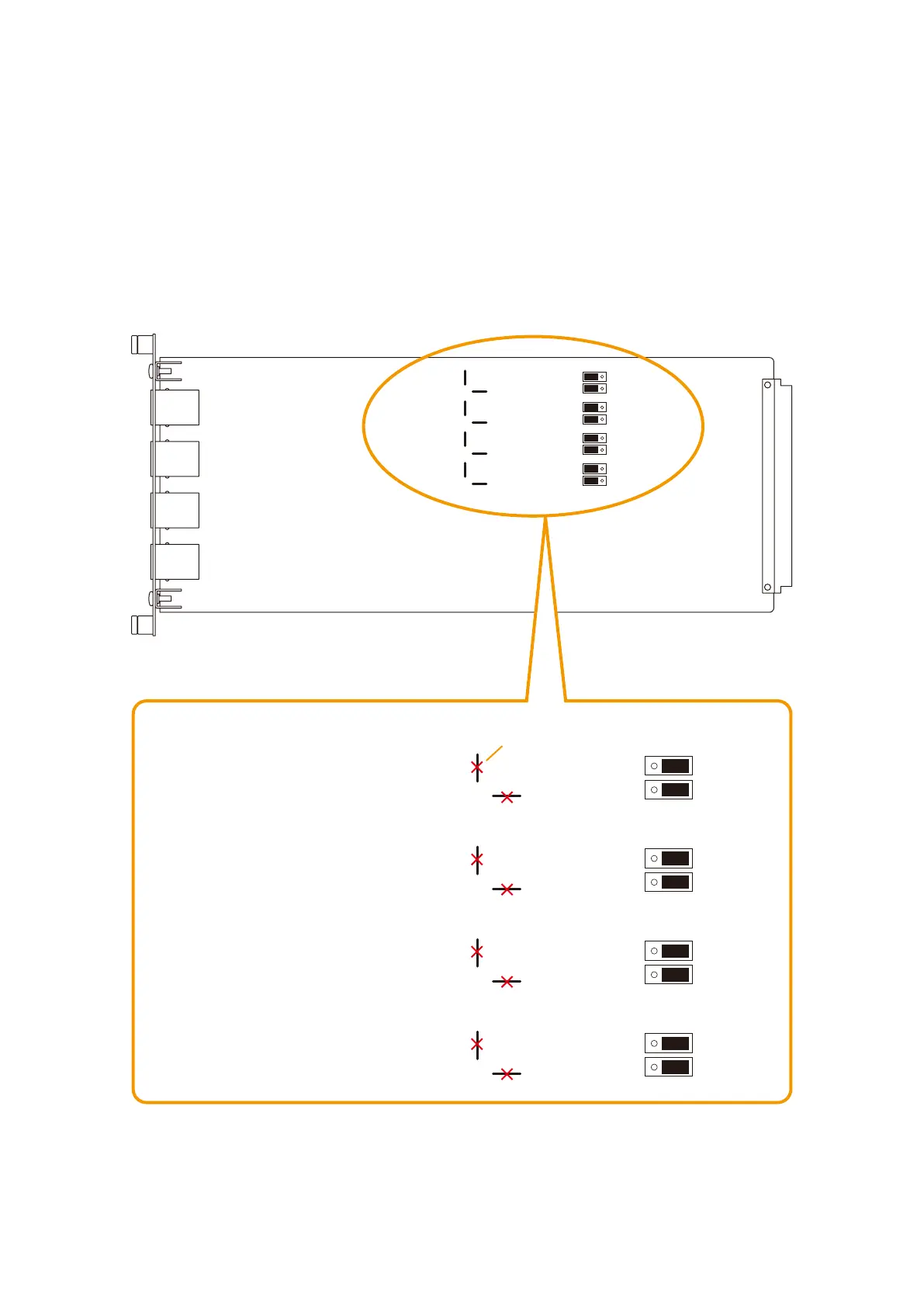
Todoso,besuretoset2jumperplugsand2jumpersforeachCTRINterminal;switchtheSJP101and102to
the right-hand position and cut the SJP103 and 104 for the CTRL IN 1, likewise SJP105 – 108 for the CTRL IN
2, SJP109 – 112 for the CTRL IN 3, and SJP113 – 116 for the CTRL IN 4.
[Insulation setting jumper position]
Below are the jumpers' factory-preset "Non-insulation" settings.
SJP101
SJP102
SJP103
SJP104
SJP113
SJP114
SJP115
SJP116
SJP109
SJP110
SJP111
SJP112
SJP105
SJP106
SJP107
SJP108
Corresponding to CTRL IN 4
Corresponding to CTRL IN 3
Corresponding to CTRL IN 2
Corresponding to CTRL IN 1
SJP101
SJP102
SJP103
SJP104
SJP113
SJP114
SJP115
SJP116
SJP109
SJP110
SJP111
SJP112
SJP105
SJP106
SJP107
SJP108
Insulation position
Cut
VX-200SI
[SJP101 – SJP116 jumper settings]



 To Next Page