Chapter 10: PC ONLINE CHECKS AND ADJUSTMENTS
3. SYSTEM CHECK FUNCTIONS
10-13
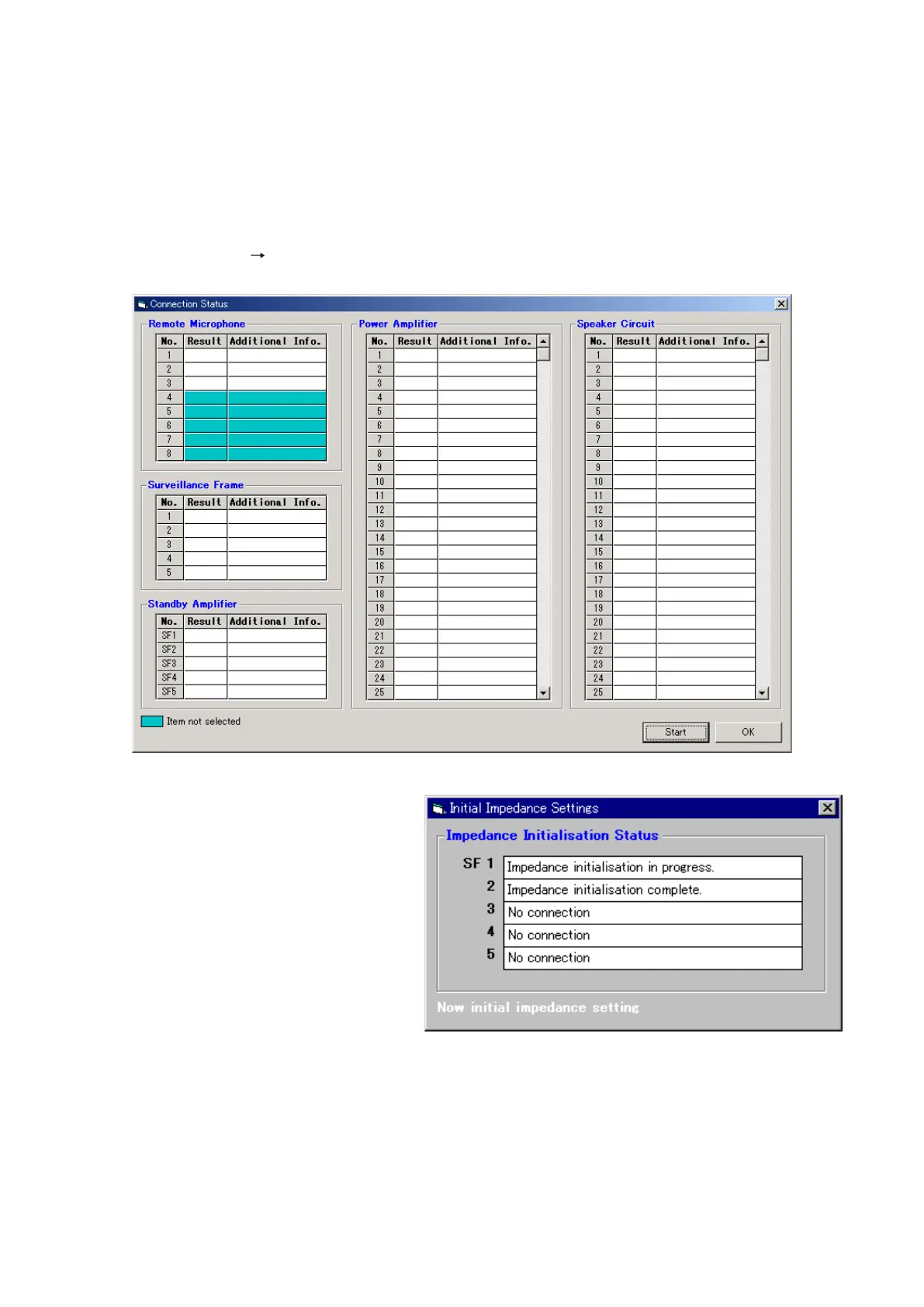
Step 2. Click the [Start] button.
The dialog box "Impedance initialisation
is carried out before a connection check
start." will be displayed.
Press the [OK] button.
The [Initial Impedance Settings] window
will open, setting an initial impedance
value for all of the VX-200SZ modules
in the system.
Initial impedance value setting will be performed for all VX-200SZ modules in the system. When the
VX-2000SF frame is not used in the system or when a VX-200SZ is not mounted in the frame, the "No
connection" will be displayed on the Impedance Initialisation Status screen.
Note
If the indication "Impedance initialisation failed." is displayed on the Impedance Initialisation Status
screen, there may be a faulty connection in the system. In such cases, find and correct the faulty
connection and then re-perform the initialisation.
Further continue to check connections, and reinitialise impedance after correcting connection errors.
3.3. Connection Check
Note: This function applies to the VX-2000 Setting Software Version 2.0 or later.
After setting an initial impedance value for the VX-200SZ Impedance Detection Module mounted in the VX-2000SF
Surveillance Frame, check to be sure that all cables between equipment components are connected correctly.
Step 1. Select [System Connection Check] from the menu.
The [Connection Status] window will open.



 To Next Page