Chapter 10: PC ONLINE CHECKS AND ADJUSTMENTS
3. SYSTEM CHECK FUNCTIONS
10-14
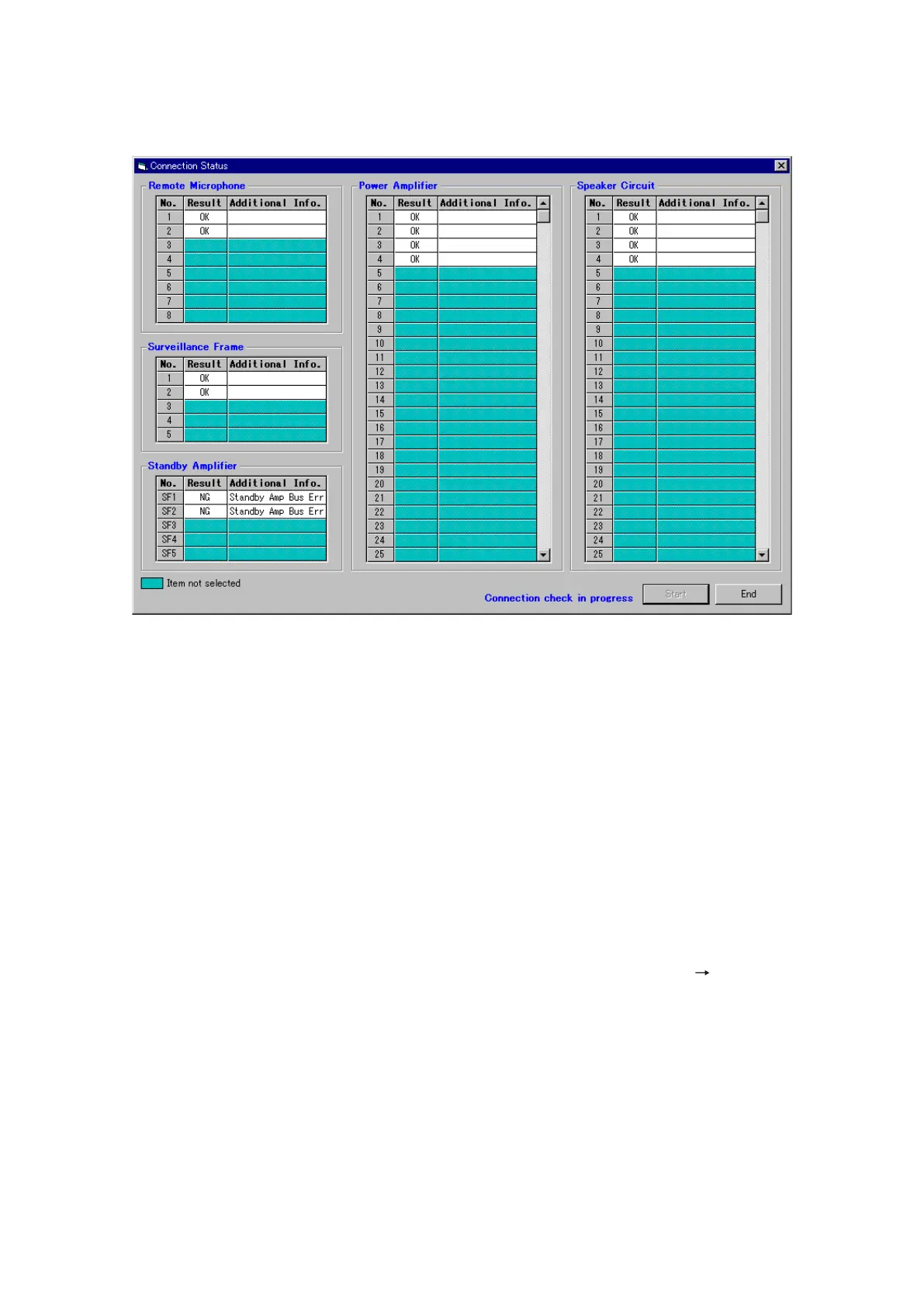
Step 3. Check connections.
The dialog box "Initial impedance settings were completed." will be displayed after initialisation
completion. Press the [OK] button. The dialog box will close and Connection Check will begin.
• Aftertheconnectioncheckiscomplete,"OK"willbedisplayedinthe"Result"columnifallconnections
are determined to be correct, and "NG" when a problem has been detected.
If "NG" is displayed, check the connections between equipment in question, and perform the
connection check again.
• TheConnectionCheckfunctioncontinuesoperationuntilthe[End]buttonispressed.Pressingthe
[End] button stops the connection check operation. Operation can be resumed by pressing the [Start]
button.
• Performtheconnectioncheckuntilthe[OK]indicationisdisplayedforallconnections.
Step 4. After confirming that all connections are made correctly, press the [End] button to stop the connection
check operation, then press the [OK] button to terminate the connection check.
Notes
• Shouldtheindication"Impedanceinitialisationfailed."bedisplayedintheImpedanceInitialSettings,perform
Connection Check again until [OK] is displayed for all connections in the "Result" column.
• When wishing to only set the VX-200SZ's initial impedance value, select [System
Initial Impedance
Settings] from the menu.



 To Next Page