Chapter 8: INSTALLATION AND SETTING PROCEDURES (HARDWARE)
1. RM-200XF AND RM-200X MICROPHONES
8-3
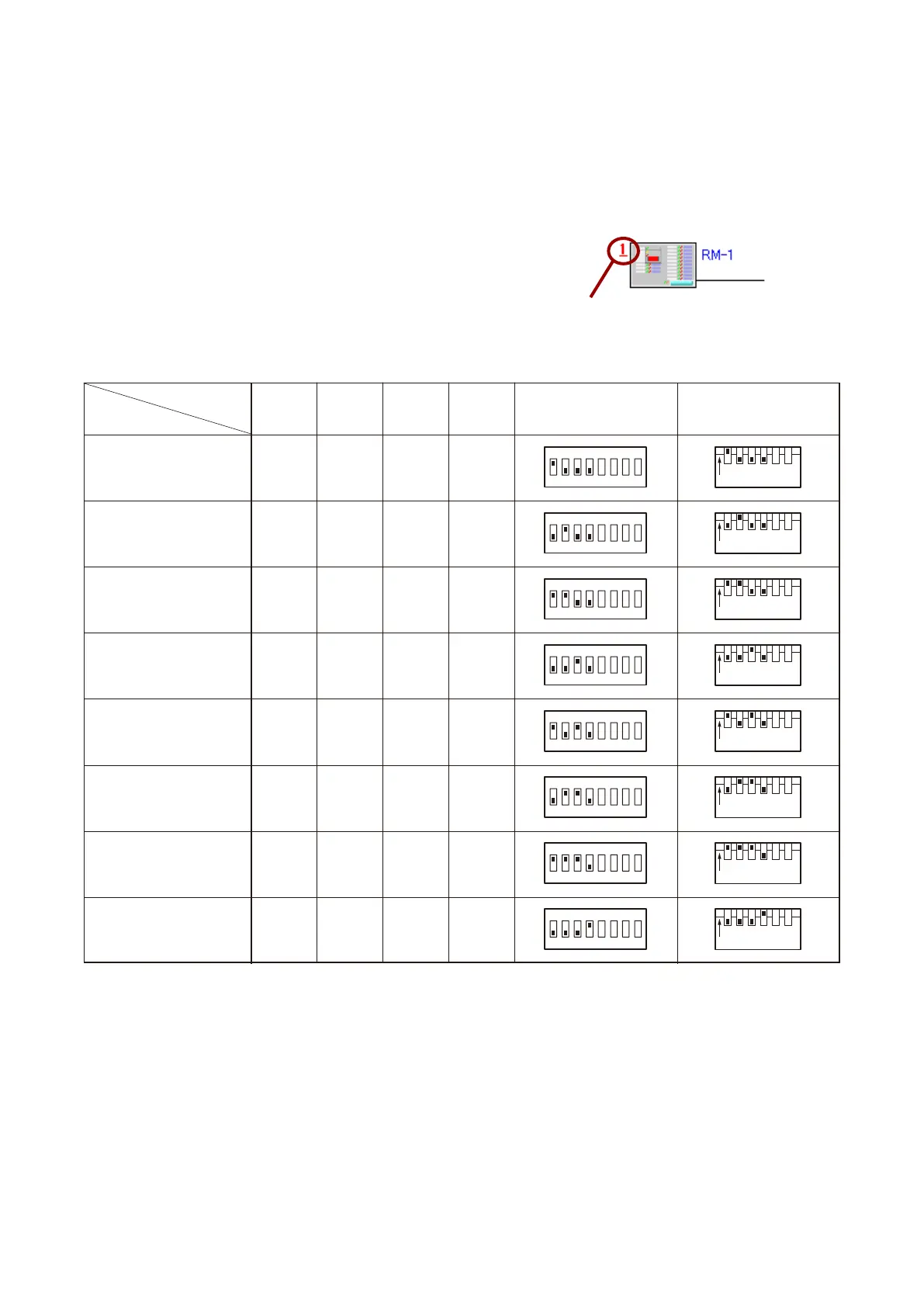
1.1.2. Unit ID number settings (Switches 1 – 4)
• A total of up to 8 RM-200X and RM-200XF microphones can be connected per system. However, connections
to individual units are limited to the following:
Designated for Emergency use: Up to 4 units in a total of the RM-200XFs and RM-200Xs
Designated for General use: Up to 8 units of RM-200Xs only
• A Unit ID Number must be set for each connected Remote
microphone. The Unit ID Number must be identical to that
which is set by the PC software. On the PC screen, the ID
Number appears at the top left of the Remote microphone
symbol.
• The ID Number is factory-preset to "1."
[Remote microphone on the PC screen]
[Unit ID Number settings]
Unit ID Number
Note
Settings not included in the above table should be considered invalid, and correct operation of such invalid
settings cannot be assured. Ensure that each switch is set for every one of positions indicated above.
12
ON
3456
12
ON
3456
12
ON
3456
12
ON
3456
12
ON
3456
12
ON
3456
12
ON
3456
12
ON
3456
12
ON
345678
12
ON
345678
12
ON
345678
12
ON
345678
12
ON
345678
12
ON
345678
12
ON
345678
12
ON
345678
1 ON OFF OFF OFF
2 OFF ON OFF OFF
3 ON ON OFF OFF
4 OFF OFF ON OFF
5 ON OFF ON OFF
6 OFF ON ON OFF
7 ON ON ON OFF
8 OFF OFF OFF ON
Switch No.
1 2 3 4 RM-200XF RM-200X
Unit ID Number



 To Next Page