Chapter 5: OPERATION
2. EMERGENCY BROADCASTS
5-12
Key Setting Function
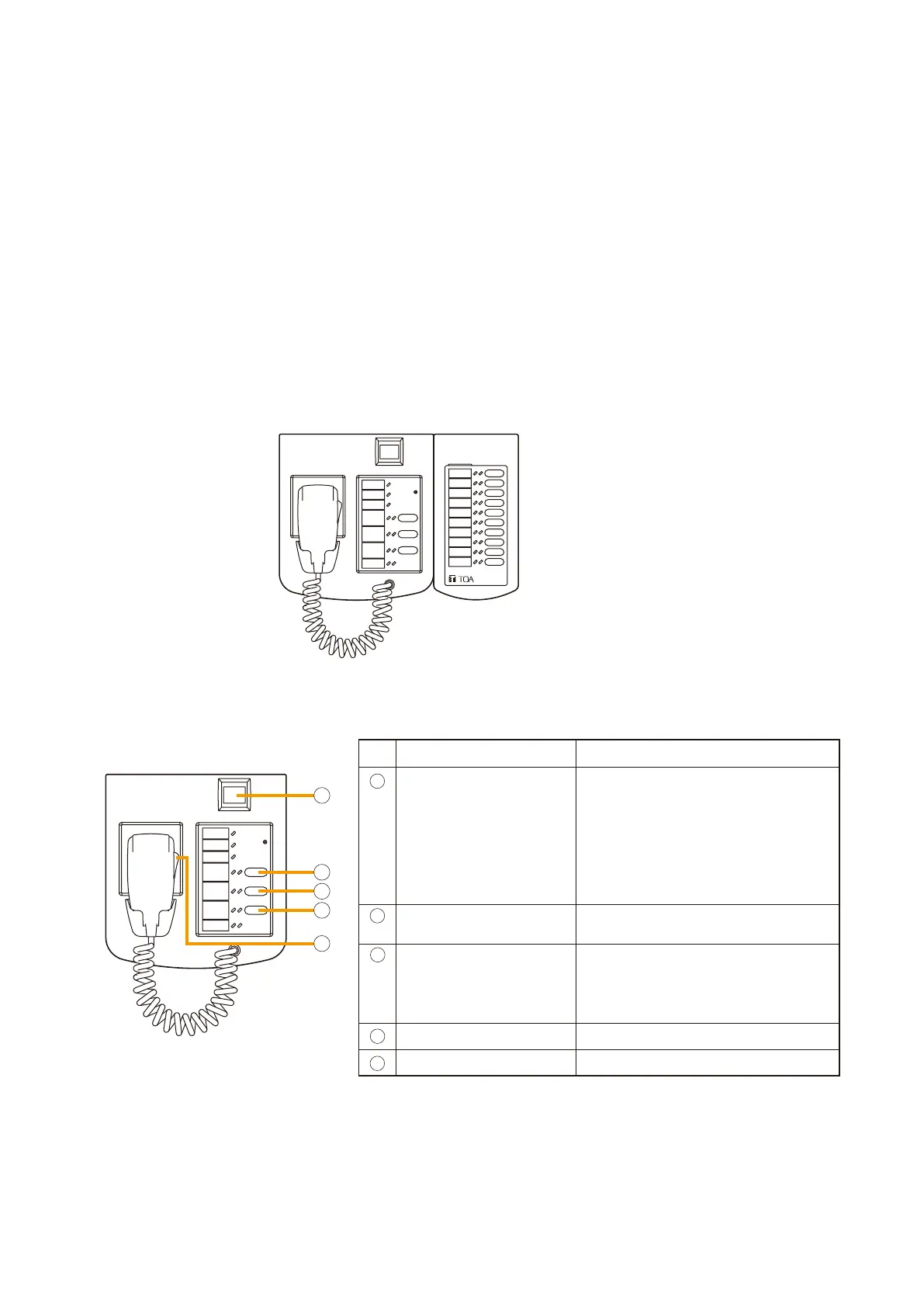
Emergency Activation
Activates emergency mode and recalls
emergency patterns.
[Pattern setting contents]
Phase1:AlertEVmessage;
allzones;5minutes
Phase2:EvacuationEVmessage;
allzones;continuous
Evacuation EV Recalls and broadcasts evacuation
EV message.
Emergency
Reset
(Reset EV message)
Broadcast is restored from emergency
to normal (general-purpose) broadcast
mode after Reset EV message
announcement completion.
All-Zone Call Selects all zones.
Press-to -Talk Makes microphone announcements.
The emergency mode can not only be activated and restored from the connected fire alarm system, but also
from any Remote Microphone set for emergency operation.
Note
It is possible to activate the emergency mode from the Remote Microphone set for general-purpose use.
However, the microphone can no longer be used until the general-purpose broadcast mode is restored.
Here, the settings of the Fireman's Microphone RM-200XF installed on GF are used as an example to explain
the flow from emergency mode activation to its cancellation.
RM-210
Remote Microphone
RM-200XF
Remote Microphone Extension
RM-210
RM-200XF
1
2
3
4
5
Their function key settings are as follows:
2.3. Emergency Mode Activation and Reset
[Setting contents of Fireman's Microphone RM-200XF]



 To Next Page