Chapter 11: OTHER PC SOFTWARE FUNCTIONS
1. MONITOR OPERATION CHECK
11-2
1. MONITOR OPERATION CHECK
Notes
• ThisfunctionappliestotheVX-2000SettingSoftwareVersion2.0orlater.
• MonitorOperationCheckcannotbeperformedinemergencymode.
Whether or not the system's failure detection function is operating correctly can be checked through both
manual and automatic inspections.
In automatic inspections, a failure is made to occur by stopping the generation of pilot tone to have it detected.
In the manual inspection, cables are disconnected to have the disconnection detected.
Step 1. Select [System
Monitor Operation Check] from the menu.
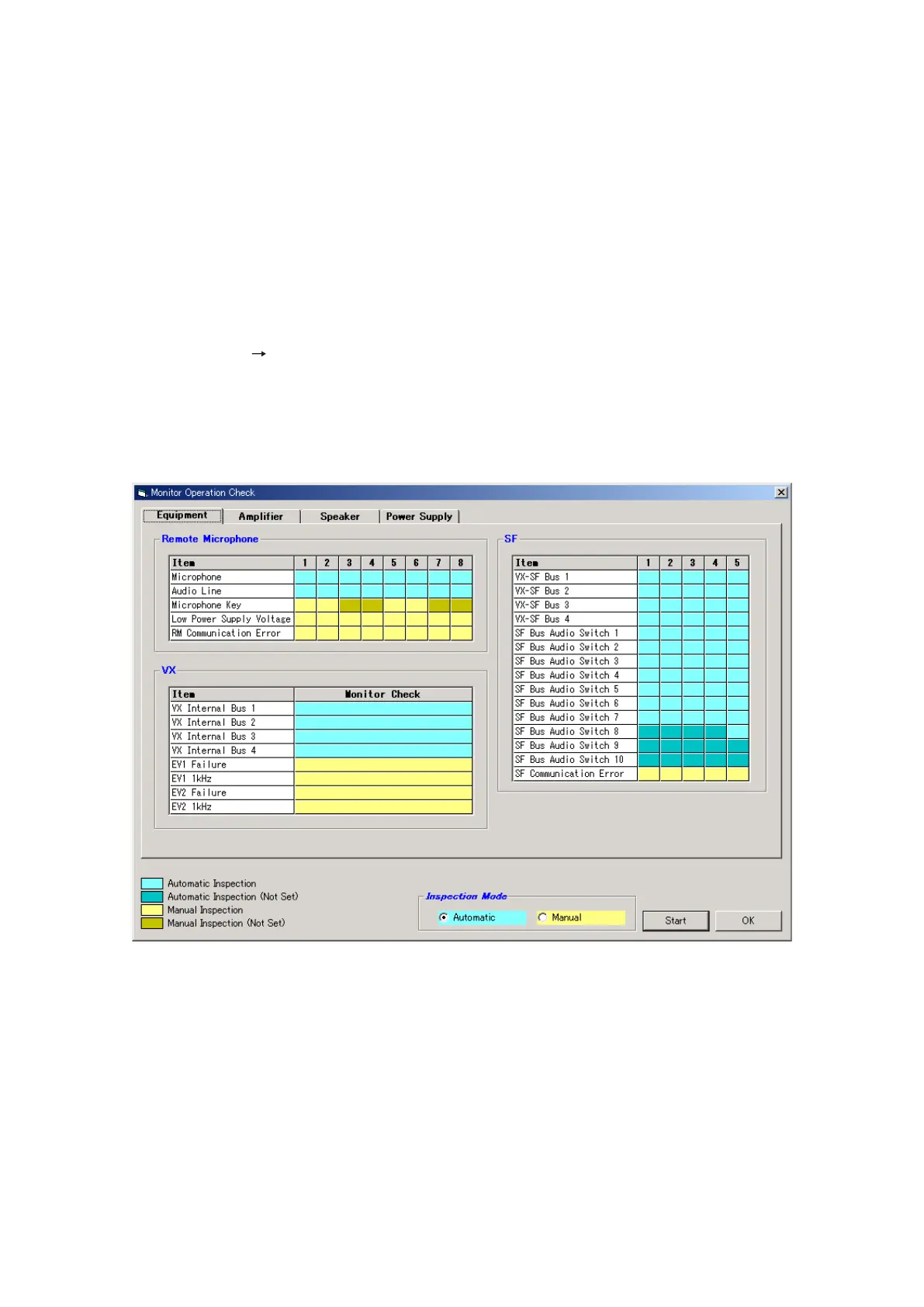
The [Monitor Operation Check] window will open.
The items to be checked are classified by colour: Blue for automatic inspection and Yellow for manual
inspection.
The inspection items are divided into 4 classifications of Equipment, Amplifier, Speaker, and Power
Supply systems.
Continued on next page



 To Next Page