Chapter 10: PC ONLINE CHECKS AND ADJUSTMENTS
2. SYSTEM SETTING FILE DOWNLOAD
10-3
2. SYSTEM SETTING FILE DOWNLOAD
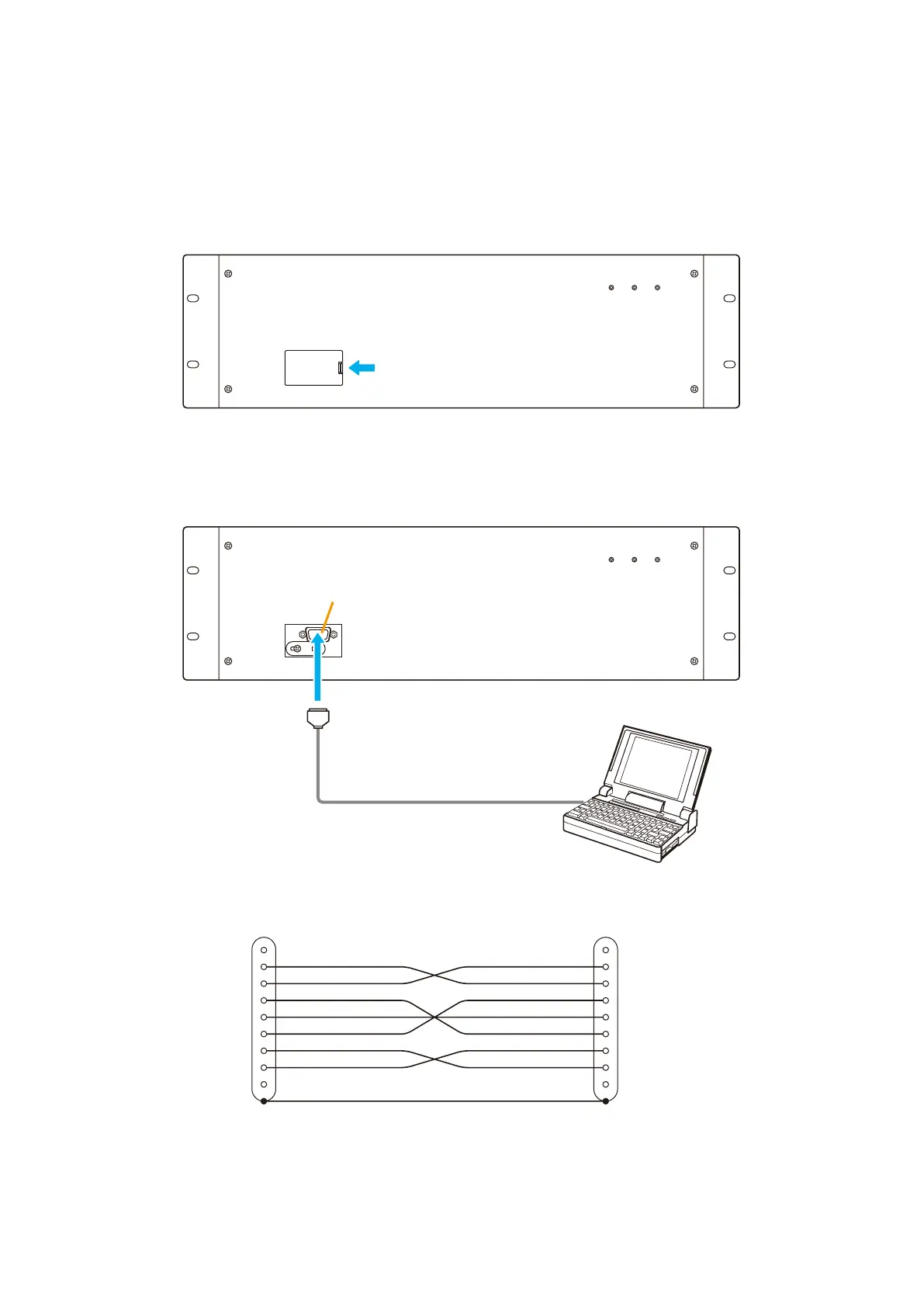
2.1. Connections between VX-2000 and PC
Step 1. Open the pocket in the VX-2000's front panel.
PC
VX-2000 Front
Cross cable
RS-232C
Step 3. Start the VX-2000 Setting Software, and open the prepared setting data file.
Step 2. Connect the PC to the VX-2000's RS-232C connector using a cross cable.
VX-2000 Front
Push
[Cross cable connection diagram]
1
2
3
4
5
6
7
8
9
Shield
1
2
3
4
5
6
7
8
9
Shield



 To Next Page