Chapter 10: PC ONLINE CHECKS AND ADJUSTMENTS
3. SYSTEM CHECK FUNCTIONS
10-8
3. SYSTEM CHECK FUNCTIONS
3.1. Configuration Check
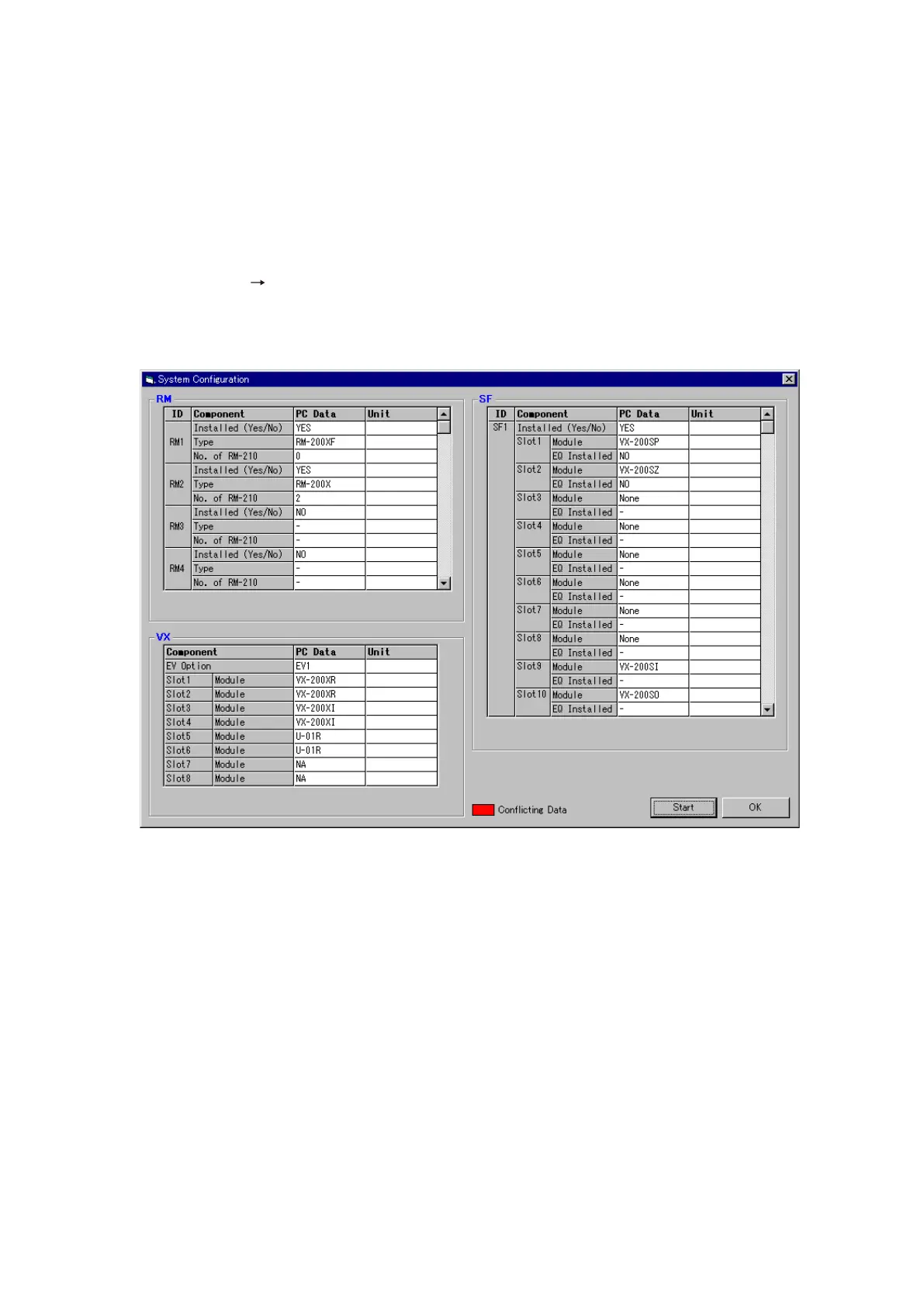
This function confirms whether the system setting file set with a PC agrees with the actual equipment
configuration.
Note: The configuration check function cannot be used while in emergency mode.
Step 1. Select [System
Configuration Check] from the menu.
The [System Configuration] window will open.
Equipment, modules, options, and other set equipment configurations are displayed in the "PC Data"
column.
Step 2. Click on the [Start] button.
Configuration check will start.
Continued on next page



 To Next Page