Chapter 7: PC SOFTWARE OFFLINE SETTINGS
6. NEW FILE CREATION
7-11
6. NEW FILE CREATION
Create a new system setting file according to the procedure below.
The system setting file is a file to be set for the users' operation of the VX-2000 system, and includes the
following items: VX-2000 system configuration settings, priority settings, broadcast and control pattern creation,
and function assignment to activation items (a remote microphone, control inputs, and internal timer).
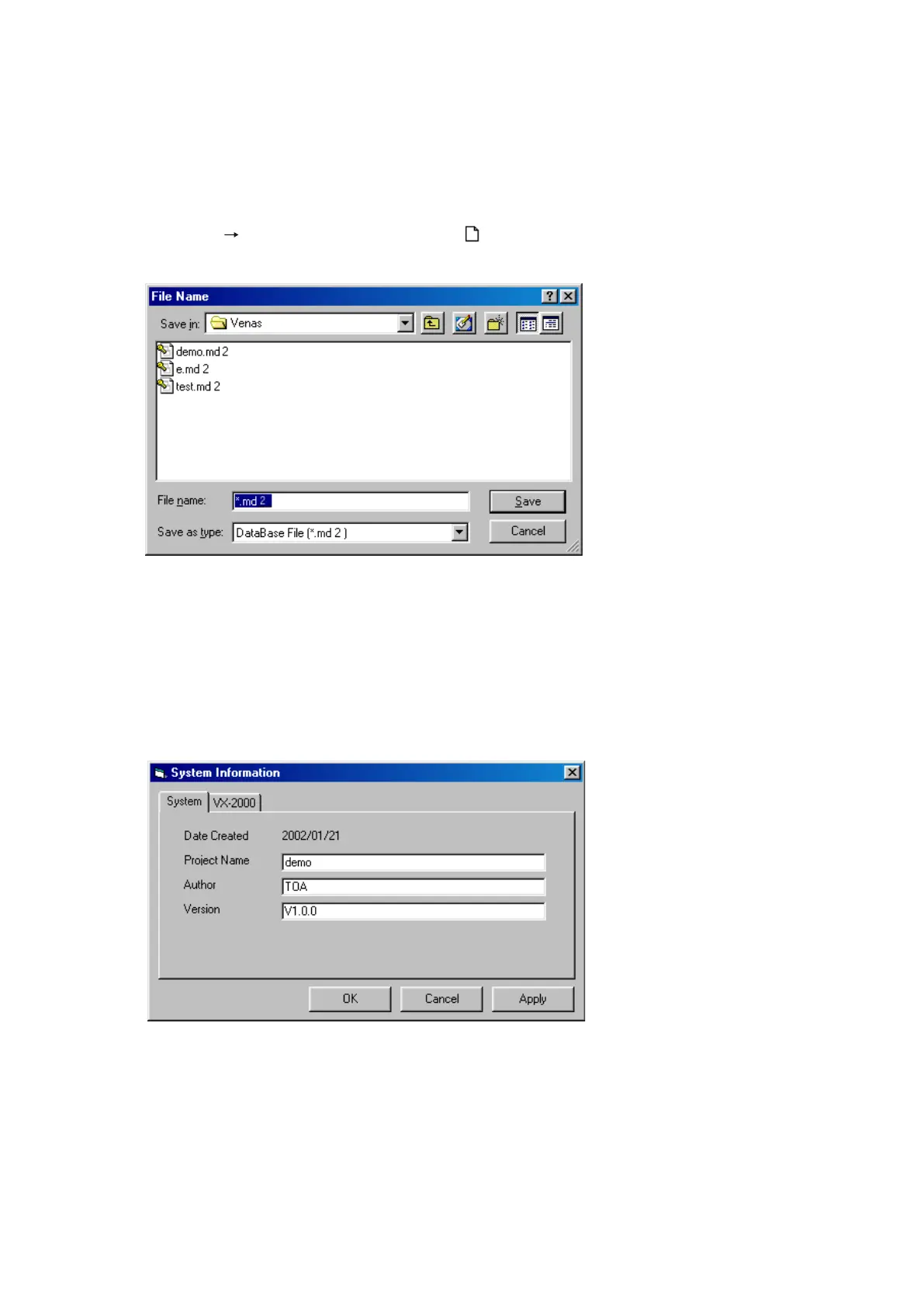
Step 1. Select [File
New] from the menu or click on toolbar button.
The [File Name] window will open.
Step 2. Enter a filename and click on the [Save] button.
The [System Information] window will open.
Continued on next page
Step 3. Enter a project name, the name of Author, and Version.
Note
The version in the System Information window is not the PC setting software version.
Enter the version here to manage your system setting file.
The system setting file is suffixed with an extension "mb2".
Note
The file extension is "mdb" for the VX-2000 Setting Software Version 2.0 or earlier.



 To Next Page