Chapter 8: INSTALLATION AND SETTING PROCEDURES (HARDWARE)
5. VP-3154, VP-3304 AND VP-3504 POWER AMPLIFIERS
8-42
5.3. BGM Input Sensitivity Setting
TheBGMinputsensitivitycanbechangedfrom−10dB*(factory-preset)to0dB*.
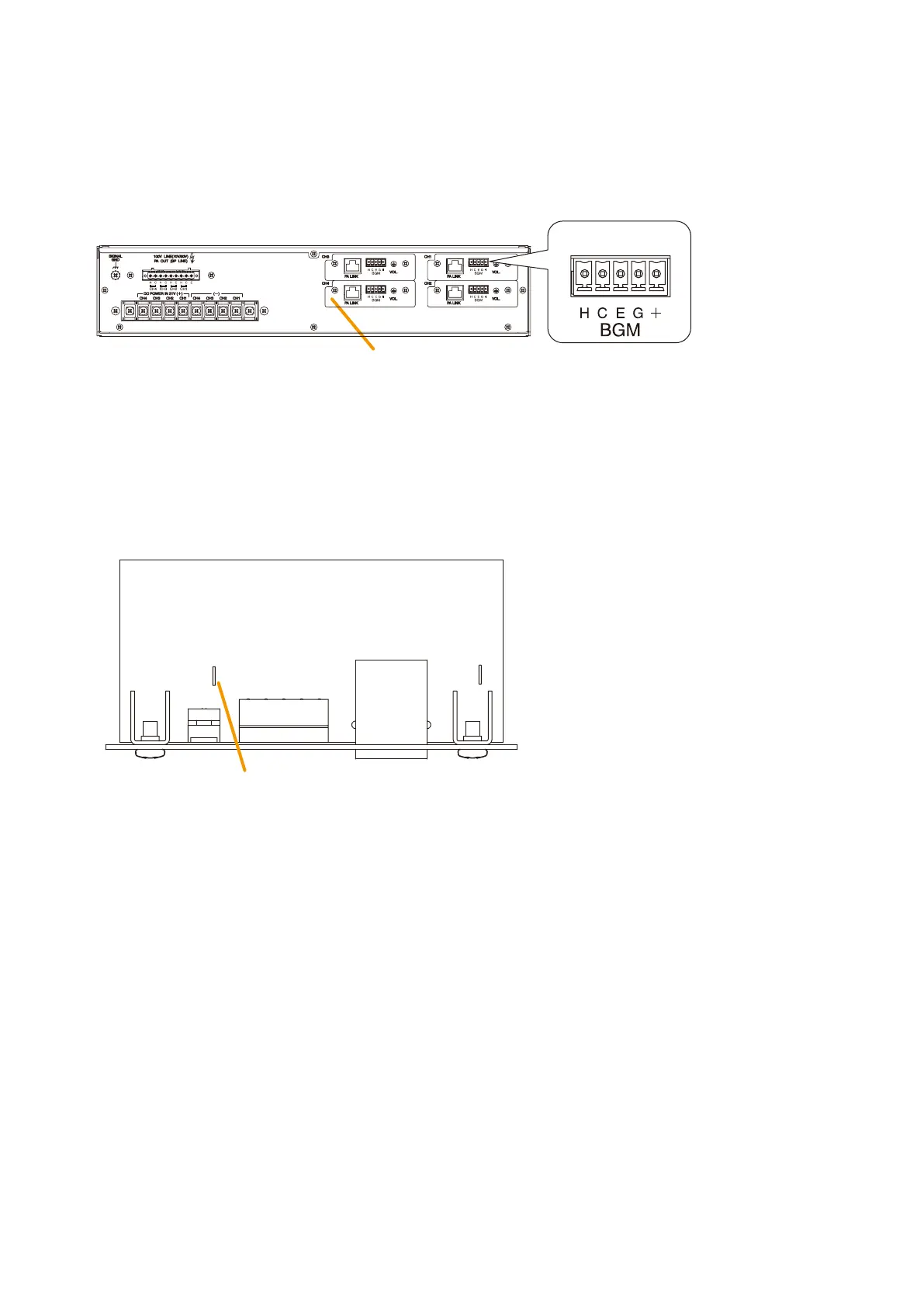
Modification can be performed on the pc board of PA link/BGM input board.
Amplifier’s rear
PA link/BGM input board
BGM input
J1 (BGM input sensitivity)
Cut to change −10 dB* (factory-preset) to 0 dB*.
Viewed from the parts mounting side
Step 1. Remove the top panel. (See Step 1 on
p. 8-40.)
Step 2. Take out the PA link/BGM input board to be set. (See Step 2 on p. 8-41.)
Step 3. Cut the jumper J1.
Step 4. Replace the PA link/BGM input board and the top panel in the reverse procedures of removal.
* 0 dB = 1 V



 To Next Page