Chapter 7: PC SOFTWARE OFFLINE SETTINGS
10. ACTIVATION SETTING MODE
7-58
10.3. Timer Settings
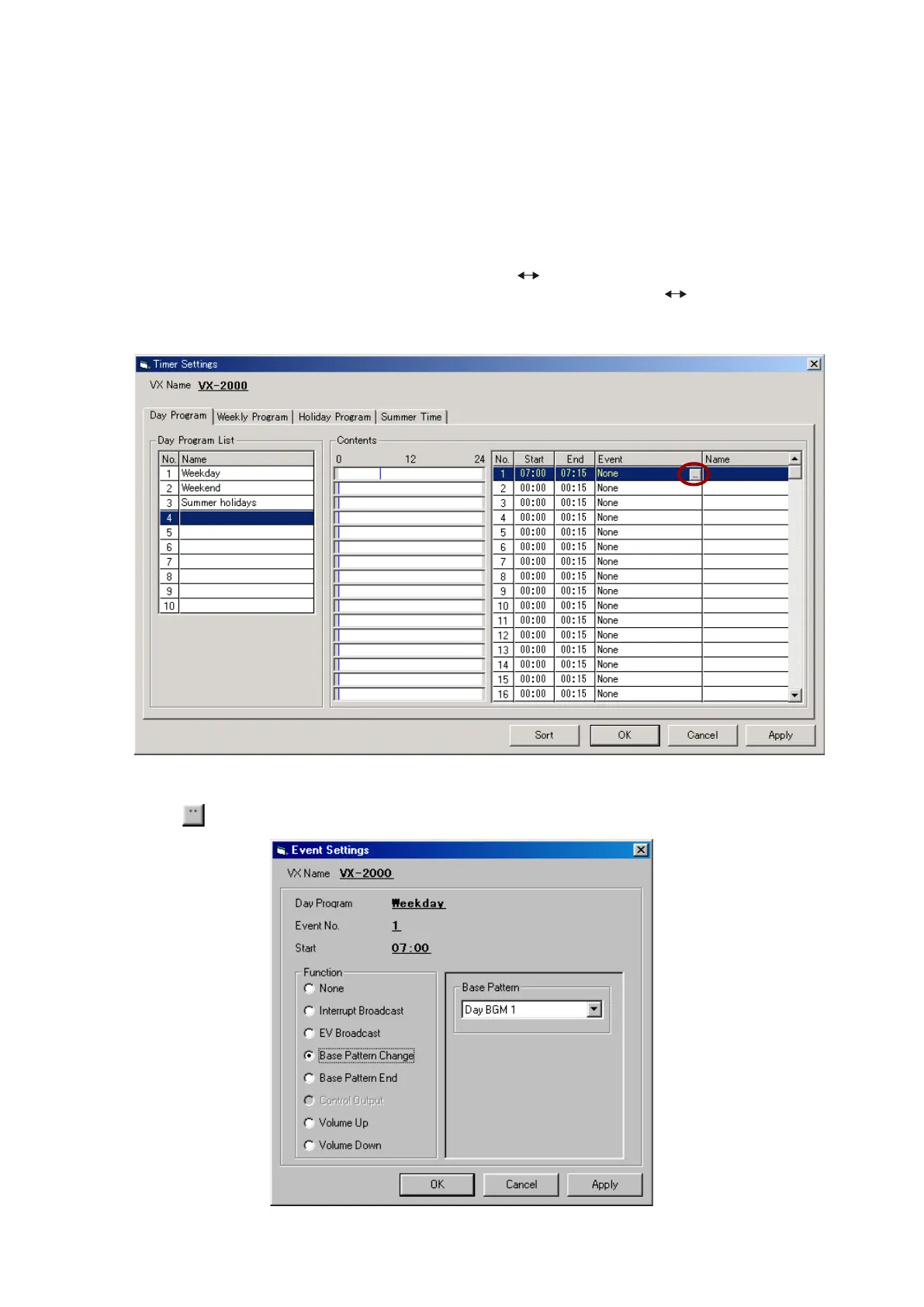
Clicking on the [Timer] button on the Configuration screen opens the [Timer Settings] window.
Step 2. Set the event.
If the
button to the right of [None] is clicked, the [Event Settings] window will open.
Continued on next page
10.3.1. Day programs
Up to 10 day programs can be created.
Step 1. Set both the start and end times in the "Contents" section of the window.
Move the mouse over a blue vertical bar causes the "
" indicator to appear. Time settings can be
performed by "grabbing" (holding the left mouse button down) the bar with " " mark displayed, and
pulling it to the left or right. Start and end times can also be set by directly entering the numerical value.



 To Next Page