Chapter 7: PC SOFTWARE OFFLINE SETTINGS
9. OPERATION SETTING MODE
7-39
9. OPERATION SETTING MODE
Select [Edit
Operation Setting Mode] from the menu.
The operation setting mode can also be selected by clicking on the
button on the toolbar.
Emergency broadcast, General-purpose broadcast pattern and Failure
output pattern settings can all be performed here.
9.1. Emergency Broadcast Settings
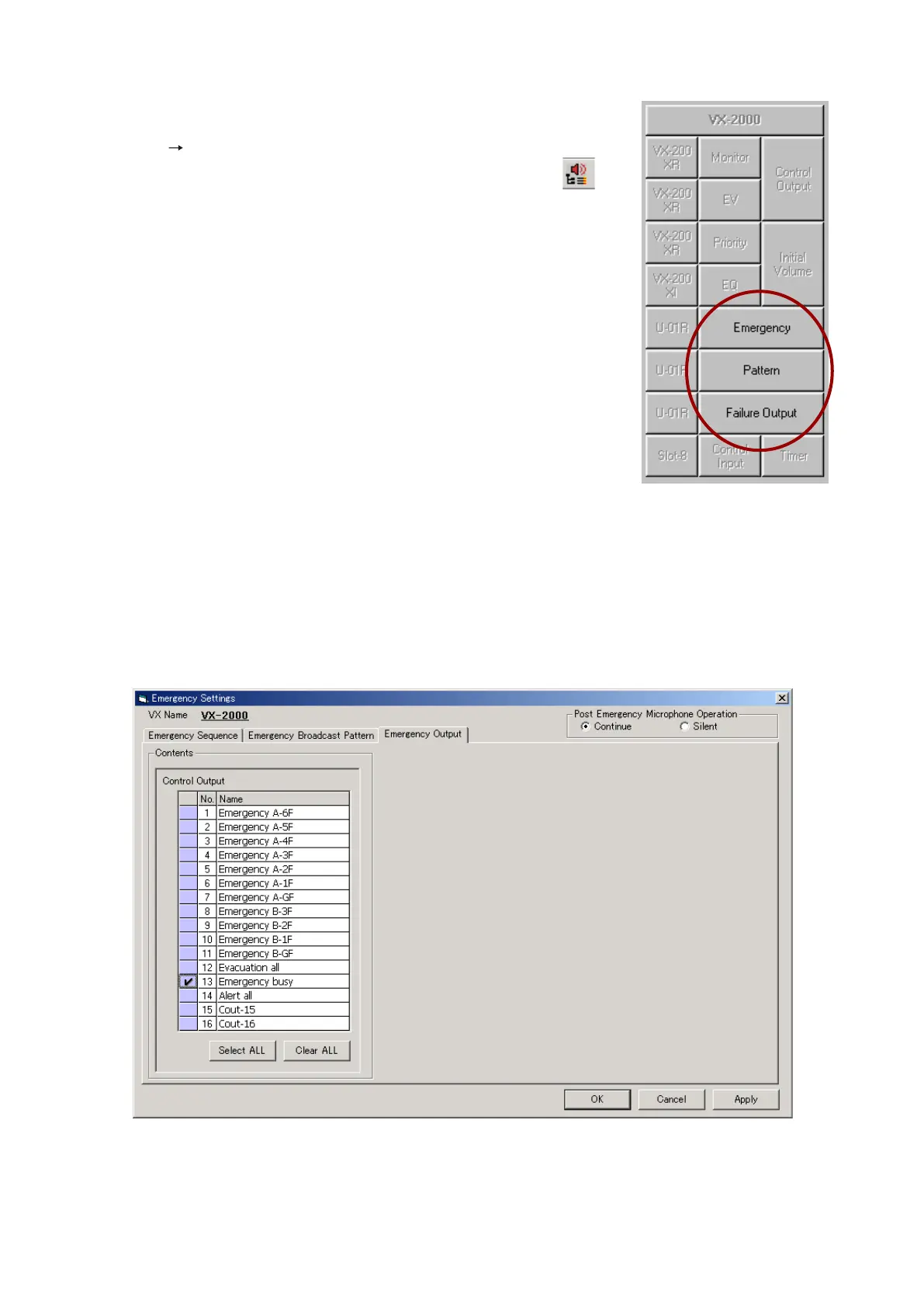
Clicking [Emergency] on the Configuration screen will display the [Emergency Settings] window.
9.1.1. When no EV units are used
The [Emergency Output] setting contents appear.
Continued on next page



 To Next Page