Chapter 7: PC SOFTWARE OFFLINE SETTINGS
7. CONFIGURATION SETTING MODE
7-13
7. CONFIGURATION SETTING MODE
Select [Edit
Configuration Setting Mode] from the menu.
Instead of this, clicking on the
toolbar button also puts the system in the configuration setting mode.
Here, set the equipment to be used in the system, such as the SF module, VX module, and Remote Microphone.
7.1. SF Module Properties Setting
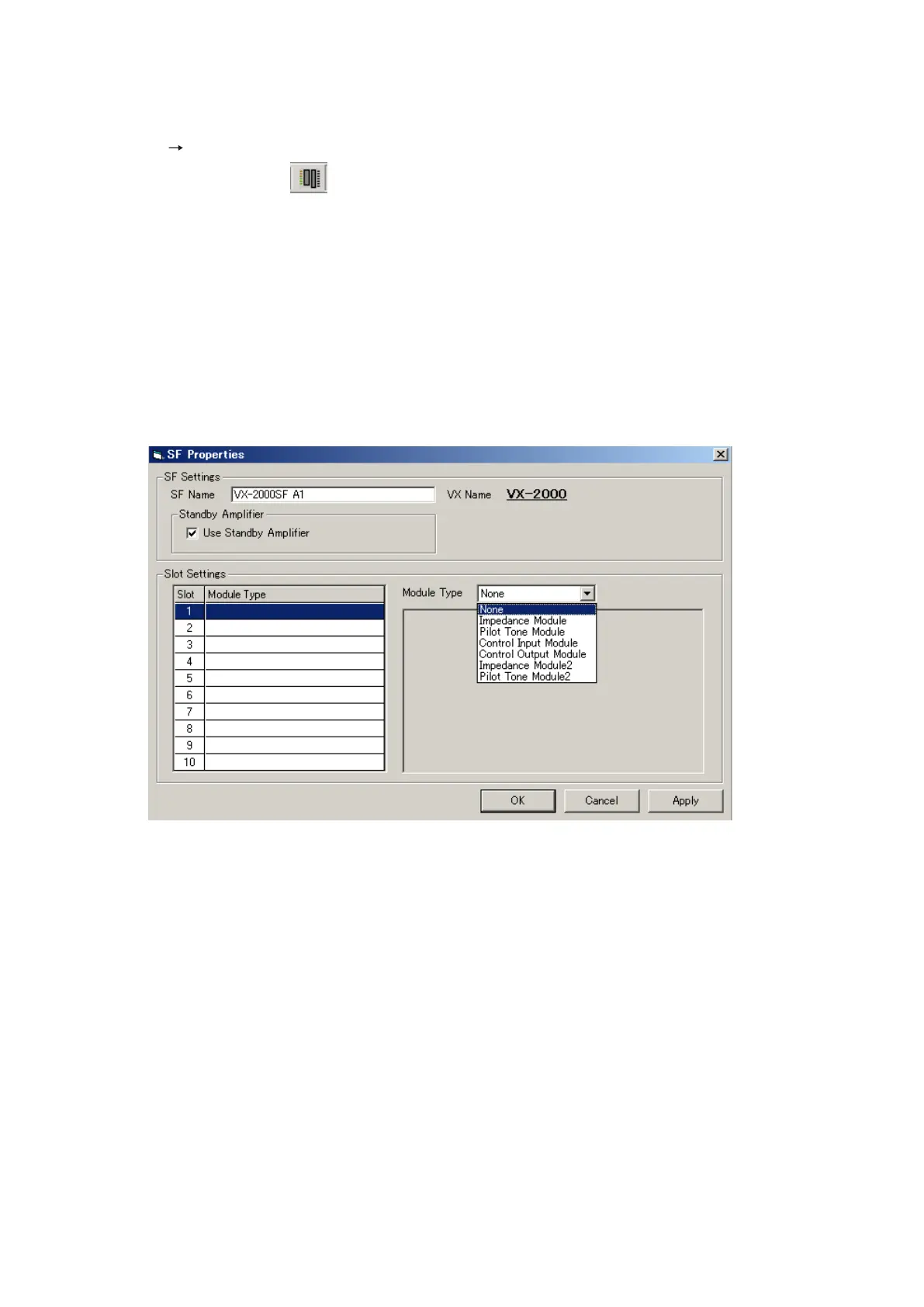
Set the name of the VX-2000SF unit, its mounted modules, and whether a standby amplifier is to be used.
Step 1. Clickon[SF-1]or[Slot1–10]ontheCongurationscreen.
The [SF Properties] window will open.
Step 2. Change the VX-2000SF's name if necessary.
Step 3. When a standby amplifier is used for the VX-2000SF unit, tick the [Use Standby Amplifier] checkbox.
Step 4. Select the type of module to be inserted into each slot.
4-1. Select and click on the slot to be set.
The entire selected line will be highlighted, indicating that setting is possible.
Continued on next page



 To Next Page