Chapter 7: PC SOFTWARE OFFLINE SETTINGS
9. OPERATION SETTING MODE
7-42
9.1.3. When using 2 EV units
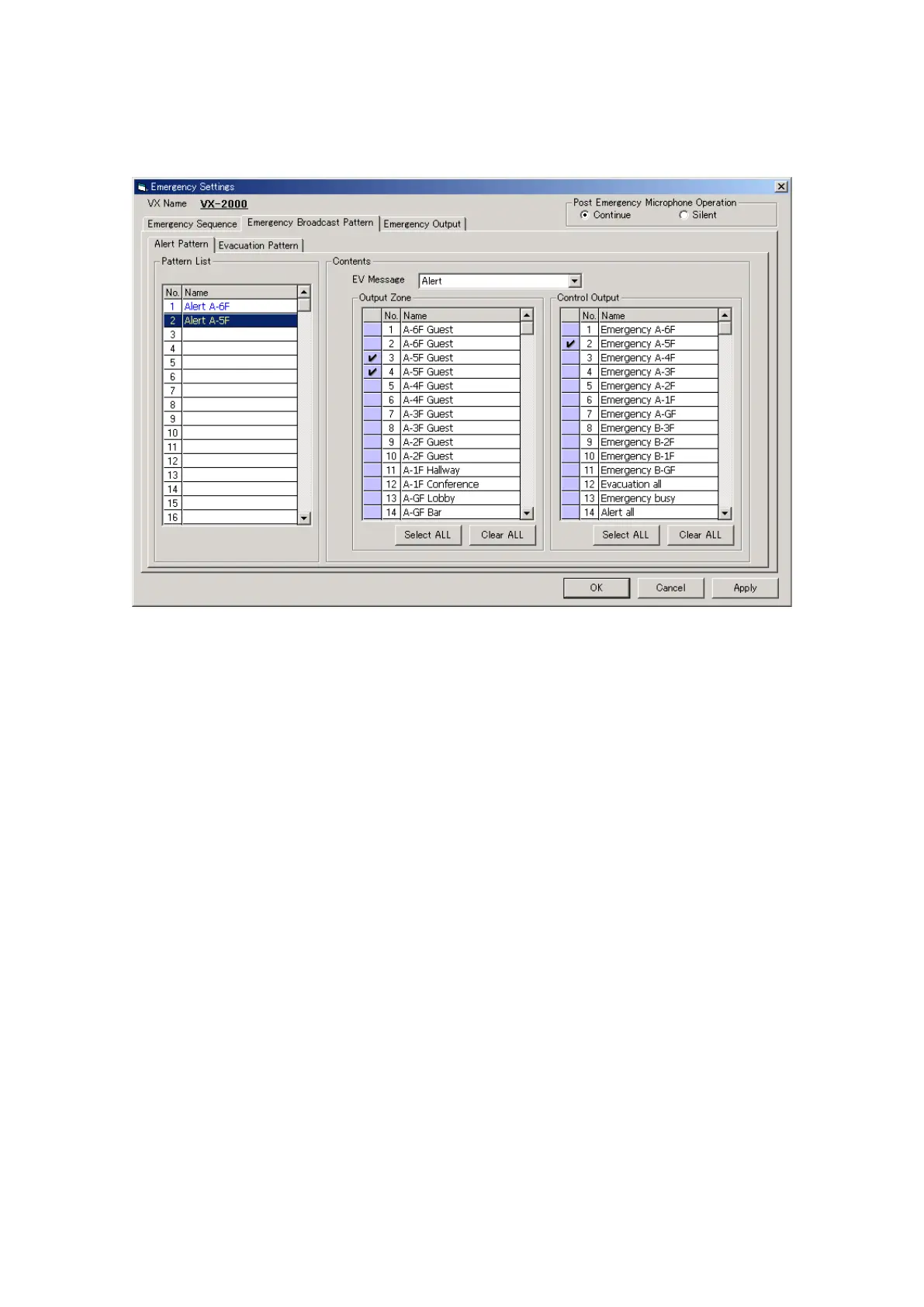
The [Emergency Settings] window opens.
Here, up to 50 Alert patterns and 50 Evacuation patterns can be created.
Step 1. Set the [Post Emergency Microphone Operation].
•[Continue]: TheoriginalEVbroadcasttothedesignatedzone(s)isrestoredaftercompletionofthe
Fireman's Microphone announcement.
•[Silent]: TheoriginalEVbroadcastisnotrestoredaftercompletionoftheFireman'sMicrophone
announcement.
Step 2. Perform the Emergency Patterns settings. Set the [Alert] pattern(s).
2-1. Select "Alert" message for EV Message.
2-2. Select the output zone to which the alert message will be broadcast.
Pattern names are displayed in the Pattern List. The pattern names can also be changed. Select a line
to rename, then click on it again, and the name can be changed.
2-3. Select the control output(s) to be activated during alert message broadcast.
Continued on next page



 To Next Page