Chapter 7: PC SOFTWARE OFFLINE SETTINGS
9. OPERATION SETTING MODE
7-41
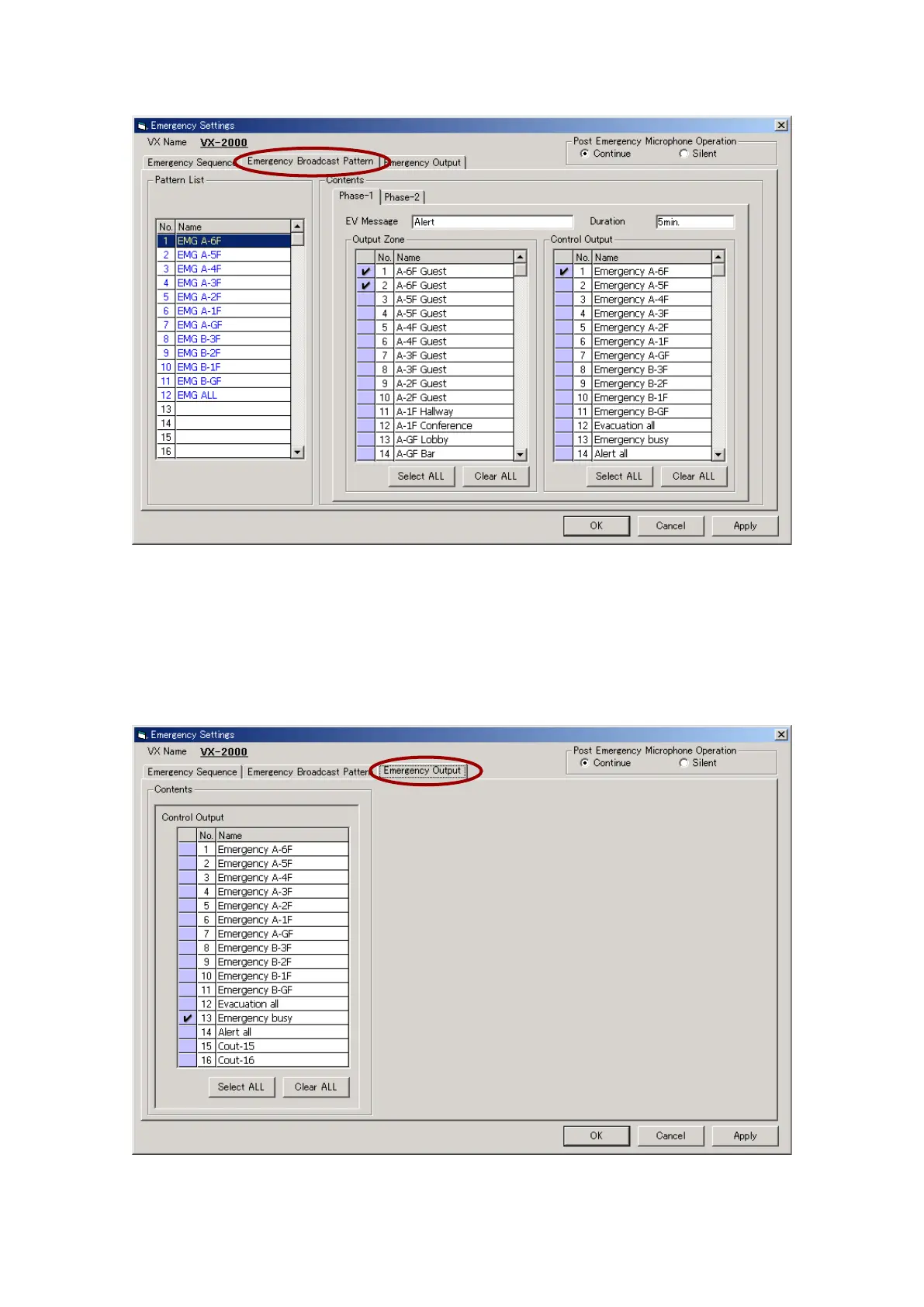
Step 3. Click on the [Emergency Broadcast Pattern] tab.
3-1. Select the output zone and the control output for the Phase 1 broadcast.
3-2. Click on [Phase-2] in the Contents section of the window, and perform the related settings.
Pattern names will be displayed in the Pattern List. The pattern names can be easily changed.
Select a line to rename, then click on it again, and the name can be changed.
Step 4. Click on the [Emergency Output] setting tab.
Select the control outputs to be used in emergency situations.
Step 5. After setting completion, click on the [Apply] button to save the settings and click on the [OK] button to
close the [Emergency Settings] window.



 To Next Page