Chapter 8: INSTALLATION AND SETTING PROCEDURES (HARDWARE)
2. VX-2000, VX-200XR, VX-200XI, AND EV-200
8-18
2.4. Installing the Insulating Transformer in the VX-2000 System Manager
Audio buses between the VX-2000 System Manager and the VX-2000SF Surveillance Frame can be insulated
by installing the optional IT-450 Insulating Transformers.
The insulating transformer cannot be installed without removing the circuit board inside the VX-2000.
Make sure that the system power is switched OFF before commencing installation.
For procedures regarding switching off the system power, refer to the Instruction Manual attached to
the VX-2000DS/3000DS.
Step 1. Remove the top panel.
Refer to
p. 8-15 "2.1. Removing the VX-2000's Top and Front Panels."
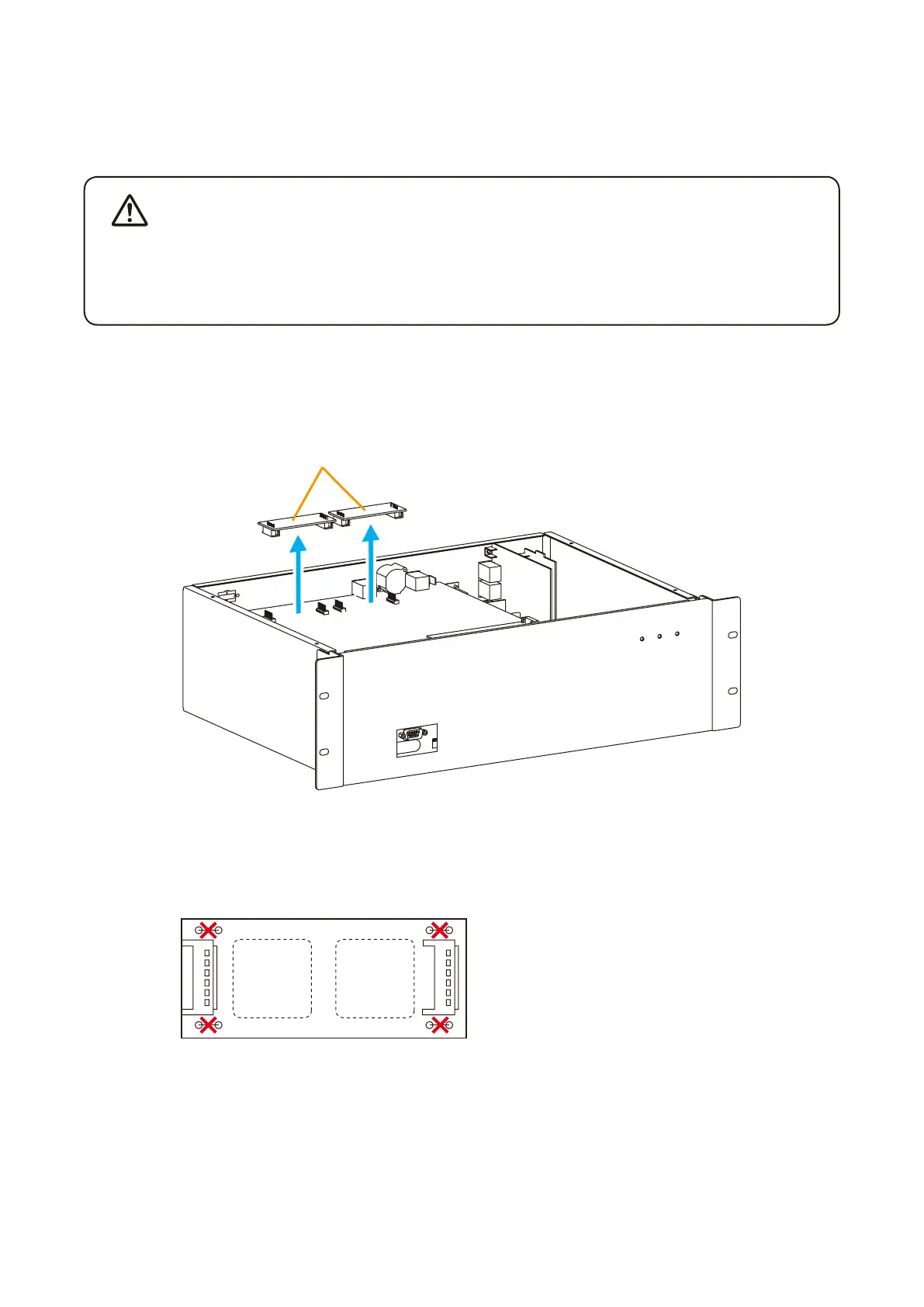
Step 2. Remove the transformer boards (OT PCBs).
Transformer boards (OT PCBs)
Step 3. Cut the jumper wires installed on each transformer board.
(4 jumpers SJP1401 - SJP1404 on each OT PCB.)
T1402 T1401
SJP1403 SJP1401
SJP1404 SJP1402
Step 4. Solder the IT-450 transformers to locations T1401 and T1402 on each OT PCB.
Step 5. Fit both OT PCBs back into place.
Step 6. Replace the top panel.
WARNING



 To Next Page