Chapter 5: OPERATION
5. FAILURE OUTPUT DETECTION
5-37
5.2. Monitoring Log List
Possible causes of detected failures can be confirmed in the View Log window.
For reading out the log file, refer to
p. 11-7.
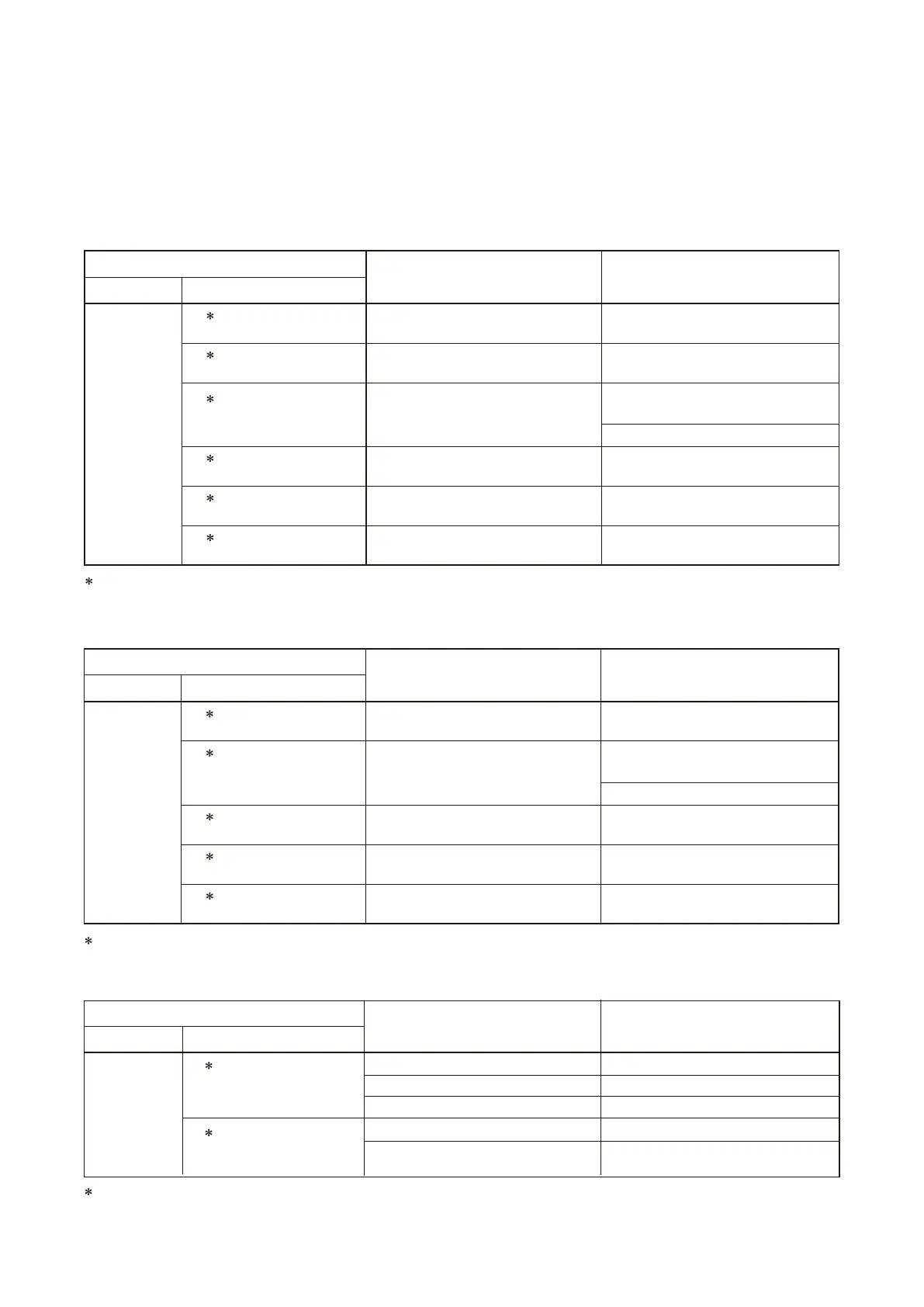
Table below lists failure logs, possible causes, and their solutions.
[RM-200XF]
[RM-200X]
[EV-200]
Log
Possible Cause
Additional InformationDetail code
EV Fault Occurrence
EV Monitor EV-200 failed Consult TOA dealer
Unusable CF card installed
EV
1 kHz Failure Occurrence
No CF card installed. Install a card.
EV-200's DIP switch setting not
performed
Check for the EV-200's DIP switch
setting.
No CF card installed.
Install a correct card.
Install a card.
Solution
A component ID number is displayed here.
A component ID number is displayed here.
A component Unit number is displayed here.
Log
Possible Cause Solution
Detail code Additional Information
RM/FM Monitor
RM Microphone Occurrence
Microphone element broken or coiled
cord disconnected
Consult TOA dealer
RM
Microphone Switch
Occurrence
Microphone key or Emergency key
broken
Consult TOA dealer
RM
Low Power Supply
Voltage Occurrence
Power supply to RM dropped Supply power directly from VX-2000DS
/3000DS.
Use the connection cable with lower loss.
RM Low Power Supply
RM to VX-200XR LINK connectors
misconnected
Check for the connector to be connected
to and the connection cable.
RM
Communication
Occurrence
RM to VX-200XR LINK connectors
misconnected
Check for the connector to be connected
to and the connection cable.
RM
Fault No. of RM-210
Occurrence
Actual No. of RM-210s and PC-set No.
unmatched
Match both Nos. by changing either. (If
the PC setting is changed, download it.)
Log
Possible Cause Solution
Detail code Additional Information
RM/FM Monitor
RM Microphone Occurrence
Microphone element broken Consult TOA dealer
RM
Low Power Supply
Voltage Occurrence
Power supply to RM dropped Supply power directly from VX-2000DS
/3000DS or an AC adapter.
Use the connection cable with lower loss.
RM Line Occurrence
RM to VX-200XR LINK connectors
misconnected
Check for the connector to be connected
to and the connection cable.
RM
Communication
Occurrence
RM to VX-200XR LINK connectors
misconnected
Check for the connector to be connected
to and the connection cable.
RM
Fault No. of RM-210
Occurrence
Actual No. of RM-210s and PC-set No.
unmatched
Match both Nos. by changing either. (If
the PC setting is changed, download it.)



 To Next Page