Chapter 7: PC SOFTWARE OFFLINE SETTINGS
10. ACTIVATION SETTING MODE
7-61
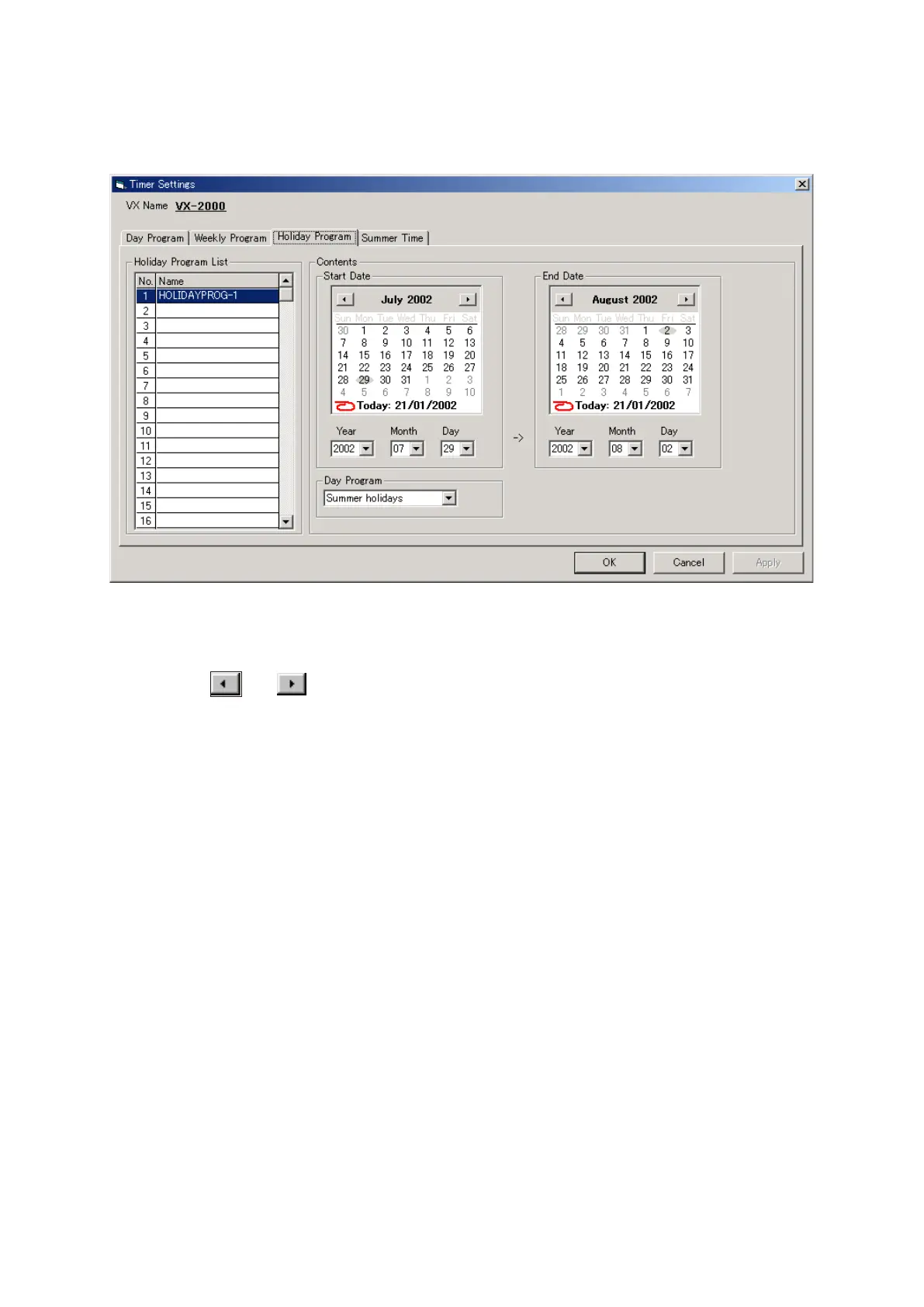
Step 1. Click on the [Holiday Program] tab.
Step 2. Set the start date.
•Usethe
and
arrow buttons located in the upper corners of the calendar window to display
and set the start date's month and year.
•Clickonthestartdate.
Step 3. Set the end date in the same way.
Step 4. From the day program, select the broadcast settings to be used during the holiday period.
Program names will be displayed in the [Holiday Program] list, and can be changed as desired. Select
a line to rename, then click on it again, and the name can be changed.
10.3.3. Holiday programs
Day programs to be broadcast only during limited periods of time –such as holidays– can also be set. Up to 40
holiday programs can be created.



 To Next Page