Chapter 7: PC SOFTWARE OFFLINE SETTINGS
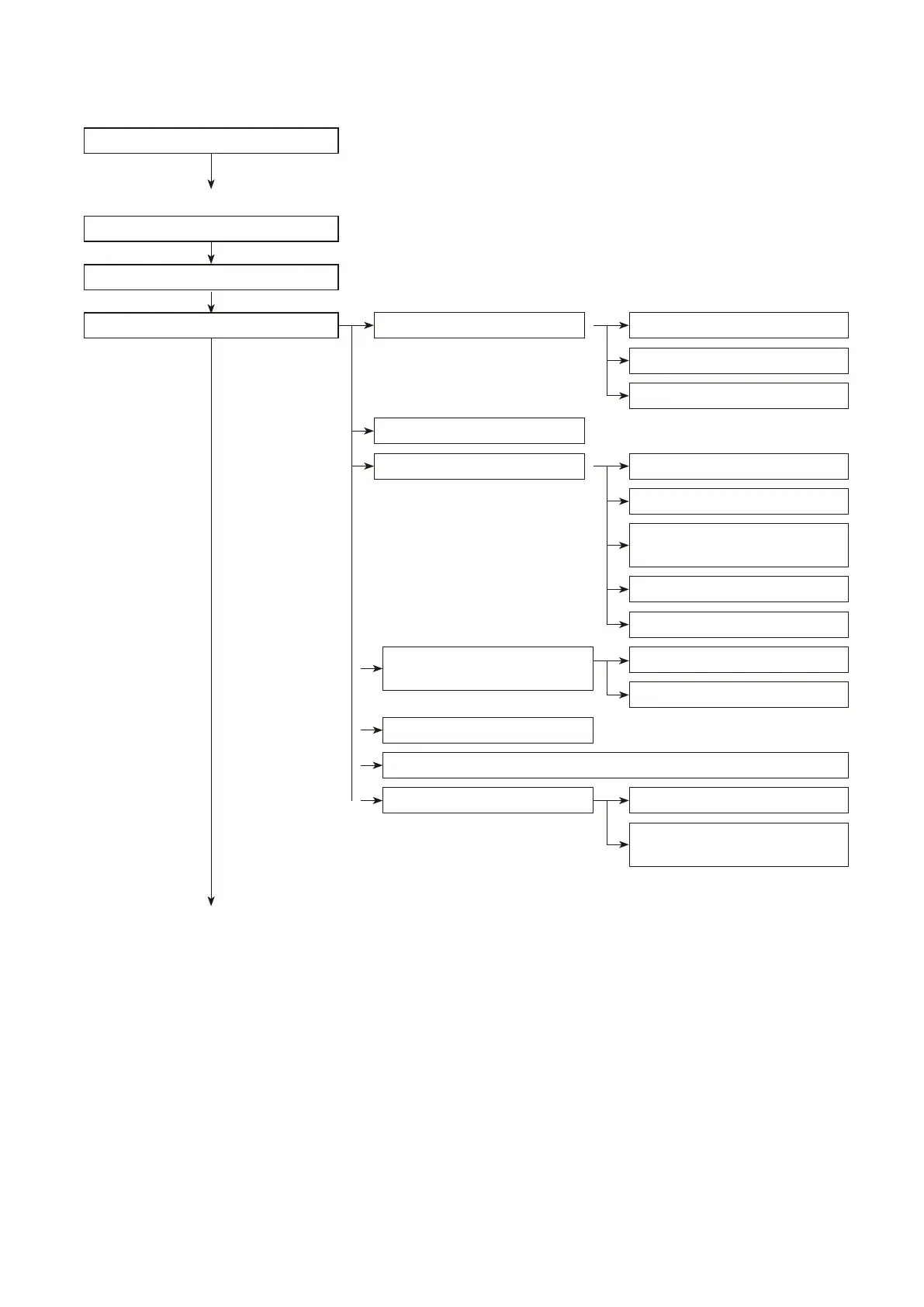
1. SETUP PROCEDURE (from installation to settings)
7-2
1. SETUP PROCEDURE (from installation to settings)
VX-2000 Setting Software Activation
New File Creation
Selection of No. of Electronic
Voice File Units
Broadcast Type Selection
Remote Microphone Properties
Settings
Monitor Interval Settings In
Standby Mode
Battery Check Interval Settings
SF Module Name SettingsSF Properties SettingsConfiguration Setting Mode
Standby Amplifier Usage
SF Module Settings
Control Output Name Settings
VX Name SettingsVX Properties Settings
Drive Mode Selection
Timer Validity Setting
VX Input Module Settings
No. of Extension Units Settings
Remote Microphone Expansion
Monitor Settings
Electronic Voice File Message Type Selection
To the next page
(p. 7-10)
Software Installation
(p. 7-5)
[OFFLINE OPERATIONS]
(
p. 7-13)
(
p. 7-11)



 To Next Page