Chapter 7: PC SOFTWARE OFFLINE SETTINGS
9. OPERATION SETTING MODE
7-47
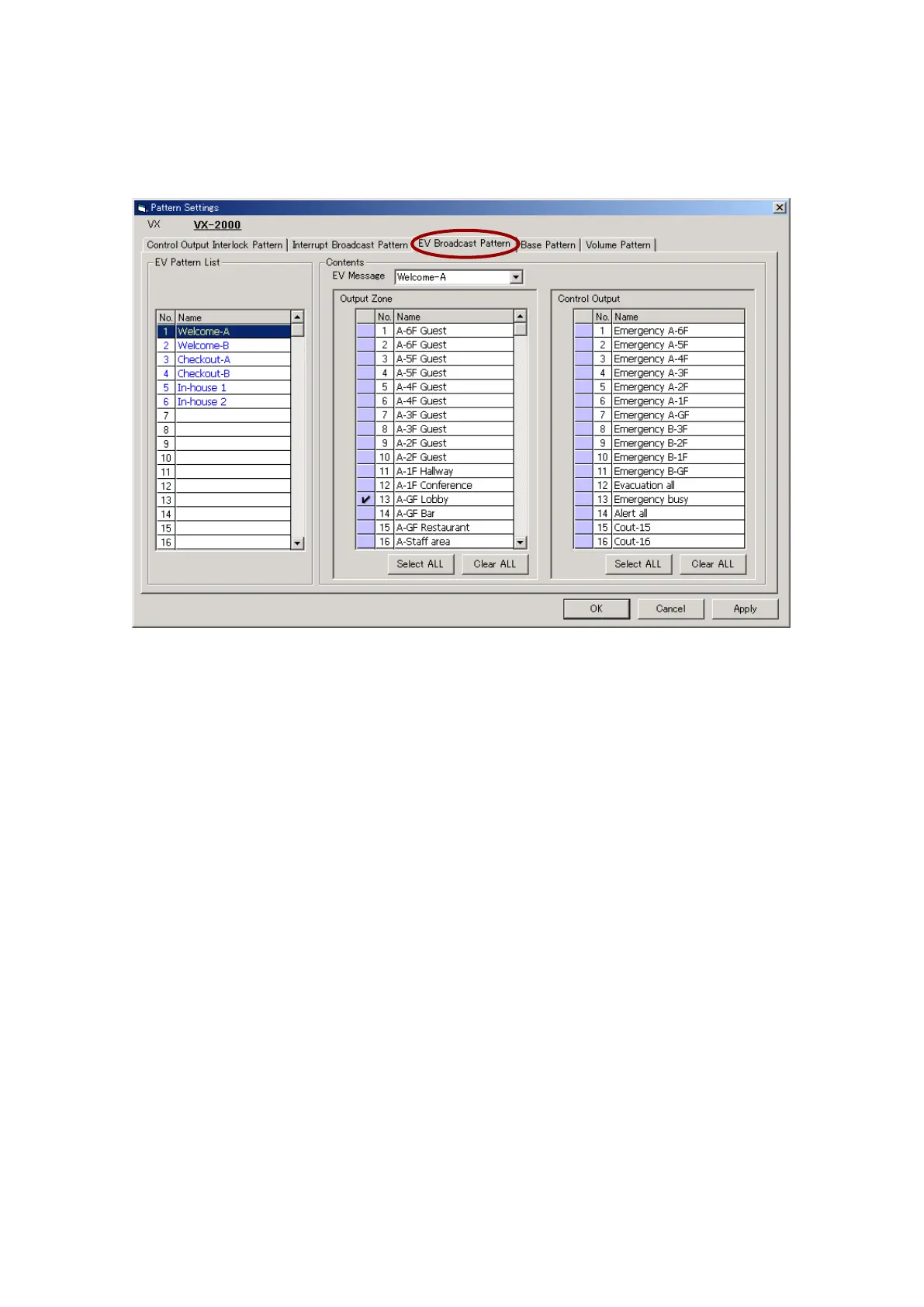
9.2.3. EV broadcast pattern
Up to 20 EV broadcast patterns can be created.
Step 1. Click on the [EV Broadcast Pattern] tab.
Step 2. Set the EV message, output zone and control output combination to be activated by control input or
internal timer.
2-1. Select the EV message.
The general-purpose message programmed into the EV unit will be displayed.
2-2. Select the output zone.
The pattern name will be displayed in the EV Pattern List. The pattern name can also be changed, if
desired. Select a line to rename, then click on it again, and the name can be changed.
2-3. Select the control output.
Select the control output to be activated during EV message broadcast.



 To Next Page