Chapter 8: INSTALLATION AND SETTING PROCEDURES (HARDWARE)
1. RM-200XF AND RM-200X MICROPHONES
8 -11
1.5. Mounting the Assembly of RM-200X and Its Extension RM-210 on a Wall
When adding an RM-210 Remote Microphone Extension to expand the RM-200XF, use the optional WB-RM200
Wall Mounting Bracket.
[Necessary mounting hardware for adding the RM-210]
As the mounting bracket for the RM-210 is an optional product (model WB-RM200), prepare it separately.
Wall mounting bracket for the RM-210 (model WB-RM200) ...... 1 (optional)
M3.5 screw for wiring box .......................................................... 2 (supplied with the WB-RM200)
Tapping screw for wooden wall .................................................. 2 (supplied with the WB-RM200)
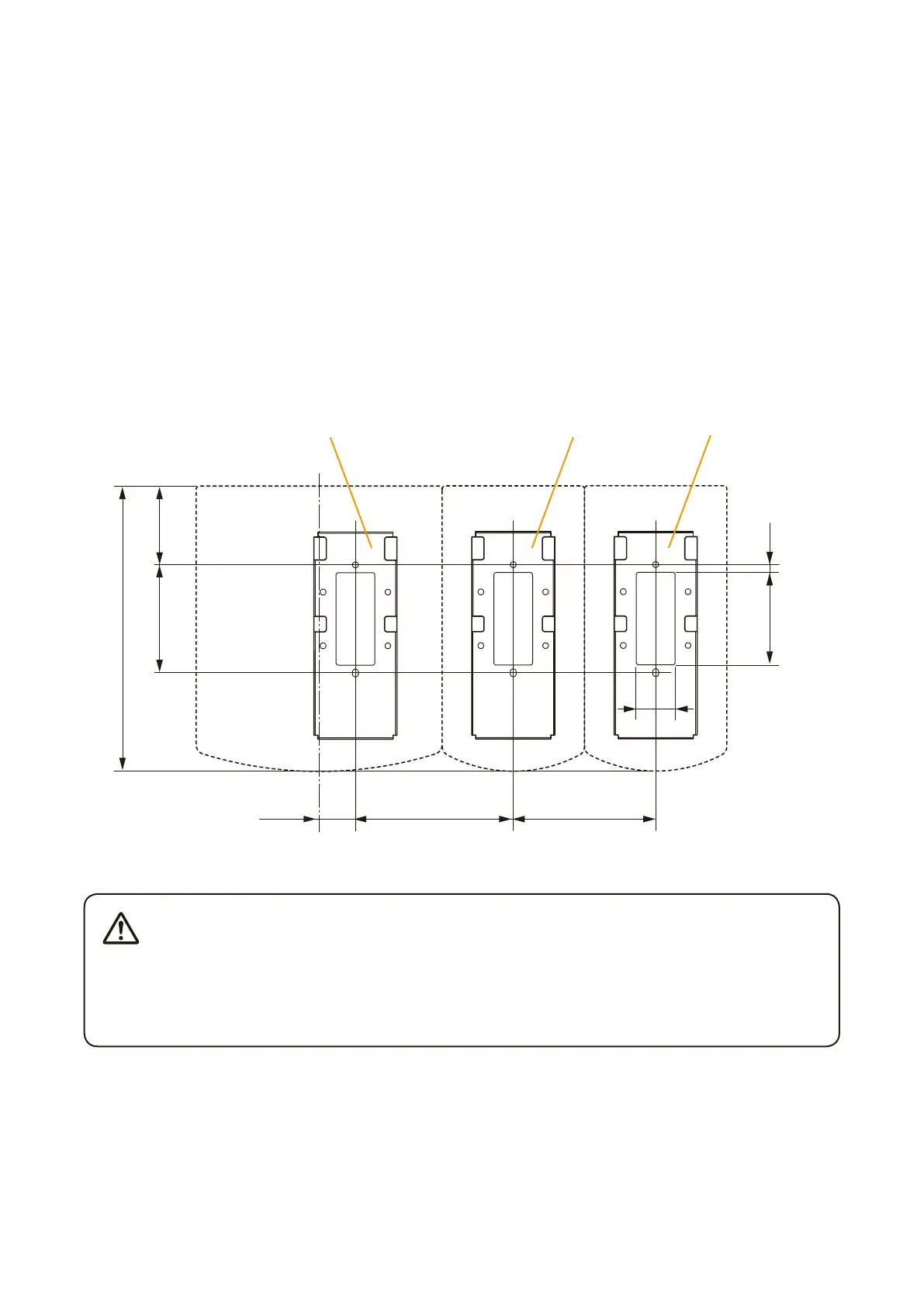
Step 1. Attach the 2 WB-RM200 Wall-Mounting Brackets (one for the RM-200X and one for the RM-210) to the
wall.
• Installtheunitonlyinalocationthatcanstructurallysupporttheweightoftheunitandthemounting
bracket. Doing otherwise may result in the unit falling down and causing personal injury and/or
property damage.
• Besuretouse2screwswhenmountingthebrackettothewall.
60.883.5
220.3
123
111
30
28
71.5 6
WB-RM200
(Necessary if one more
RM-210 is added.)
WB-RM200
(optional)
WB-RM200
(optional)
RM-200X RM-210 RM-210
Continued on next page
Unit: mm
WARNING



 To Next Page