Chapter 7: PC SOFTWARE OFFLINE SETTINGS
7. CONFIGURATION SETTING MODE
7-28
7.6. Electronic Voice File (EV) Unit Message Types
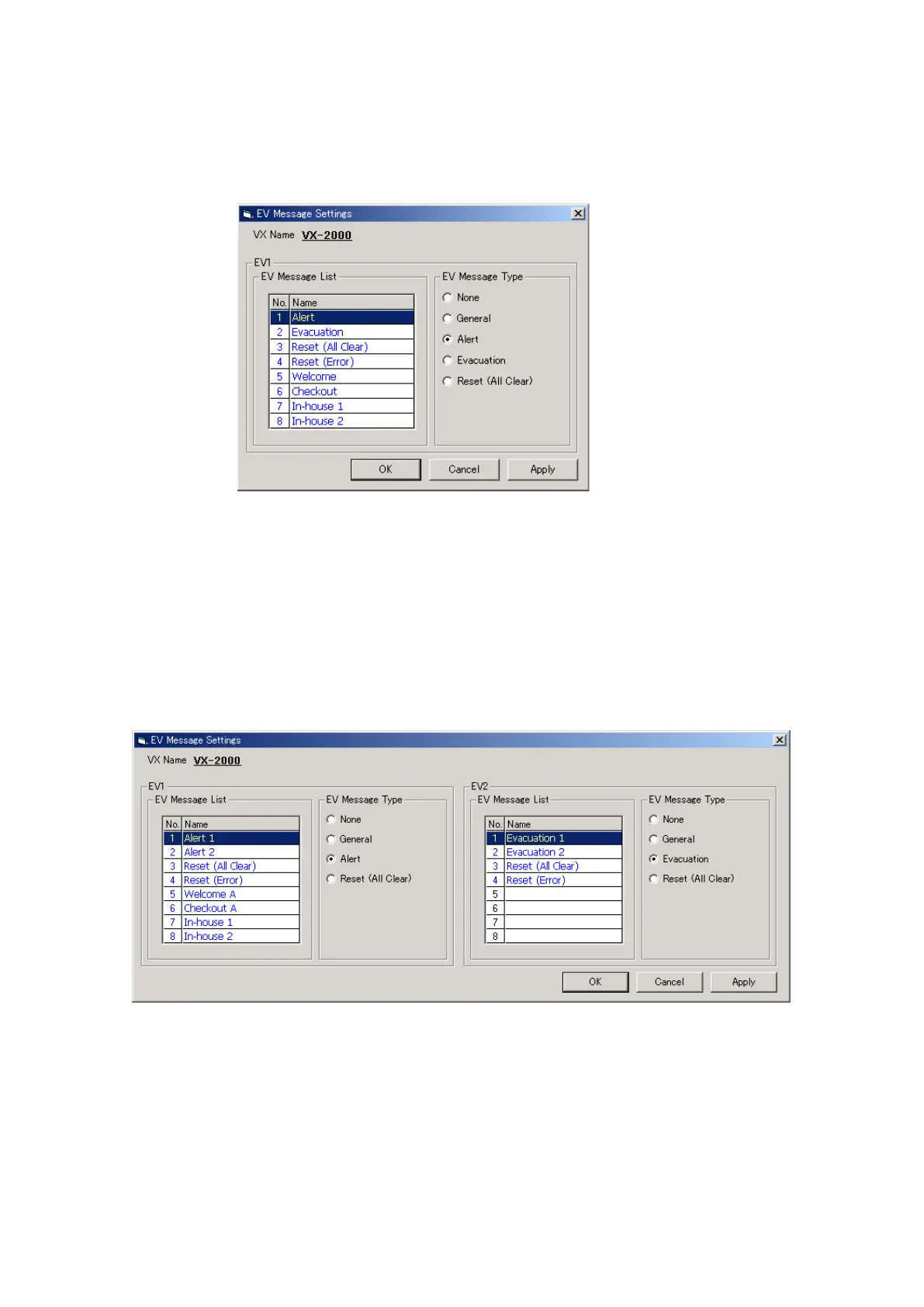
Clicking on the [EV] button on the Configuration screen opens the [EV Message Settings] window.
[When Using a Single EV Unit.]
Step 1. Click on the desired EV message Name to highlight the selected line.
Step 2. Select the [EV message type].
Step 3. After setting completion, click on the [Apply] button to save the settings and click on the [OK] button to
close the [EV Message Settings] window.
[When Using 2 EV Units]
Step 1. Click on the desired EV message Name to highlight the selected line.
Step 2. Select the [EV message type].
Step 3. After setting completion, click on the [Apply] button to save the settings and click on the [OK] button to
close the [EV Message Settings] window.
Note
EV message names can be changed. Select a line to rename, then click on it again, and the name can be
changed.



 To Next Page