Chapter 7: PC SOFTWARE OFFLINE SETTINGS
7. CONFIGURATION SETTING MODE
7-27
• Atotalofupto8RM-200XandRM-200XFcanbeconnectedpersystem.However,connectionstoindividual
units are limited to the following:
Designated for Emergency use: Up to 4 units in total of the RM-200XFs and RM-200Xs
Designated for General use: Up to 8 units of RM-200Xs only
There are 2 different connection methods:
one is to connect individual units to each module, and the other to connect multiple units to a single module.
[About the other menus]
•RMDelete: RemovestheRemoteMicrophonefromtheassignedsystemconfiguration.
•Copy: Copiesthesettingcontents.
•Paste: PastesthecopiedsettingcontentsintootherRemoteMicrophones.
•RMProperties: OpenstheRMPropertieswindow.
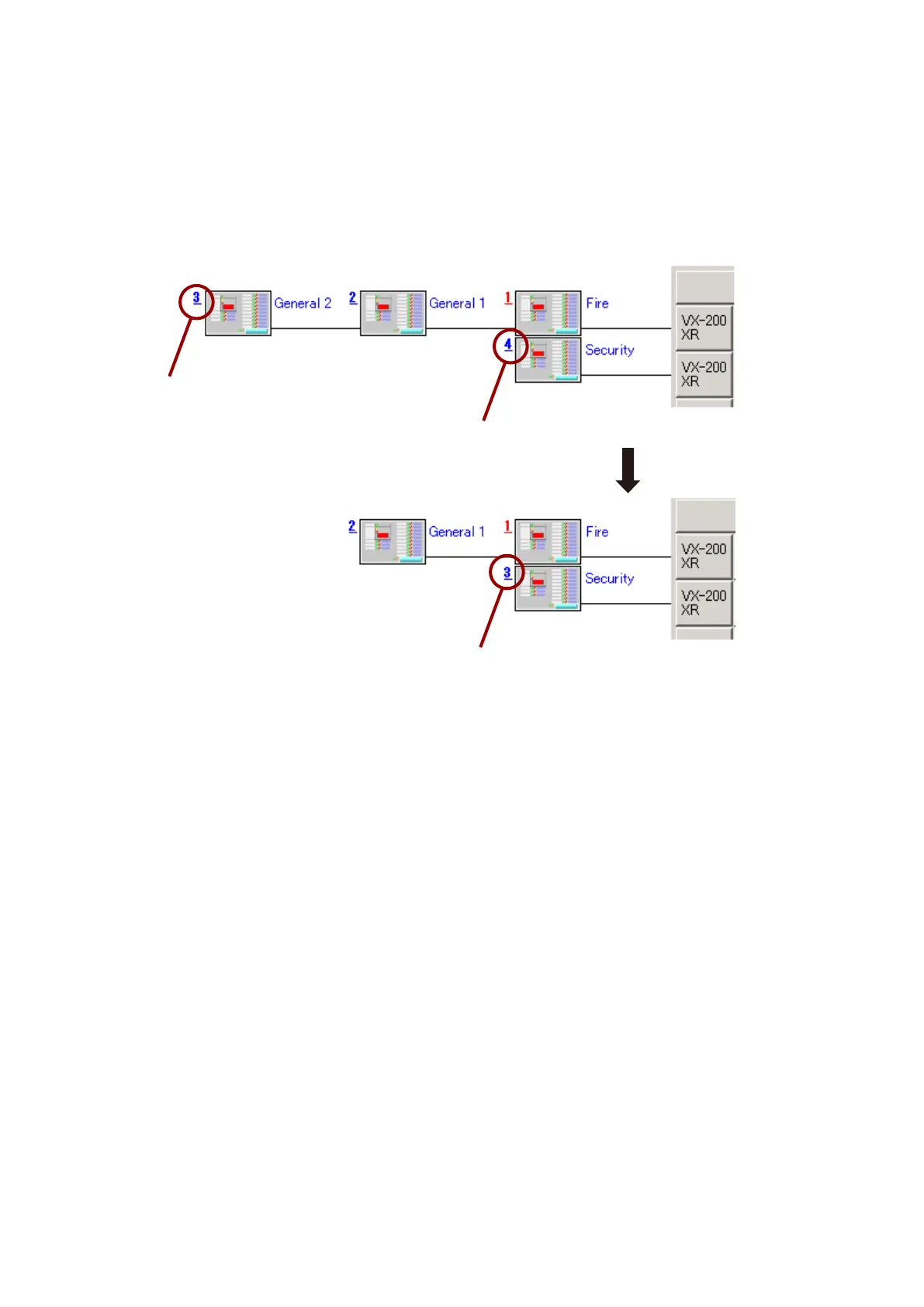
• WhenaRemoteMicrophoneisdeletedinthediagram,thiscausesitssubsequentunit'sIDnumberstobe
automatically re-assigned to compensate for the broken continuity of ID numbers. To match both ID numbers
on the software and hardware, be sure to reset the hardware ID numbers on the Remote Microphones whose
software ID numbers are changed.
Note that the Remote Microphone to be deleted must be the one at the leftmost position in the diagram.
For example, if the unit of Unit ID 3 is deleted, the original unit of Unit ID 4 is changed to Unit ID 3 to
compensate for the lack of number continuity.
Can be deleted.
Original ID number 4 has been changed to 3.
Can be deleted.



 To Next Page