Chapter 7: PC SOFTWARE OFFLINE SETTINGS
7. CONFIGURATION SETTING MODE
7-26
Notes
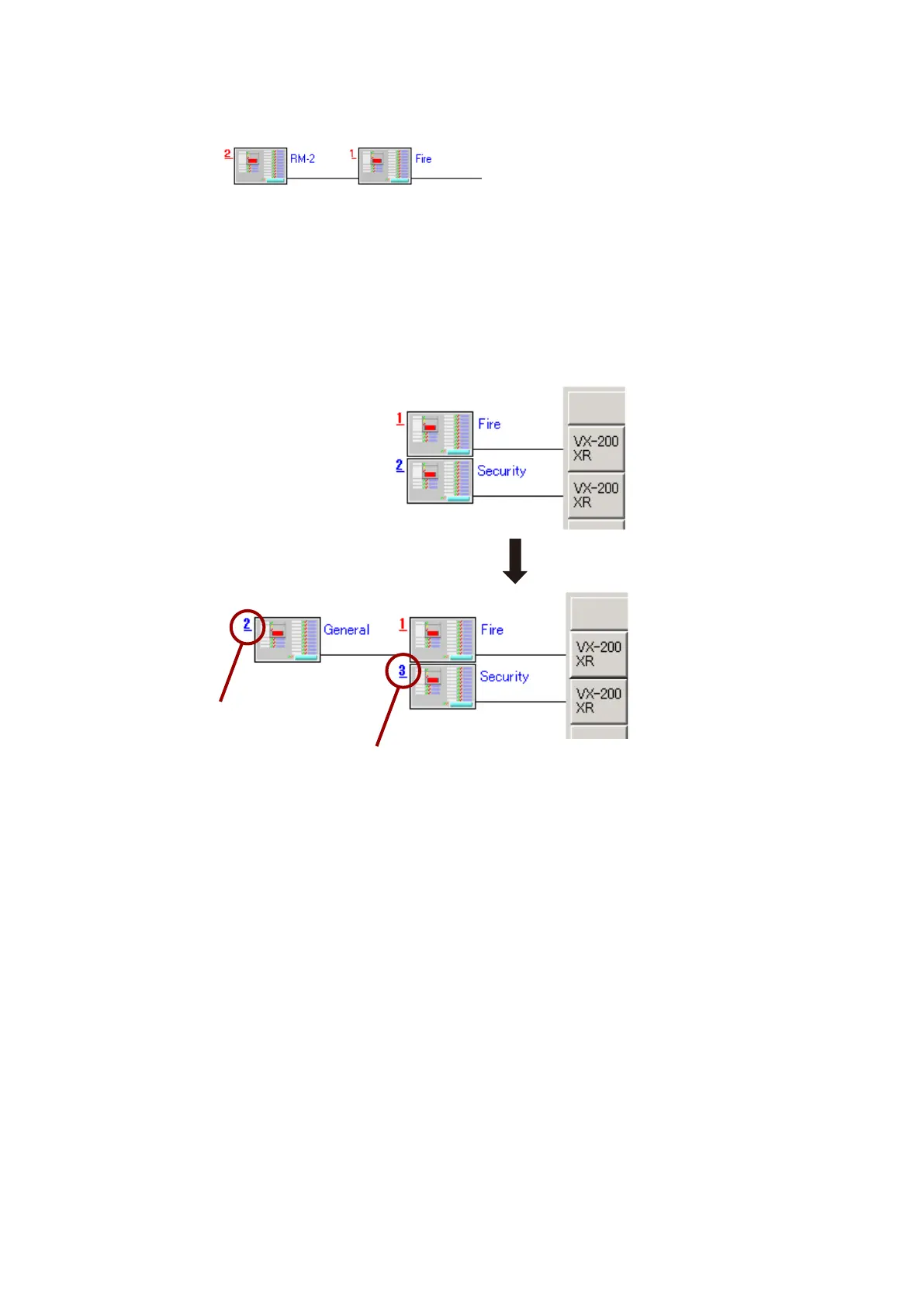
• TheexpandedRemoteMicrophoneisautomaticallyassigneditsIDnumberdependingonthepositionthe
unit is placed into, and its subsequent ID numbers are also changed.
To match both ID numbers on the software and hardware, be sure to reset the hardware ID numbers on the
Remote Microphones whose software ID numbers are changed.
For example, if a Remote Microphone is added to the unit of Unit ID 1, the newly added unit is assigned as
Unit ID 2 and the original unit of Unit ID 2 is changed to Unit ID 3.
Step 3. Click on the [Apply] button to save the settings and click on the [OK] button.
The [RM Properties] window will close and the added Remote Microphone is displayed to the left of the
first Remote Microphone icons.
Newly assigned ID number
Original ID number 2 has been changed to 3.



 To Next Page