Chapter 7: PC SOFTWARE OFFLINE SETTINGS
11. PRINTING OUT SETTING DATA
7-63
11. PRINTING OUT SETTING DATA
Step 1. Select [File
Print] from the menu.
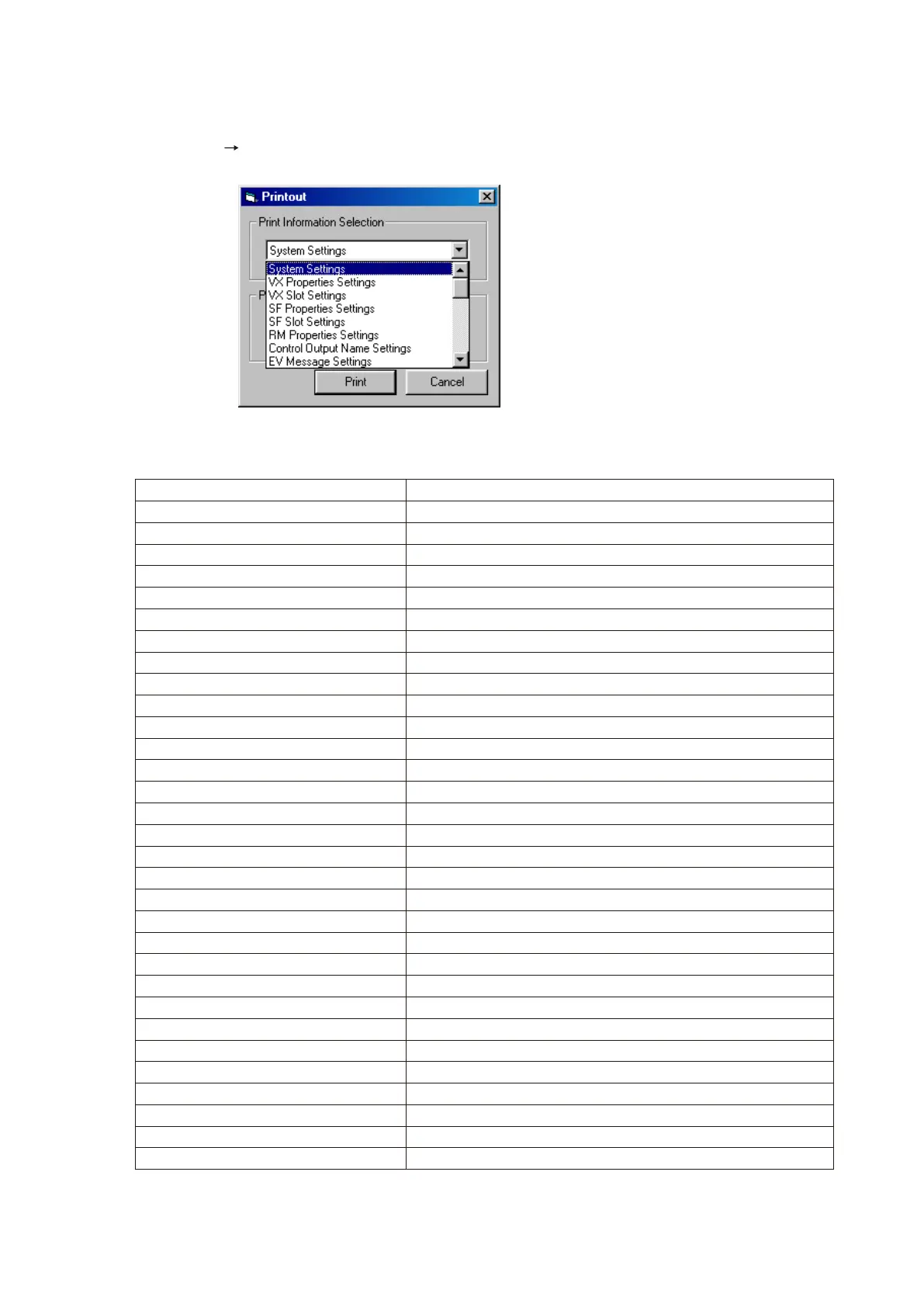
The [Printout] window will open.
Step 2. Select the item to be printed in the [Print Information Selection] menu.
The available printout items are as follows:
Step 3. Press the [Print] button to print.
Item Printout Contents
System Settings General system information
VX Properties Settings VX properties
VX Slot Settings Usable input module list
SF Properties Settings SF properties
SF Slot Settings Usable SF module list
RM Properties Settings RM properties list
Control Output Name Settings Control output name list
EV Message Settings EV message list
Priority Settings Priority setting list
Initial Source Volume Settings Initial source volume list
Initial Output Volume Settings Initial output volume list
EQ Settings Individual equaliser setting list
Emergency Sequence Settings*
1
Emergency sequence settings
Alert Broadcast Pattern Settings*
2
Alert broadcast pattern routings
Evacuation Broadcast Pattern Settings*
2
Evacuation broadcast pattern routings
Emergency Broadcast Pattern Settings Emergency broadcast pattern list
Emergency Output Pattern Settings Emergency control output name list
Control Output Pattern Settings Control output interlock pattern list
Interrupt Broadcast Pattern Settings Interrupt broadcast pattern list
EV Broadcast Pattern Settings EV broadcast pattern list
Base Pattern Settings Base pattern routings
Volume Pattern Settings Volume pattern list
Failure Output Pattern Settings Failure output settings pattern list
RM Function Key Setting Functions assigned to each RM function key
Control Input Settings Control input
Day Program Settings Time and activation pattern
Weekly Program Settings Day of the week and day programs to be activated
Holiday Program Settings Period and day programs to be activated
Log List VX log file
System Configuration All equipment used within the system and their connections
RM Function Key Labels RM function key name labels used for RM-200XF/200X/210
*
1
Displayed when 1 EV unit is used.
*
2
Displayed when 2 EV units are used.



 To Next Page