Chapter 8: INSTALLATION AND SETTING PROCEDURES (HARDWARE)
4. VP-2064, VP-2122, VP-2241 AND VP-2421 POWER AMPLIFIERS
8-36
4.3. Installing the VP-200VX Power Amplifier Input Module in the VP Power Amplifiers
Step 1. Remove the top panel.
Refer to
p. 8-34 "4.1. Removing the VP Power Amplifier's Top Panel" for removal procedures.
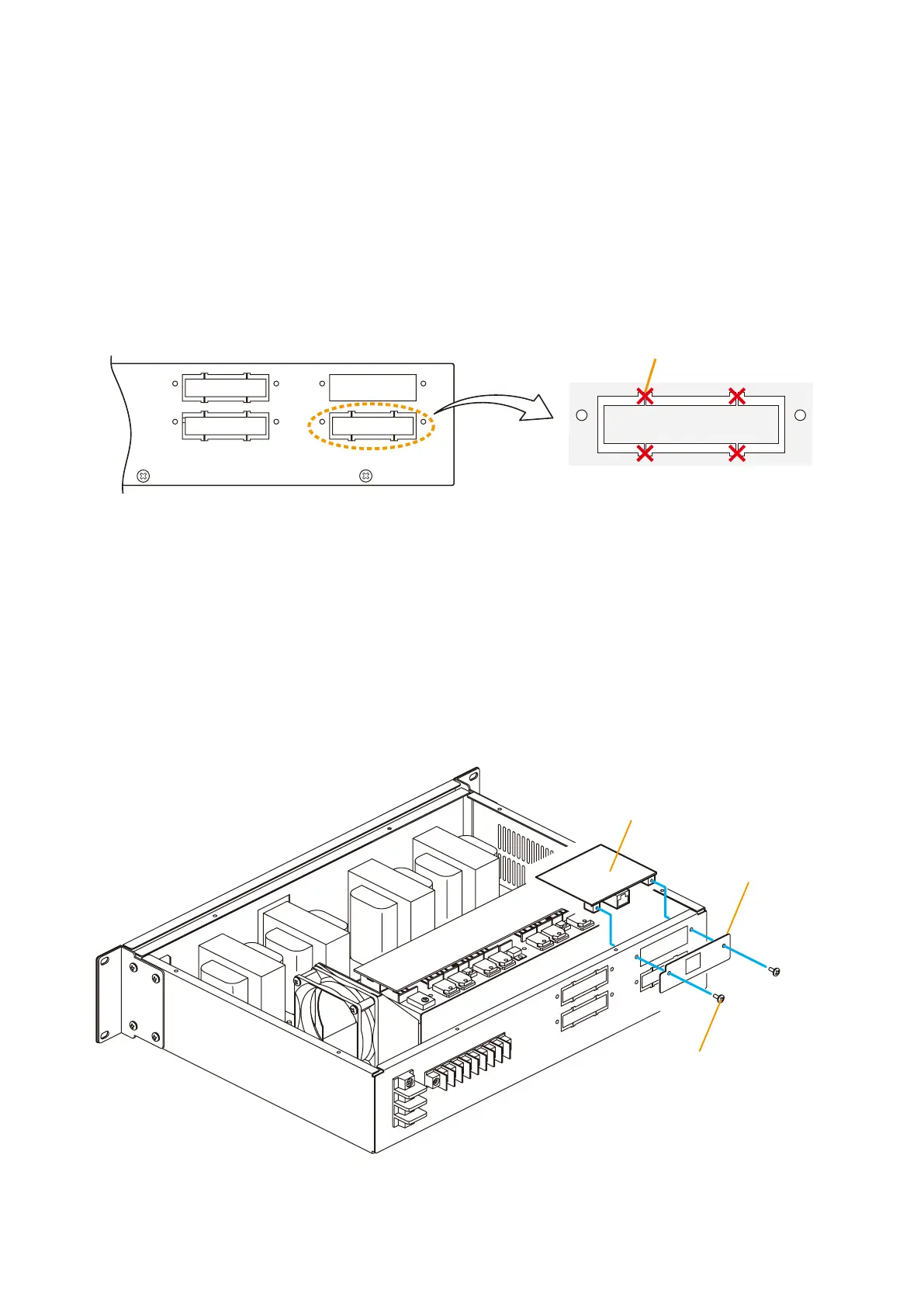
Step 2. Using nippers, clip out 4 connecting sections and the plate over the VP-200VX mounting location on
thepoweramplier'srearpanel.
Notes
• CH1 is not covered with a plate.
• Remove only the plate of the channel to be used.
CH3 CH1
CH4 CH2
[VP-2064 Rear]
Cut off with nippers.
Step 3. Unscrew the VP-200VX's panel.
Step 4. Mount the VP-200VX module.
Attach the VP-200VX 's panel to the mounting location and the VP-200VX unit to the back of the
mounting location, then secure them to the amplifier using the screws removed in Step. 3.
Notes
•Perform installation for lower mounting locations (CH2 and CH4) first.
•Mount the VP-200VX with its circuit board components faced down.
VP-200VX
VP-200VX 's panel
Mounting screw
(Use the screw removed
from the VP-200VX)



 To Next Page