Chapter 7: PC SOFTWARE OFFLINE SETTINGS
8. SYSTEM SETTING MODE
7-31
8.1.1. Emergency RM
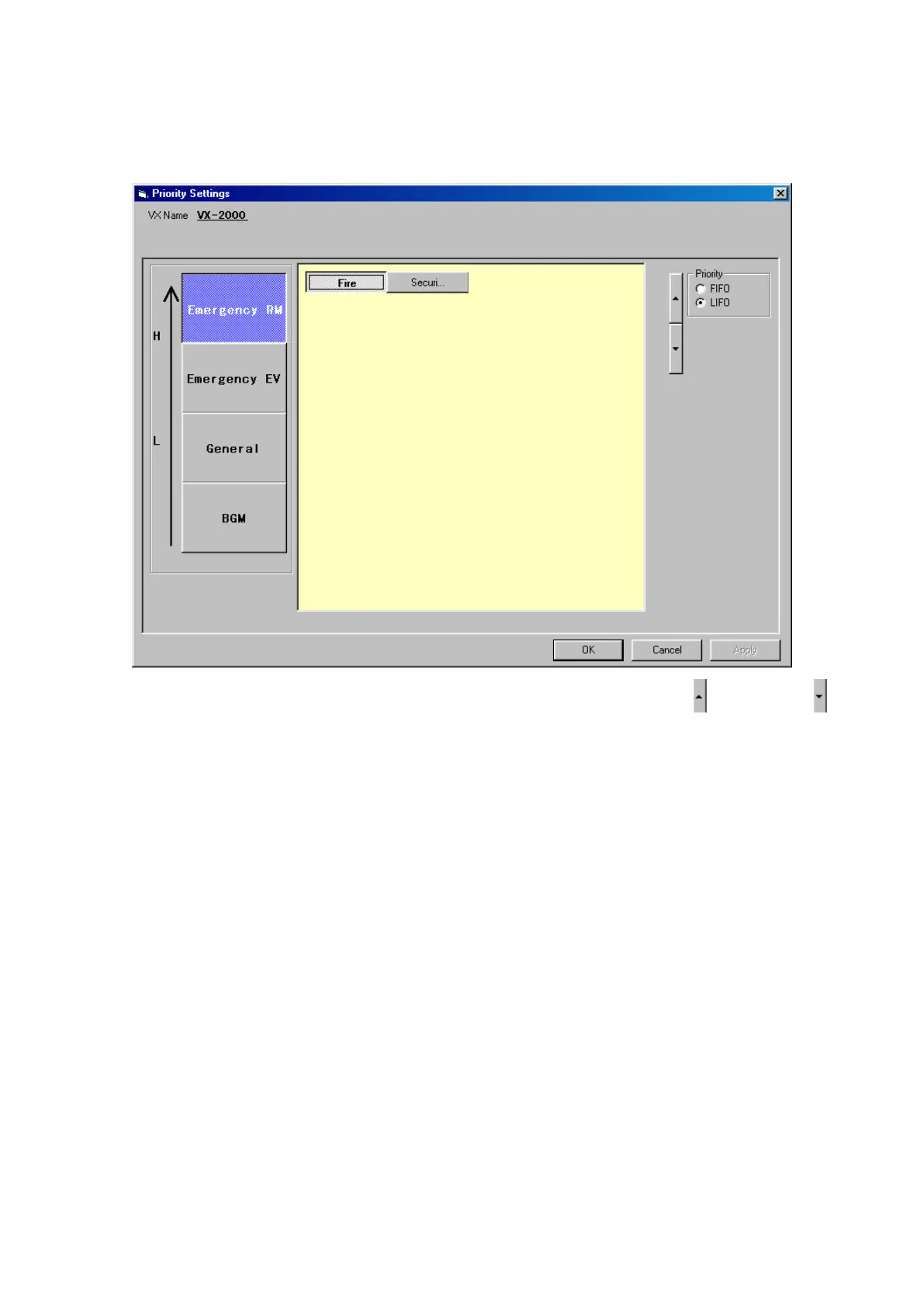
When the Priority Settings window opens, the Emergency RM priority display will appear.
In the [Emergency RM] settings window, those Remote Microphones set for [Emergency/General Purpose] in
the [RM Properties] window are displayed. All are initially displayed with the same level of priority.
Step 1. Select a Remote Microphone and change its priority level by pressing the Up ( ) and Down ( )
buttons.
Step 2. IfthesameprioritylevelisassignedtomorethanoneRemoteMicrophone,selecteither[FIFO](rst
in,rstout)or[LIFO](lastin,rstout)prioritysettingsincasesimultaneousbroadcastsaremade.
•FIFO: Priority is given to the first broadcast made. Other subsequent Remote Microphones
broadcasts cannot be made until the first Remote Microphone's broadcast is completed.
•LIFO: Priority is given to the most recent broadcast, which overrides any Remote Microphone
broadcasts that are currently in progress.



 To Next Page