Chapter 7: PC SOFTWARE OFFLINE SETTINGS
9. OPERATION SETTING MODE
7-50
9.2.5. Volume pattern
Up to 156 volume patterns can be created.
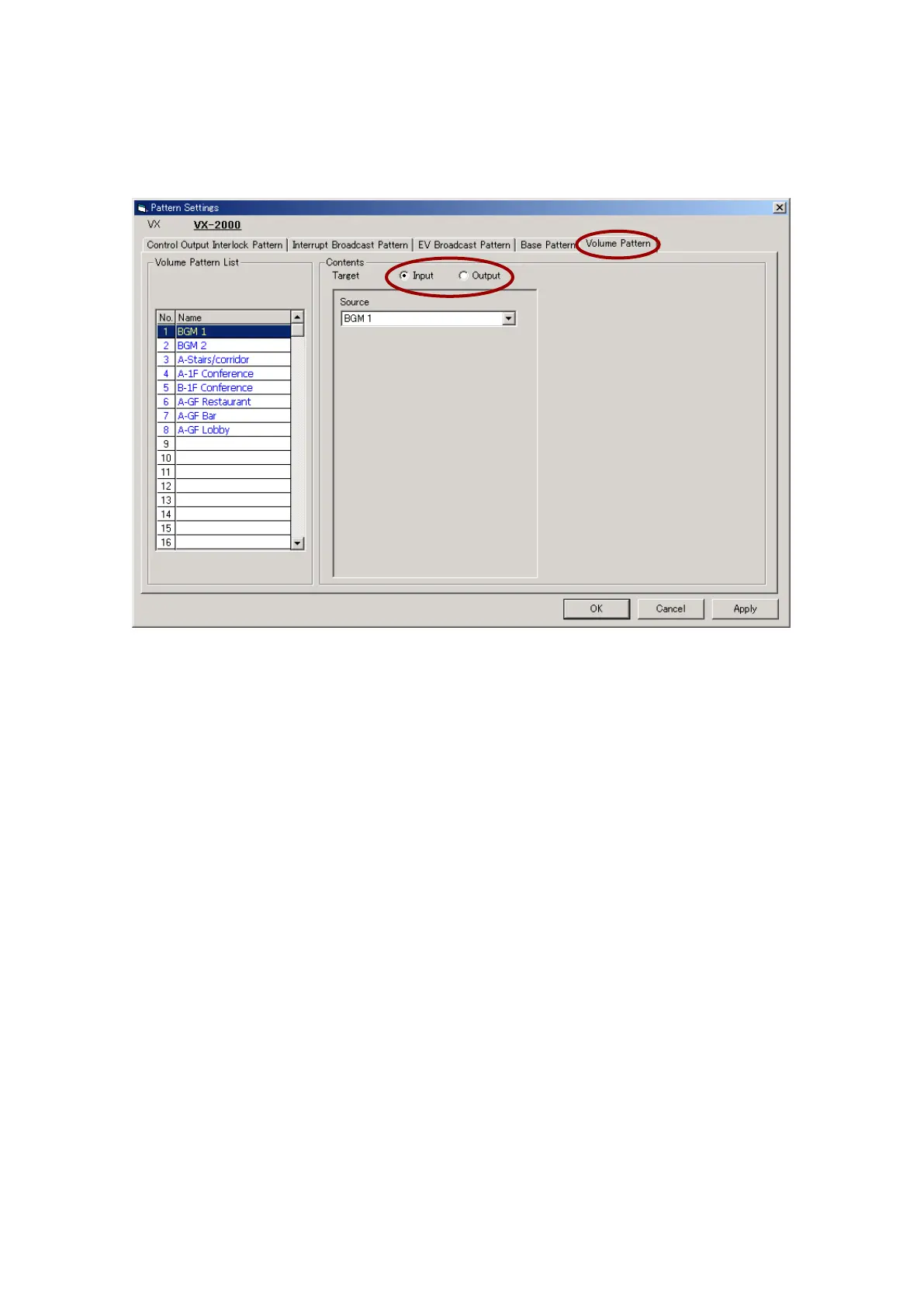
Step 1. Click on the [Volume Pattern] tab.
Step 2. Select the target for the volume pattern.
Select either "Output" or "Input" volume for the targeted volume pattern.
[When operating the input volume]
2-1. Select [Input].
2-2. Select the sound source for the volume which needs to be changed, if desired.
The pattern name is displayed in the Volume Pattern List. The pattern name can be changed. Select a
line to rename, then click on it again, and the name can be changed.
[When operating the output volume]
2-1. Select [Output].
2-2. Select the output zone of which volume needs to be changed.
The pattern name is displayed in the Volume Pattern List. The pattern name can also be changed, if
desired. Select a line to rename, then click on it again, and the name can be changed.
Step 3. After completing all settings, click on the [Apply] button to save the settings and click on the [OK] button
to close the [Pattern Settings] window.



 To Next Page