Chapter 7: PC SOFTWARE OFFLINE SETTINGS
9. OPERATION SETTING MODE
7-49
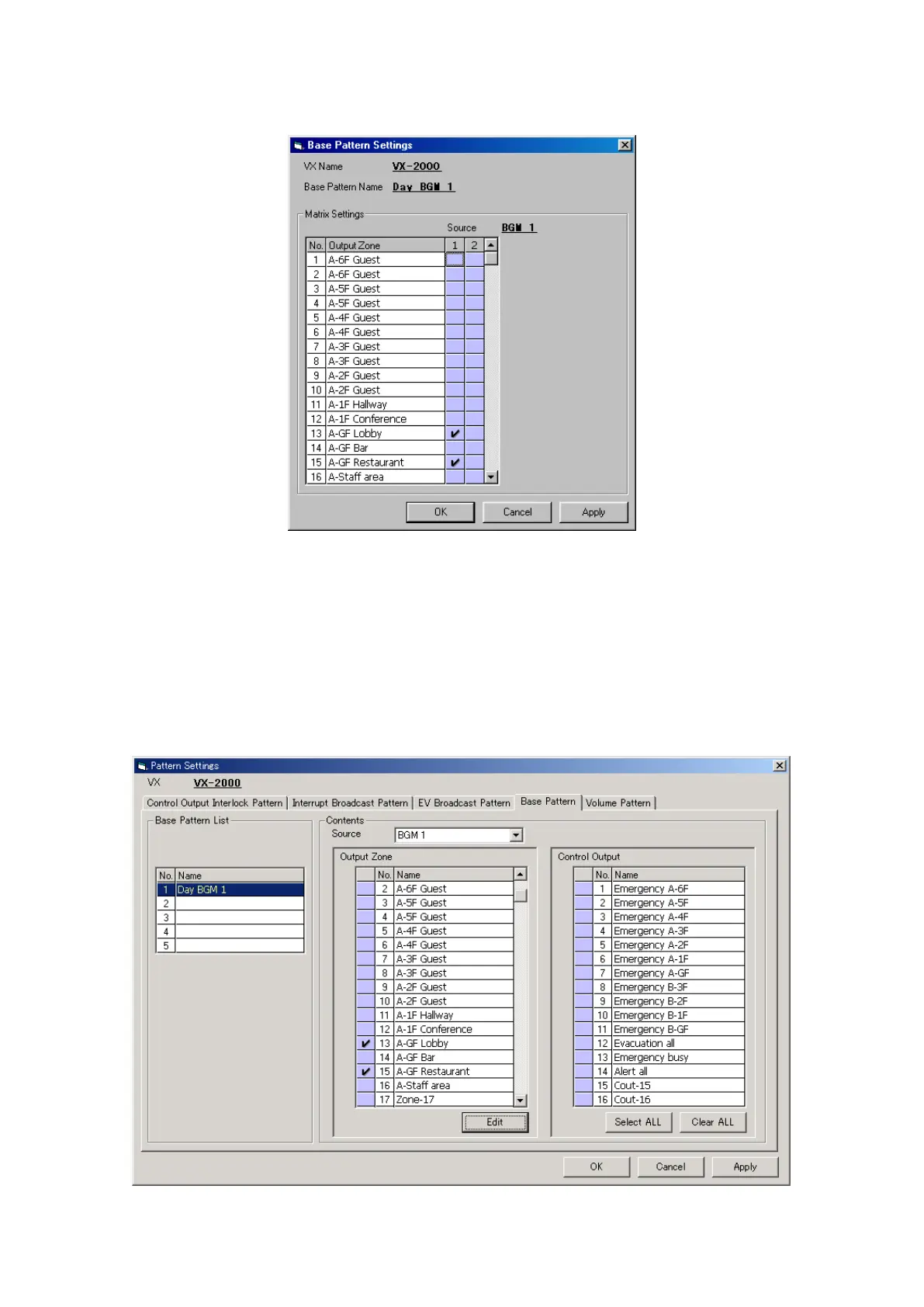
Step 2. Click on the [Edit] button.
The [Base Pattern Settings] window will open.
Step 3. Set the combination of sound source (set as BGM) and output zone(s) to be activated by the control
input, Remote Microphone or internal timer.
3-1. Set the output zone for each sound source.
3-2. Click on the [Apply] button to save the settings and click on the [OK] button to close the [Base Pattern
Settings] window.
The pattern name is displayed in the Base Pattern List. The pattern name can also be changed, if
desired. Select a line to rename, then click on it again, and the name can be changed.
The output zone(s) assigned to each sound source can be viewed in the Contents column. Changing
the sound source will also change the output zone display.
3-3. Select the control outputs to be activated during base pattern broadcast.



 To Next Page