Chapter 7: PC SOFTWARE OFFLINE SETTINGS
7. CONFIGURATION SETTING MODE
7-29
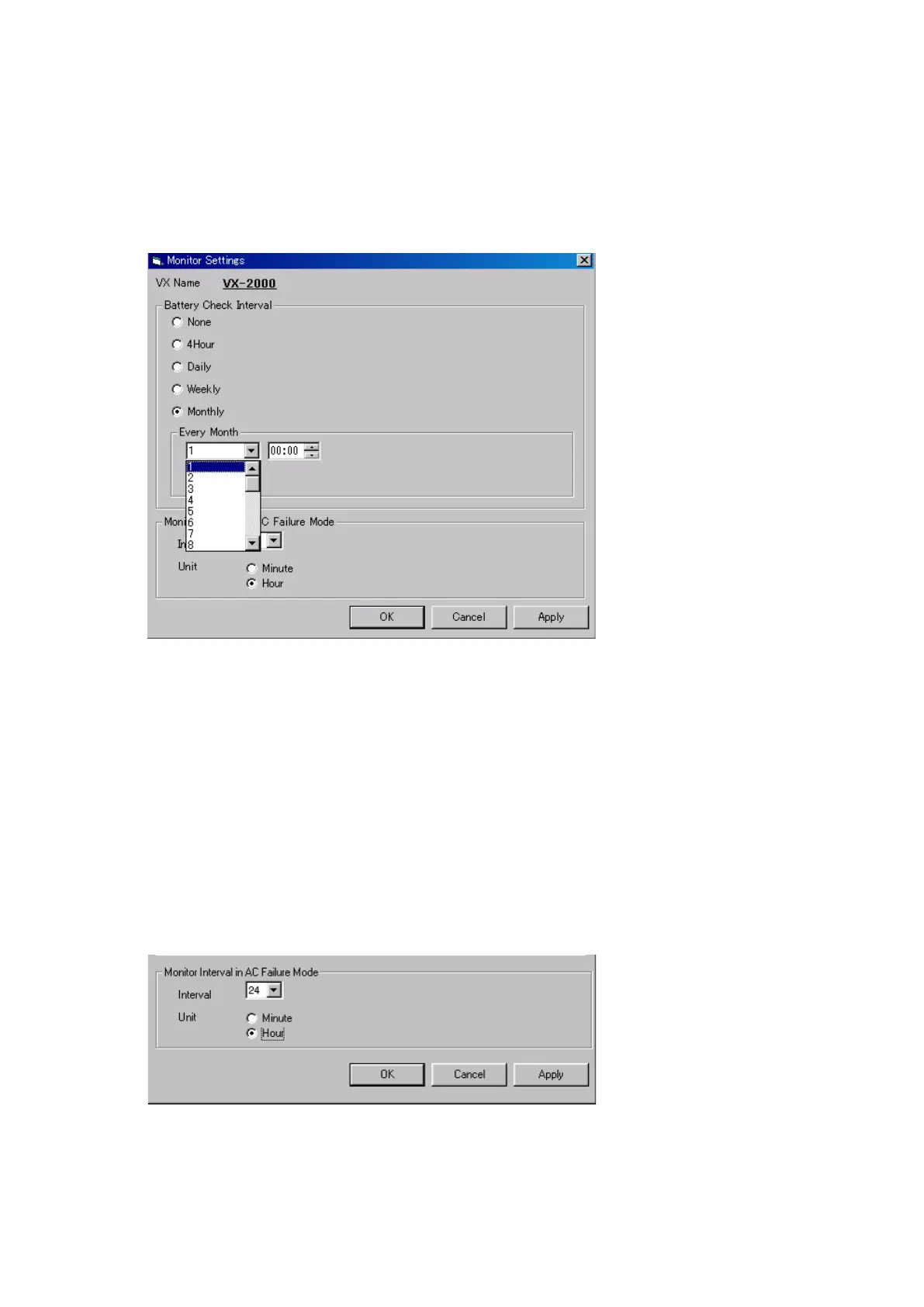
7.7. Monitor Settings
Step 1. Set battery check interval.
Set the interval time long enough to enable the check of sealed lead backup storage batteries for
sufficient charge voltage.
1-1. Click the [Monitor] button on the Configuration screen.
The [Monitor Settings] window will open.
2-1. Set the monitoring interval.
The monitoring interval can be set for once every 1 – 24 hours in 1-hour increments or for 1 – 60
minutes in 1-minute increments.
2-2. After setting completion, click on the [Apply] button to save the settings and click on the [OK] button to
close the [Monitor Settings] window.
1-2. Set the time interval for checking the batteries.
•[None]: Selectthissettingifthesystemusesnobackupbattery.
•[4Hour]: Checksthebatteriesevery4hoursforEN54-4.
•[Daily]: Checksthebatterieseveryday.
•[Weekly]: Checksthebatterieseveryweekonthedesignatedday.
•[Monthly]: Checksthebatterieseverymonthonthedesignateddate.
Notes
• If"29,""30,"or"31"isselected,thefollowingmessagewillbedisplayed.
"Battery is checked on the last day of the month if the designated date does not fall within the
days of the month."
For example, when the date "30" is set, the battery check is performed on 28th or 29th of February
or on 30th of other months.
Step 2. Set the time interval for monitoring the system during AC power failure.



 To Next Page