Chapter 7: PC SOFTWARE OFFLINE SETTINGS
7. CONFIGURATION SETTING MODE
7-23
7.4. Remote Microphone Properties Settings
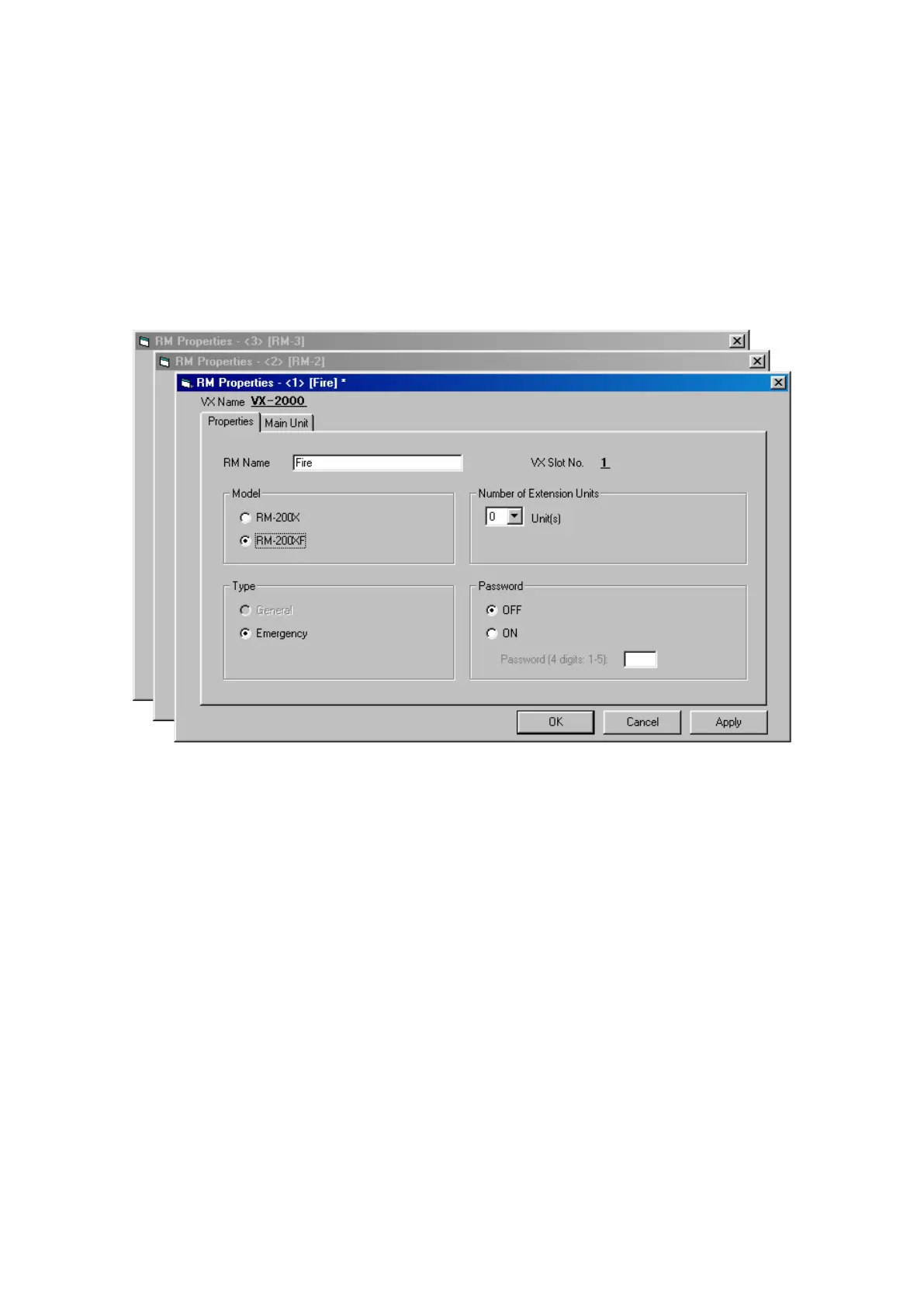
When the [VX Properties] screen is closed, if there is an input module set to [VX-200XR], the [RM Properties]
window will open. Here, set the type of Remote Microphone to be used, the type of broadcast, the number of
expansion units, and a password.
Note
The following message is displayed if the [Main Unit] tab is clicked in the RM Properties screen: "This RM
function key setting cannot be changed during configuration setting."
Click on the [Main Unit] tab when assigning function to individual keys on the remote control unit.
The types of modules assigned to the VX-2000's slots are displayed on the screen, and icons for the Remote
Microphone, sound source, and other connected equipment are displayed to the left of the [VX-2000] column.
Step 1. If necessary, enter a name in [RM Name] box.
Step 2. Select either the RM-200XF or RM-200X Remote Microphone.
•IfRM-200Xisselected,designatethe[Type]aseither[General]or[Emergency].
•IfRM-200XFisselected,the[Type]isautomaticallysetto[Emergency].
Step 3. When increasing the number of function keys, select the number of extension units.
Step 4. If necessary, enter a password.
Select [OFF] when not using a password, and [ON] when a password is to be set.
Enter a 4-digit password comprised of the numbers 1 – 5 in the [Password] box.
Note
If a password has been set, the Remote Microphone cannot be operated without the password. For
entering a password, refer to
p. 5-2.
Step 5. Set the [RM Properties] for any other Remote Microphones in the same way.
Activate the window by clicking on the title bar, then perform the settings.
Continued on next page



 To Next Page